En construction

Vous nous avez échantillonnés en plein chantier.

Ces guides portent sur la nouvelle plateforme ExpiWell (v2) et sont encore en cours d’écriture, de relecture et de réorganisation — pardonnez les échafaudages : les pages peuvent bouger ou changer d’une visite à l’autre. Toujours sur l’ancienne app ? Sa documentation reste sur l’ancien portail d’assistance.

Ouvrir l’ancien portail d’assistance
Base de connaissances  /  Par l’équipe ExpiWell

Comment pouvons-nous vous aider ?

Des guides pour chaque étape de votre étude — du premier projet à l’export final des données. La base de connaissances ExpiWell pour la plateforme web chercheur et l’app mobile participant.

97 guides dans 28 catégories · Mis à jour par l’équipe ExpiWell
Help CenterBuildSurvey Creation

Ways to group questions

Build · Survey Creation
Updated 29 décembre 2023

Two Ways to Group Questions

For a more complex survey structure in experience sampling method (ESM) and ecological momentary assessment (EMA) studies, surveys can be organized into different types of question blocks. Within these question blocks, researchers can choose to randomize the questions.

There are two main types of question blocks. GROUP and QUESTION GROUP.

GROUP

The Group question format allows researchers to organize a set of questions into groups.

The questions themselves need not be the same format of questions (e.g., checkboxes, instructions, etc.). For example, one may be interested in capturing information about an activity people are engaged in, as shown in the four questions below.

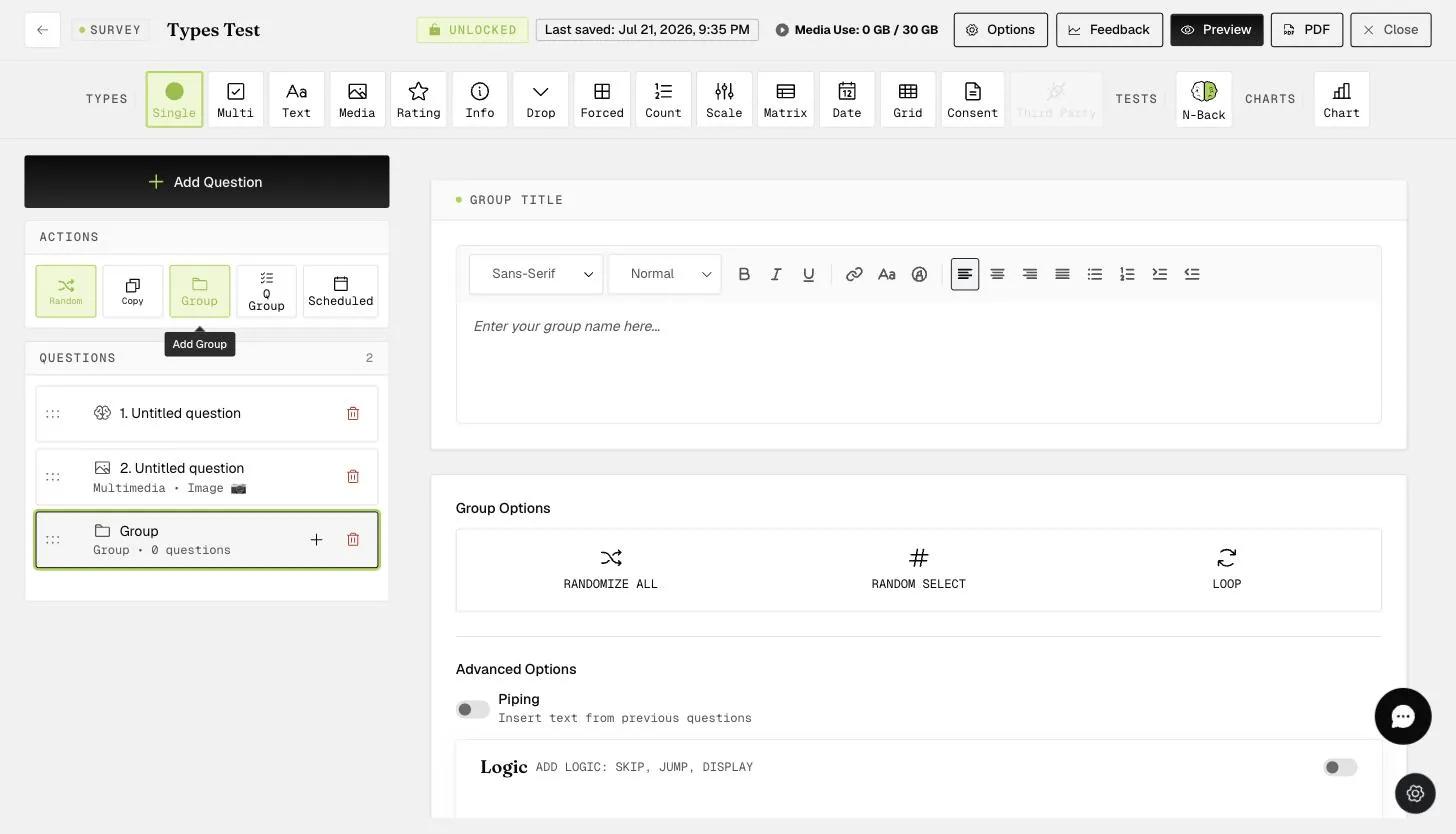
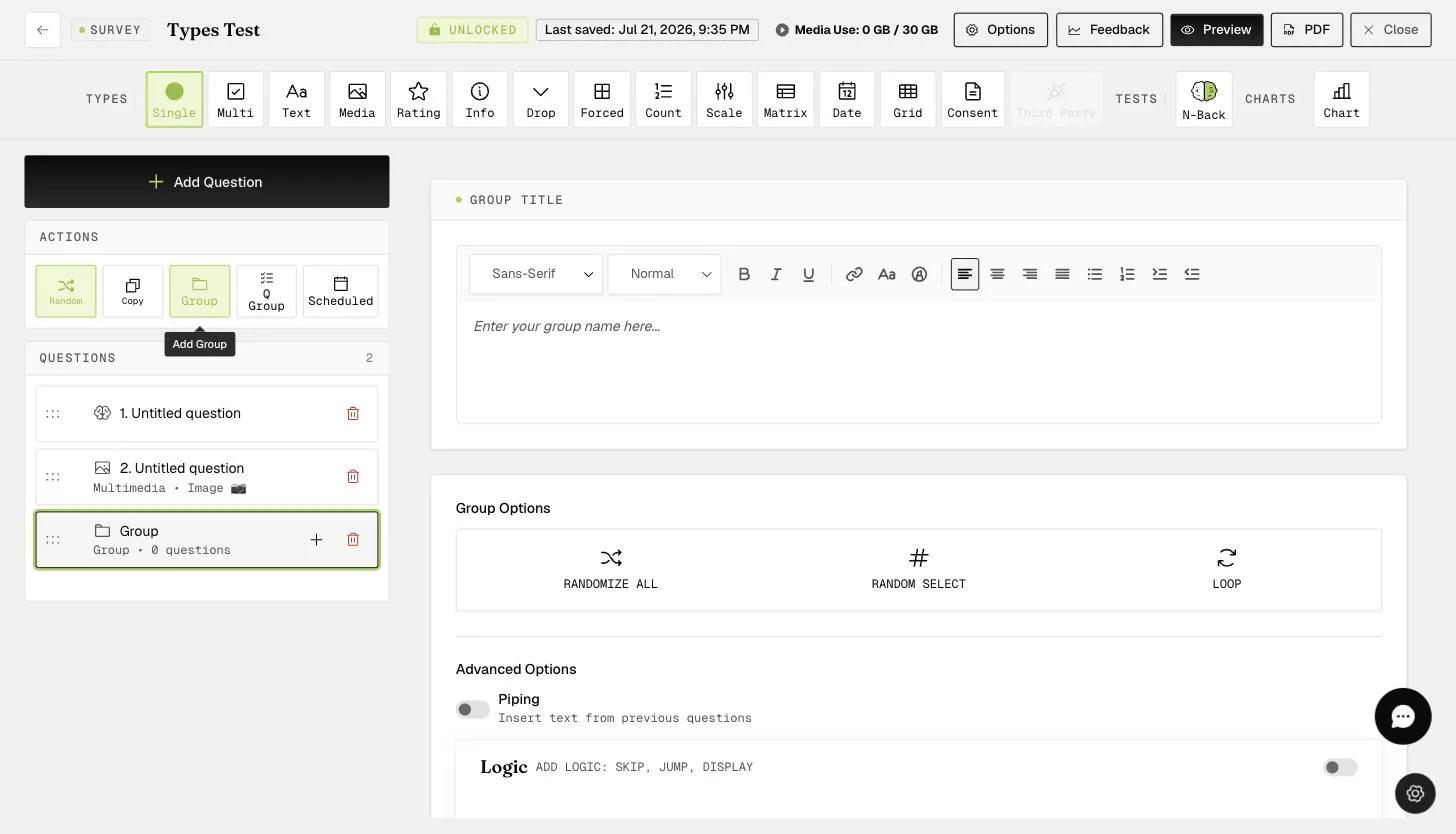
A GROUP block in the survey builder showing Group Options: Randomize All, Random Select, and Loop, plus Advanced Options (Piping, Logic)

As shown above, the group question format can be found along the "Questions" row. Clicking on that option will bring up a Group box into which you can drag all your questions.

To add questions to the group, you simply click the "+" button, or you can drag existing questions.

Adding questions inside a GROUP block

The advantage of having the questions within a Group is that you can choose to randomize all the questions within the Group only, or keep the order of questions within the Group even when all other questions outside the Group are randomized within the survey.

QUESTION GROUP

The "Question Group" is another way to organize questions. For "Question Group", all the questions need to have the same response format within the group. This is the major difference from the "Group" type, which allows for all types of response formats. In general, researchers find it most useful to use the "Question Group" for repeated questions with the same type of rating format. For example, asking participants if they 'Strongly Agree' or 'Strongly Disagree' to different statements on concepts such as personality, attitudes, emotions, etc.

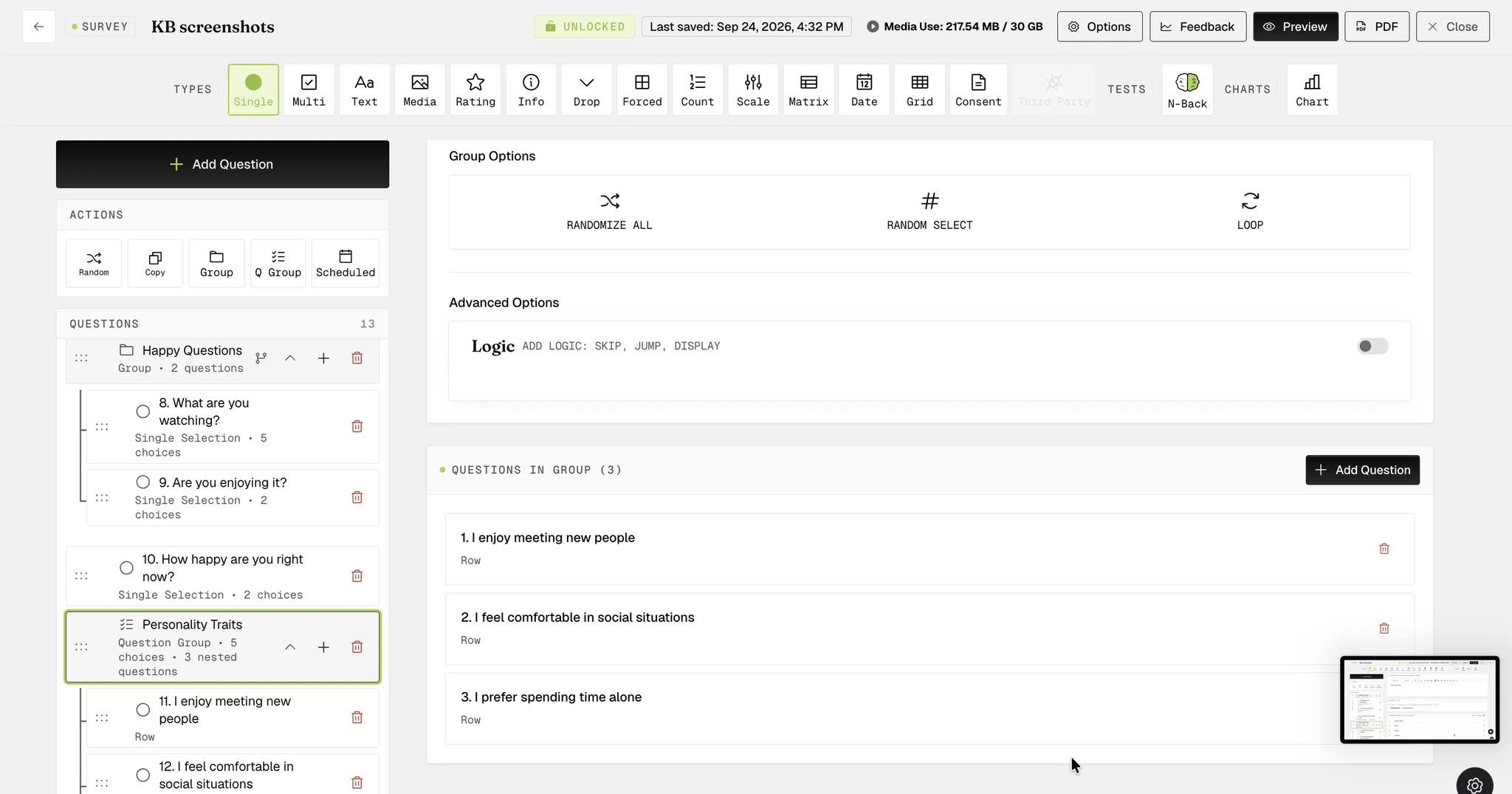
A GROUP with Group Options and nested questions
  1. The "Question Group" can be found next to the "Questions" row, as shown below.

  2. Clicking on the "Question Group" brings up the "Question Group" box, where you can see the name and option to randomize and add questions.

  3. You can enter the name of the group here.

  4. Decide what question type to use in this group.

  5. Set the default choices for all the questions within this group.

After creating a QUESTION GROUP, you can start building your questions.

Screenshot — adding questions to the QUESTION GROUP option
  1. You can see your added questions here.

  2. The default choices that you set earlier. (Please see the previous image.)

You can keep adding questions to this group and have the option to randomize them.

Video demo — Ways to Group Questions for ESM and EMA (coming soon)
Was this helpful?
Start today

Parlez à un humain de l’équipe ExpiWell.

Toujours bloqué ? Notre équipe de chercheurs répond aussi bien aux questions techniques qu’aux questions de design d’étude.