En construction

Vous nous avez échantillonnés en plein chantier.

Ces guides portent sur la nouvelle plateforme ExpiWell (v2) et sont encore en cours d’écriture, de relecture et de réorganisation — pardonnez les échafaudages : les pages peuvent bouger ou changer d’une visite à l’autre. Toujours sur l’ancienne app ? Sa documentation reste sur l’ancien portail d’assistance.

Ouvrir l’ancien portail d’assistance
Base de connaissances  /  Par l’équipe ExpiWell

Comment pouvons-nous vous aider ?

Des guides pour chaque étape de votre étude — du premier projet à l’export final des données. La base de connaissances ExpiWell pour la plateforme web chercheur et l’app mobile participant.

102 guides dans 29 catégories · Mis à jour par l’équipe ExpiWell
Help CenterBuildSurvey Creation

Download surveys in PDF format

Build · Survey Creation
Updated 27 septembre 2026

Downloading a Survey as a PDF

PDF export is available on Premium and the plans above it, including their trial and academic variants. It is not available on Free Basic or Plus.

Note

Access follows the survey's owner rather than whoever clicks the button, so a team member on a lower plan can still export a project lead's surveys. Providers are the exception: they cannot export surveys at any plan level.

Open the survey in the builder and click PDF in the top bar. There is no dialog or export step: the button reads Generating… for a moment, then the file downloads.
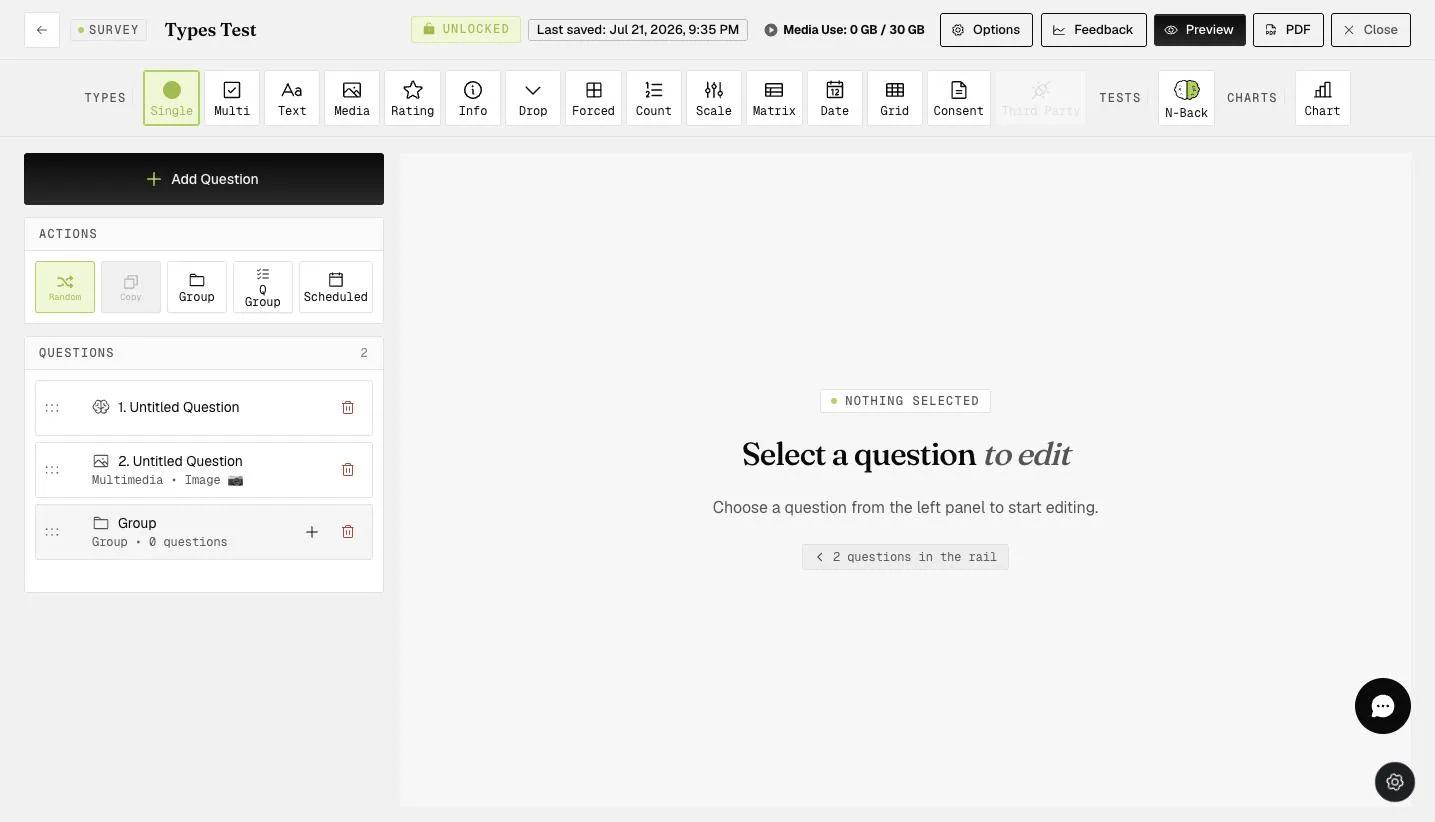
The survey builder with the PDF button in the top bar outlined in green, sitting between the Preview and Close buttons

The export documents the questionnaire rather than just listing it. It opens with a count of questions, groups and question types, followed by a legend of the types used. Each question then appears in order with its type, its response choices, and any configuration behind it — an N-Back question carries its level, stimuli, trial count and timings.
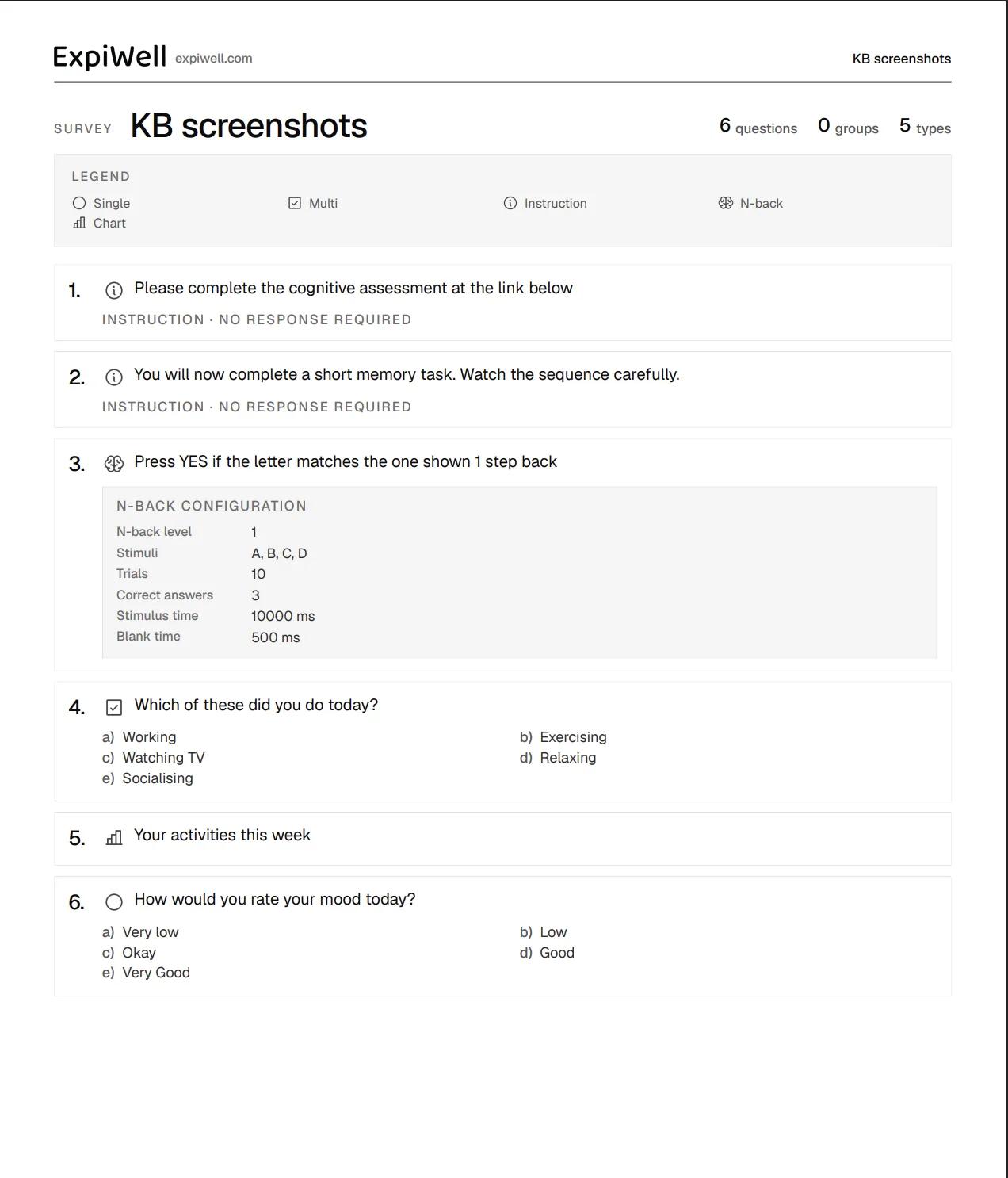
A survey exported to PDF, headed with the ExpiWell logo and survey name, followed by counts of questions, groups and types, a legend of question type icons, and each numbered question with its type, choices, and for the N-Back question a configuration table

That makes it useful for archiving a questionnaire, reviewing it away from the app, or sharing it with collaborators, reviewers, and participants.

For further inquiries, please reach out to help@expiwell.com

Was this helpful?
Start today

Parlez à un humain de l’équipe ExpiWell.

Toujours bloqué ? Notre équipe de chercheurs répond aussi bien aux questions techniques qu’aux questions de design d’étude.