N-Back cognitive task
What the N-Back Task Measures
The N-Back task is widely used in psychology and neuroscience to measure working memory and cognitive control. Participants watch a stream of stimuli and, for each one, say whether it matches the stimulus shown N positions earlier.
If you already know the task, skip ahead to setting it up.
Stimuli are presented one at a time — commonly letters, numbers, or shapes.
N is how many positions back the comparison reaches. Changing it, along with the presentation speed, is how you set the task's difficulty.
For example, in a 1-Back task showing the sequence A, B, B, C, A, A, the participant compares each stimulus to the one immediately before it:
| Stimulus shown | Compared against | Match? |
|---|---|---|
| A | — | first stimulus, nothing to compare |
| B | A | no |
| B | B | yes |
| C | B | no |
| A | C | no |
| A | A | yes |
In a 2-Back task they would compare against the stimulus two positions earlier instead. Raising N raises the memory load, because more items have to be held in mind while new ones keep arriving.
ExpiWell reports performance in three ways, all of them in the downloaded file:
Accuracy, as two separate figures — how many of the actual matches the participant caught, and how many of all trials they judged correctly. A participant can score well on one and poorly on the other, so they are worth reading together.
Response time, measured from when a stimulus appears to when the participant answers. The export labels this Response Latency.
Error types, which distinguish a wrong answer (calling a non-match a match, or the reverse) from a miss, where no answer was given before the stimulus moved on.
N-Back Task Setup in ExpiWell
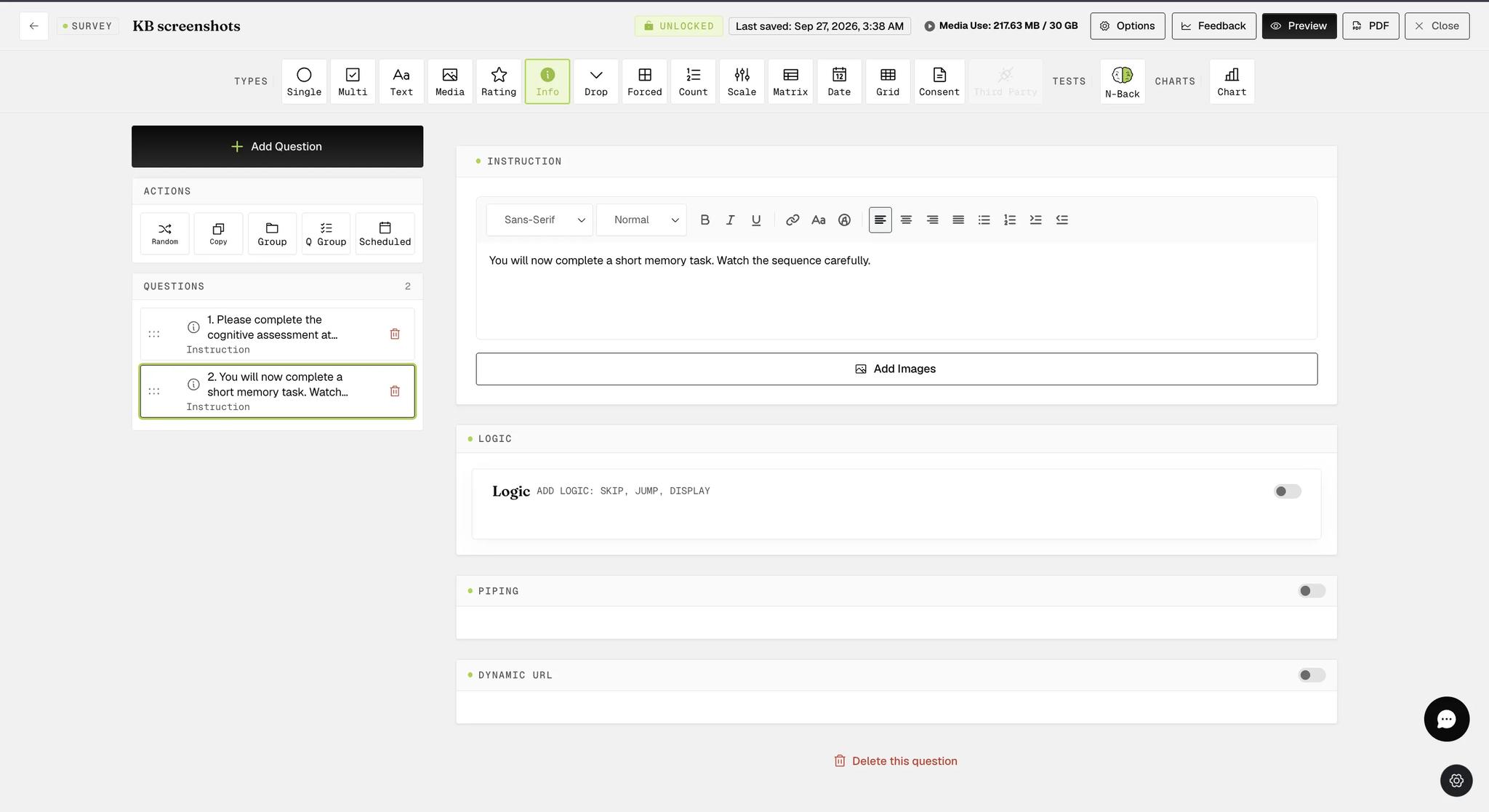
Go to Build Surveys (step 3 of Project Setup) and open your survey. Start with an Instruction question explaining what the participant is about to do — it is display-only, so there is nothing for them to answer.
Add a question, set its type to N-Back, and write the instruction the participant will see during the task.
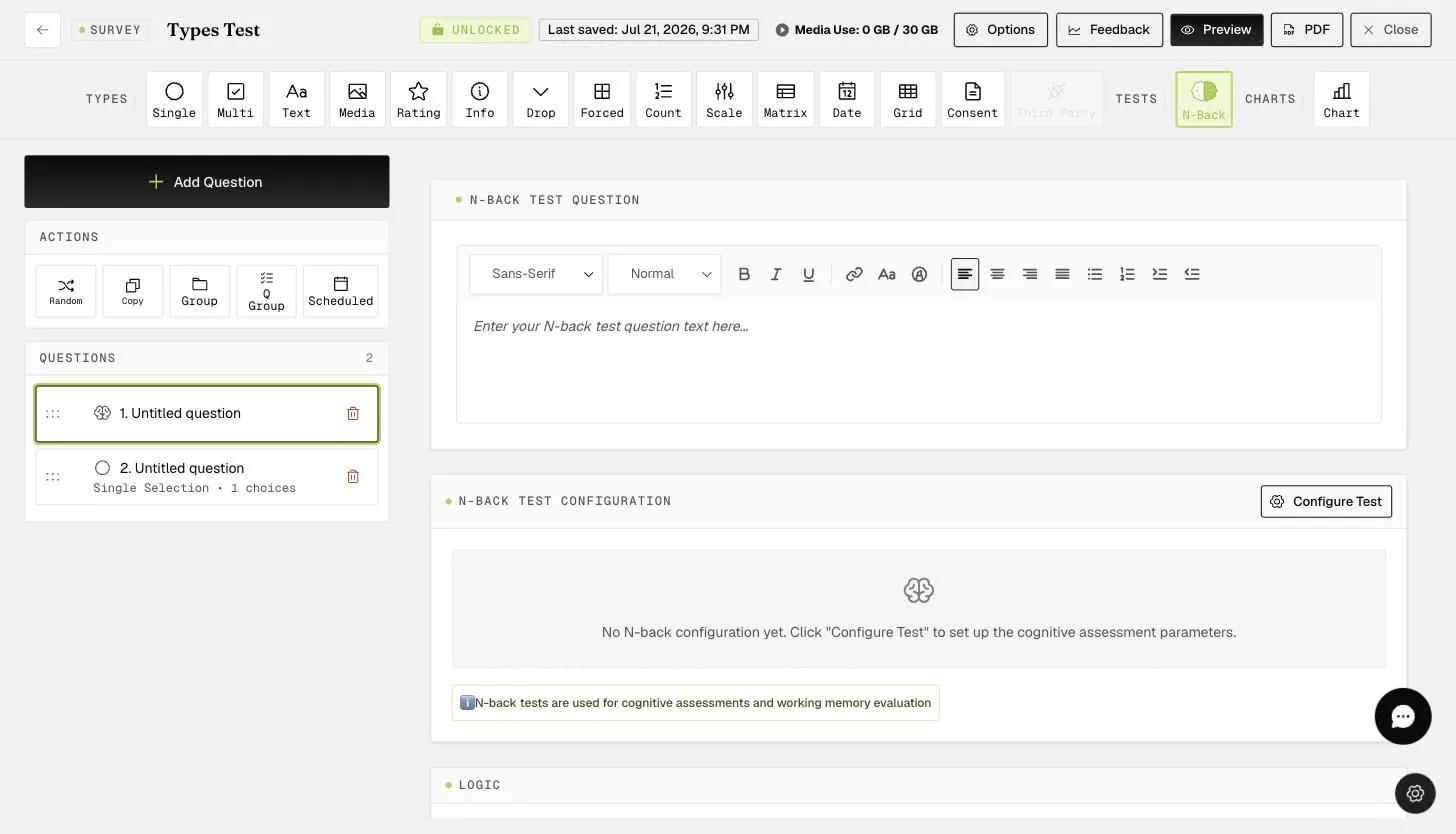
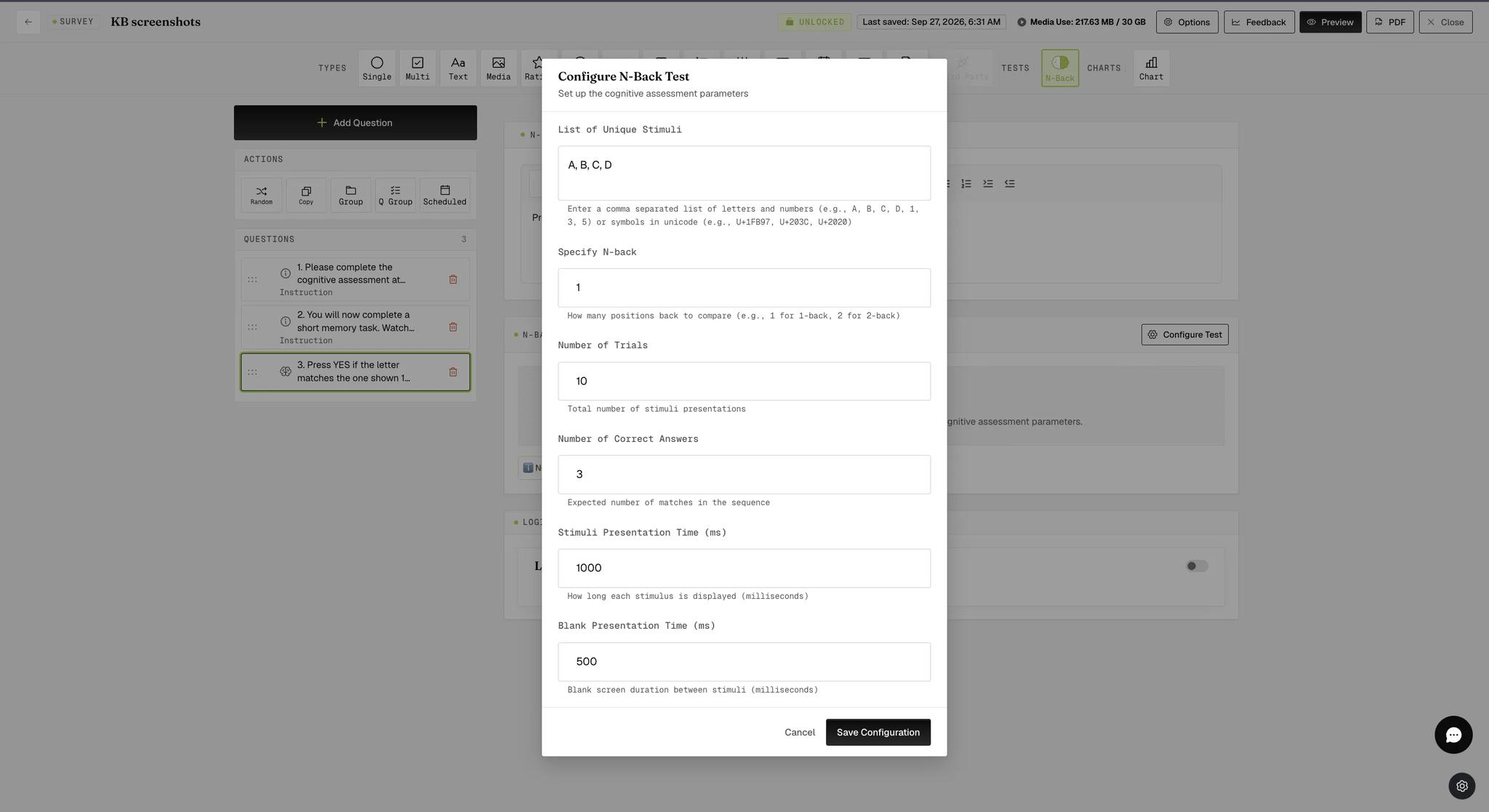
Click Configure Test and set the task's parameters: the stimuli to draw from, how many positions back to compare, how many trials to run, how many of those trials should be matches, and how long each stimulus and the gap between them last.
Here it is set up as a 1-Back task using letters:
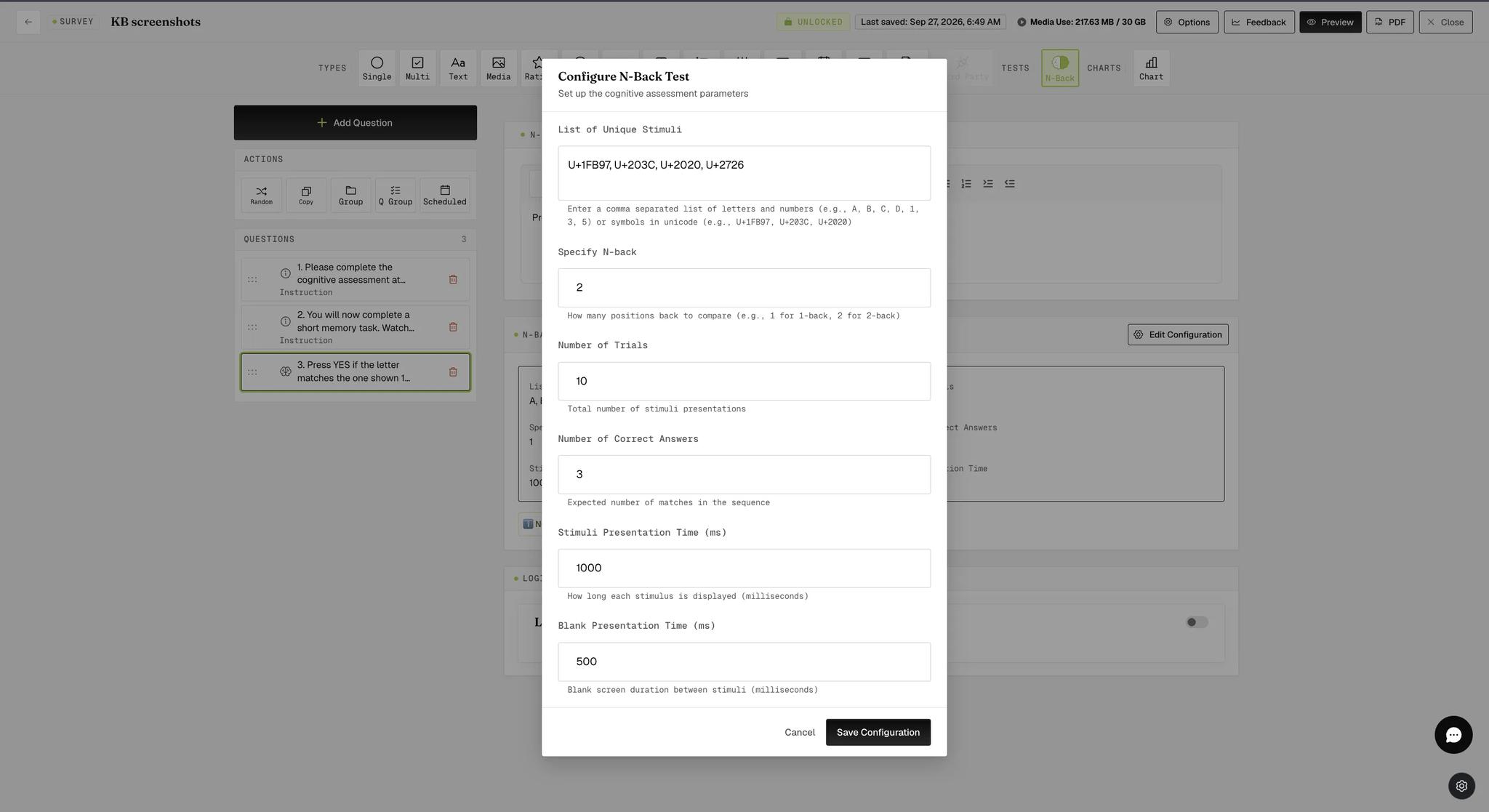
The same task can use symbols instead. Enter them as Unicode code points rather than the characters themselves — BabelStone Shapes is a useful reference for looking those up. Here the task is a 2-Back drawing on four symbols:
What Participants See
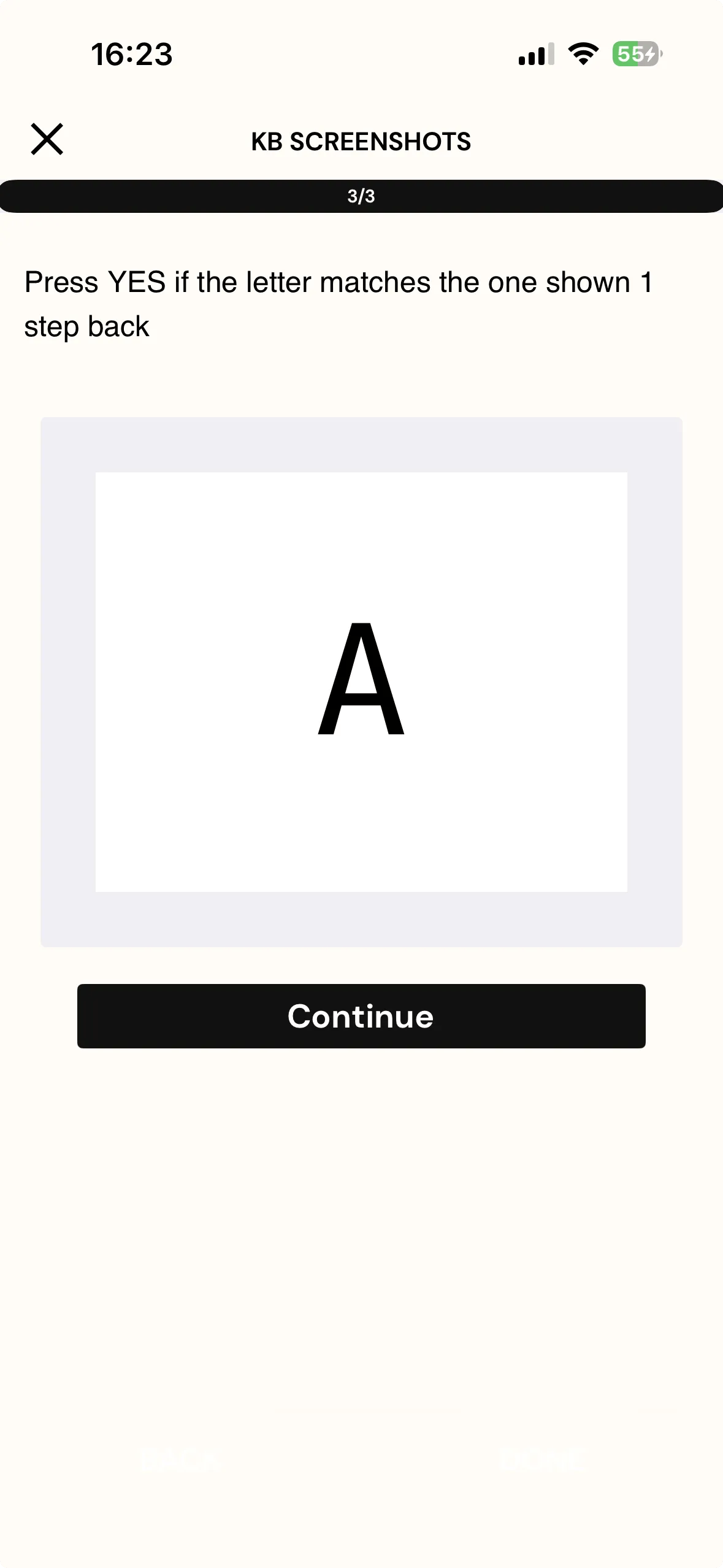
On the mobile app the first stimulus appears with a Continue button, since there is nothing behind it yet to compare against.
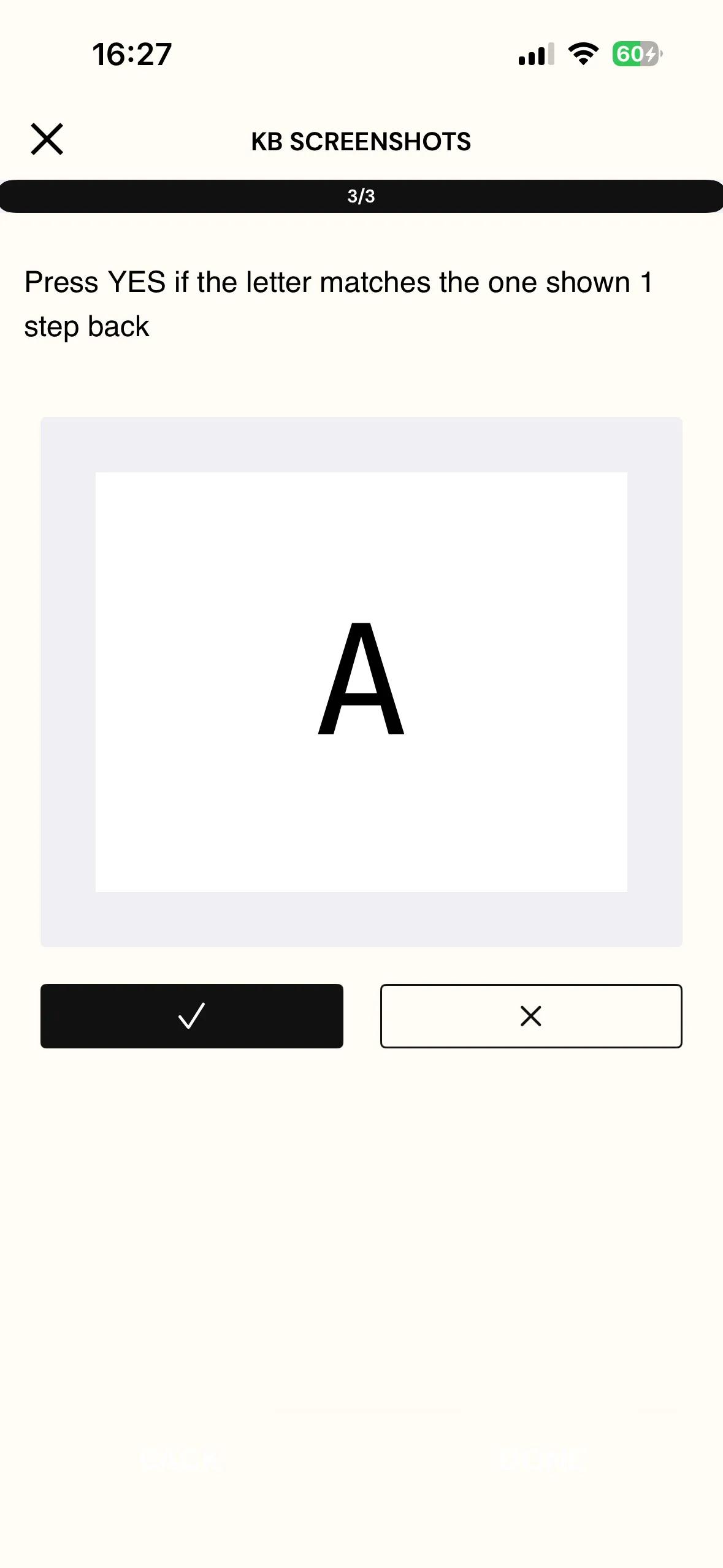
From the next stimulus onward, two response buttons replace it: a checkmark for a match and a cross for no match. Each stimulus stays on screen for the presentation time you configured, then moves on by itself, so participants answer at the task's pace rather than their own.
Viewing Results
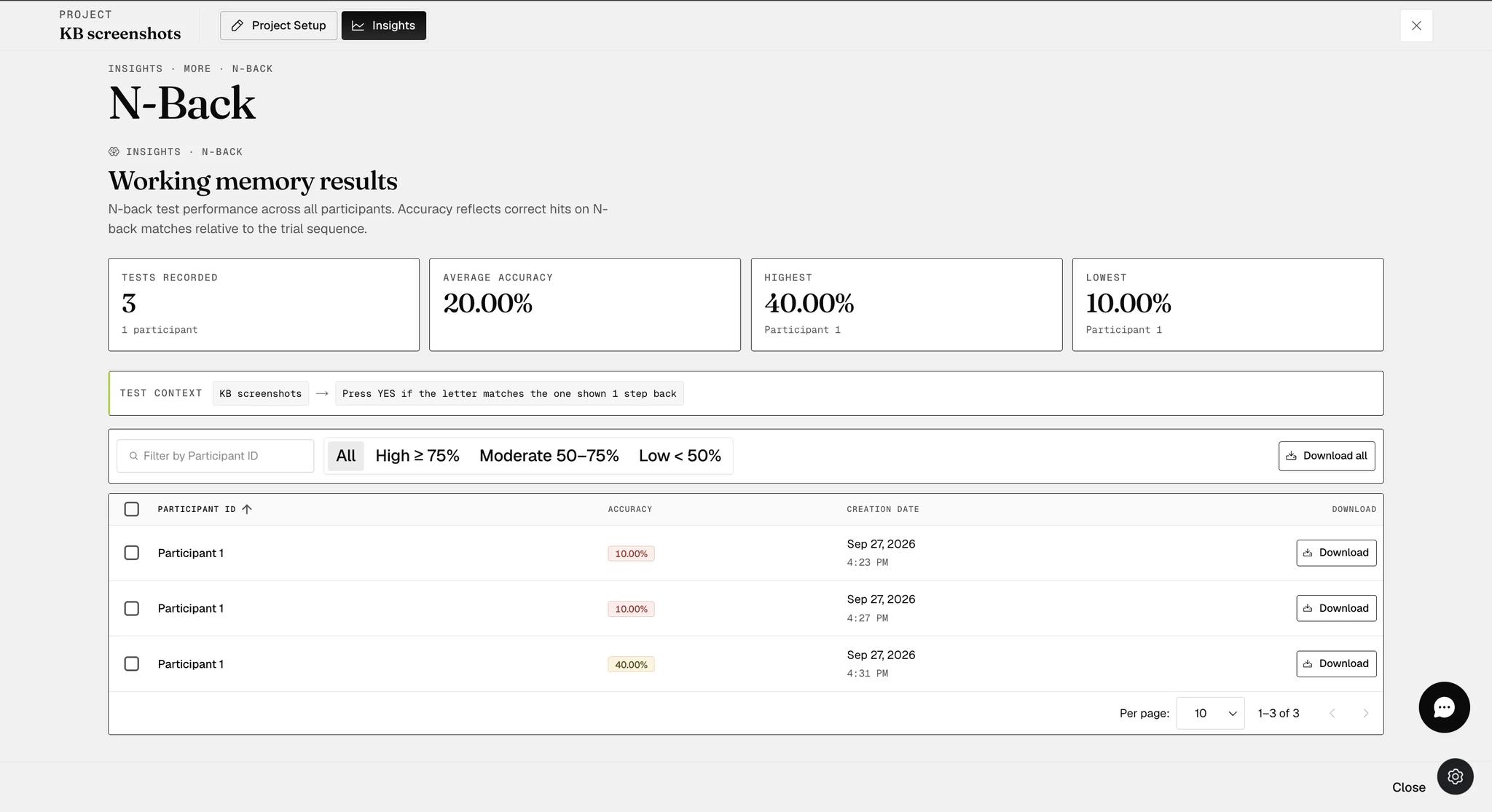
Once participants have responded, open Insights → More → N-Back. The page summarizes how many tests were recorded and the average, highest and lowest accuracy, then lists every test with its participant and accuracy. Use Download on a row for a single result, or Download all above the table for the full set.
Each downloaded file covers one participant's test and reports:
-
N-Back accuracy — correct responses on N-Back matches, over the total number of matches in the sequence.
-
Total Trial Accuracy — correct responses over all trials, not just the matches.
-
N Back — the value of N the task ran at.
-
Right Answer, Wrong Answer and Miss Answer — how many trials the participant got right, got wrong, and did not respond to before the stimulus moved on.
-
Trial Stimuli — the sequence exactly as it was presented, one cell per trial, so you can see where the matches fell.
-
Responses and Response Latency — what the participant answered, and how long each response took in milliseconds.

How the Two Accuracy Figures Are Calculated
Both are a simple percentage of correct over total — they differ only in what counts as the total.
N-Back accuracy counts only the trials that were genuine matches. If the sequence contained 5 matches and the participant caught 4:
4 / 5 × 100 = 80%
Total Trial Accuracy counts every trial, match or not. If there were 10 trials and the participant judged 9 correctly:
9 / 10 × 100 = 90%
A participant who answers "no match" to everything can still score a high total trial accuracy while scoring zero on N-Back accuracy, which is why both are reported.
If you have any questions or clarifications, please reach out to help@expiwell.com