En construction

Vous nous avez échantillonnés en plein chantier.

Ces guides portent sur la nouvelle plateforme ExpiWell (v2) et sont encore en cours d’écriture, de relecture et de réorganisation — pardonnez les échafaudages : les pages peuvent bouger ou changer d’une visite à l’autre. Toujours sur l’ancienne app ? Sa documentation reste sur l’ancien portail d’assistance.

Ouvrir l’ancien portail d’assistance
Base de connaissances  /  Par l’équipe ExpiWell

Comment pouvons-nous vous aider ?

Des guides pour chaque étape de votre étude — du premier projet à l’export final des données. La base de connaissances ExpiWell pour la plateforme web chercheur et l’app mobile participant.

97 guides dans 28 catégories · Mis à jour par l’équipe ExpiWell
Help CenterBuildSurvey Creation

Automatic next question

Build · Survey Creation
Updated 20 juillet 2026

How to Utilize Automatic Next Question

When conducting Ecological Momentary Assessments, or Experience Sampling Research, it is crucial to consider efficiency when your surveys consist of many questions. Long surveys can be very exhausting at times, and by decreasing your participants' effort, you could have a higher completion rate.

With ExpiWell, you can use the "Automatic Next Question" feature, as your participants will save time and reduce their efforts in answering your surveys.

1 - Click the "Options" button in the survey builder.
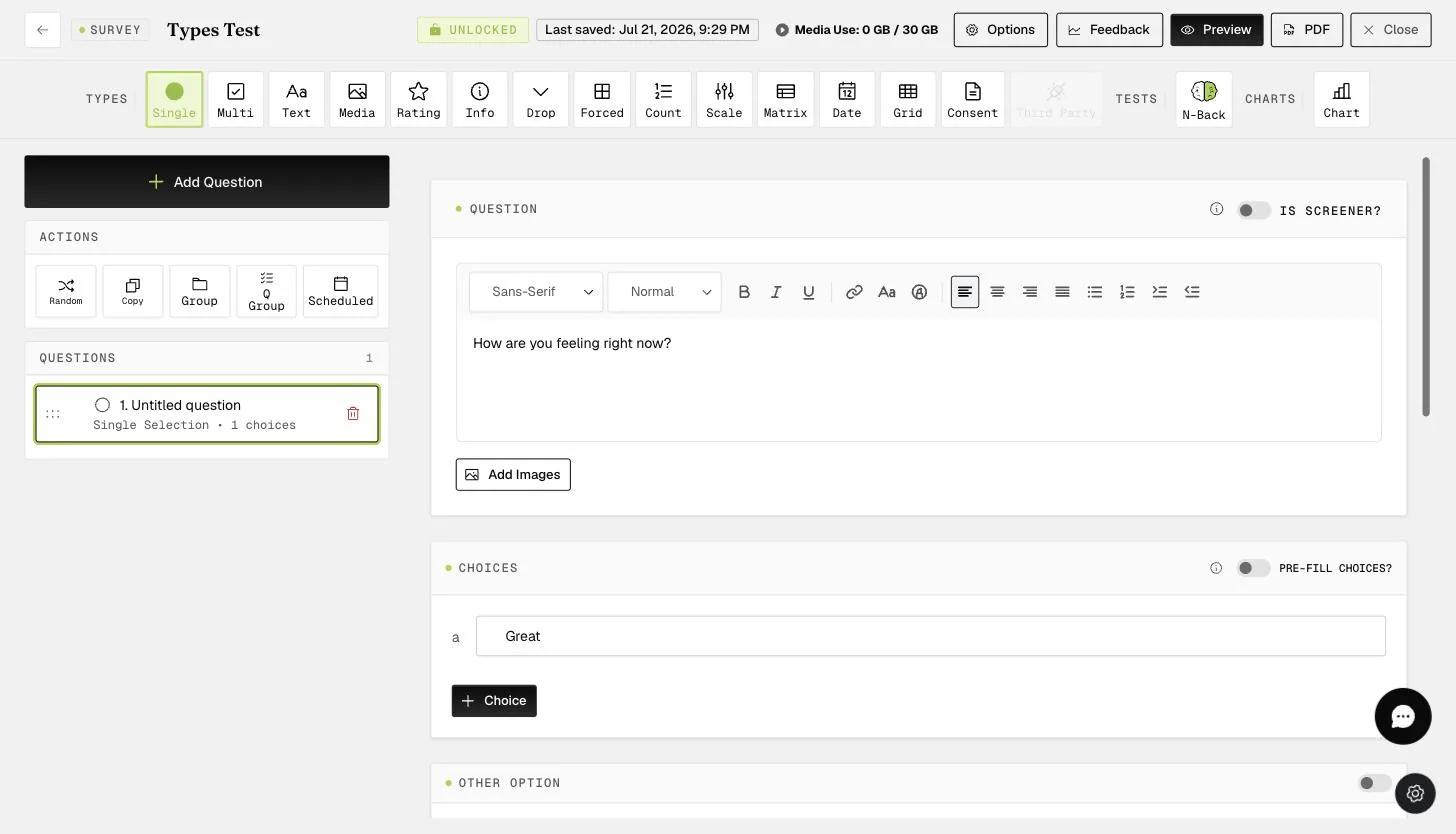
The survey builder where survey-level options like Automatic next question are configured

2 - Toggle "Automatic next question".
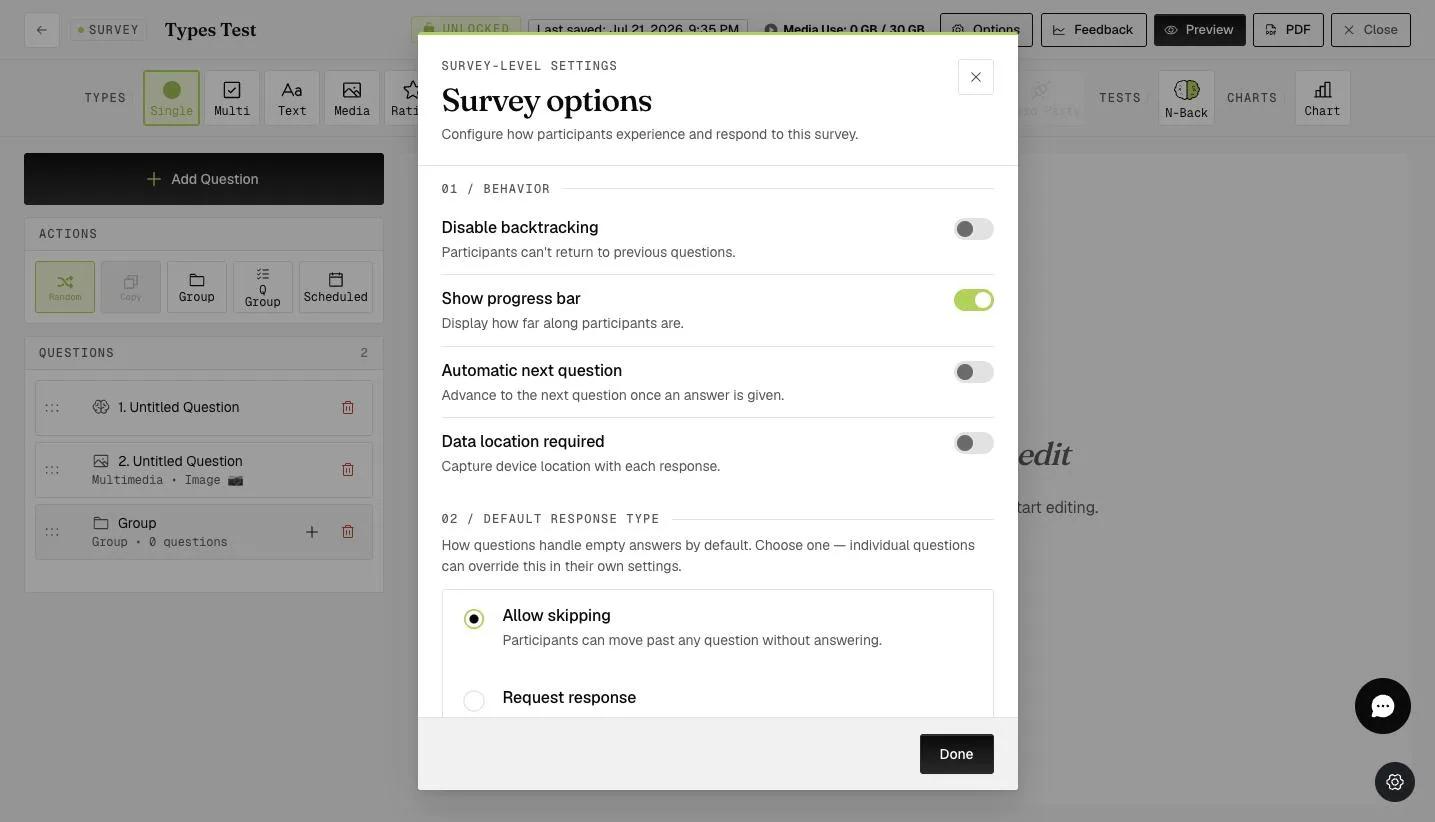
The Survey options modal with the Automatic next question toggle under Behavior settings
Note

In the participant's mobile app, they do not need to click the "next" button every time they want to move to the next question. Once they select a response, it will automatically go to the next question.

Screenshot — Mobile app view

The cumulative time spent on clicking the "next" button can save a considerable amount of time. This is very helpful if you have a survey with hundreds of questions.

This walkthrough was recorded in the earlier ExpiWell interface — an updated video for the new dashboard is coming.

Was this helpful?
Start today

Parlez à un humain de l’équipe ExpiWell.

Toujours bloqué ? Notre équipe de chercheurs répond aussi bien aux questions techniques qu’aux questions de design d’étude.