Participants viewing past responses
Review Past Responses
Participants can be shown their own answers from earlier submissions of the same survey. In experience sampling and ecological momentary assessment studies this helps keep people engaged, since they can see what they reported before rather than answering into a void.
In the survey builder, click Feedback in the top bar. The Participant Feedback modal opens, and the first section is Questions to show back.
Tick the questions whose answers you want participants to see — the Select all button takes every question at once. Then click Save changes.
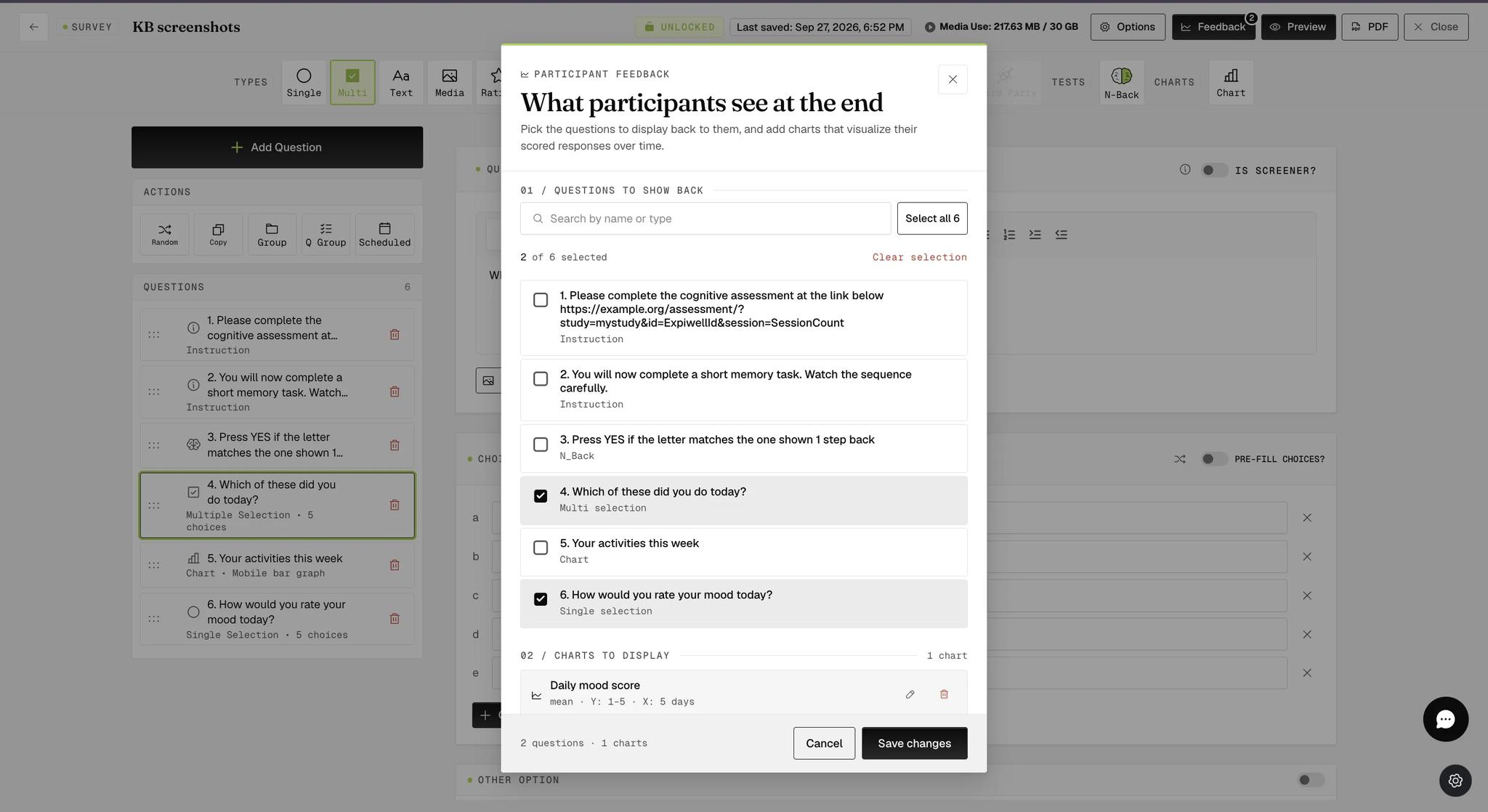
Only questions that record an answer are worth showing back, since an Instruction question has nothing to display. If the survey is locked, these settings are visible but read-only — unlock the survey first.
What Participants See
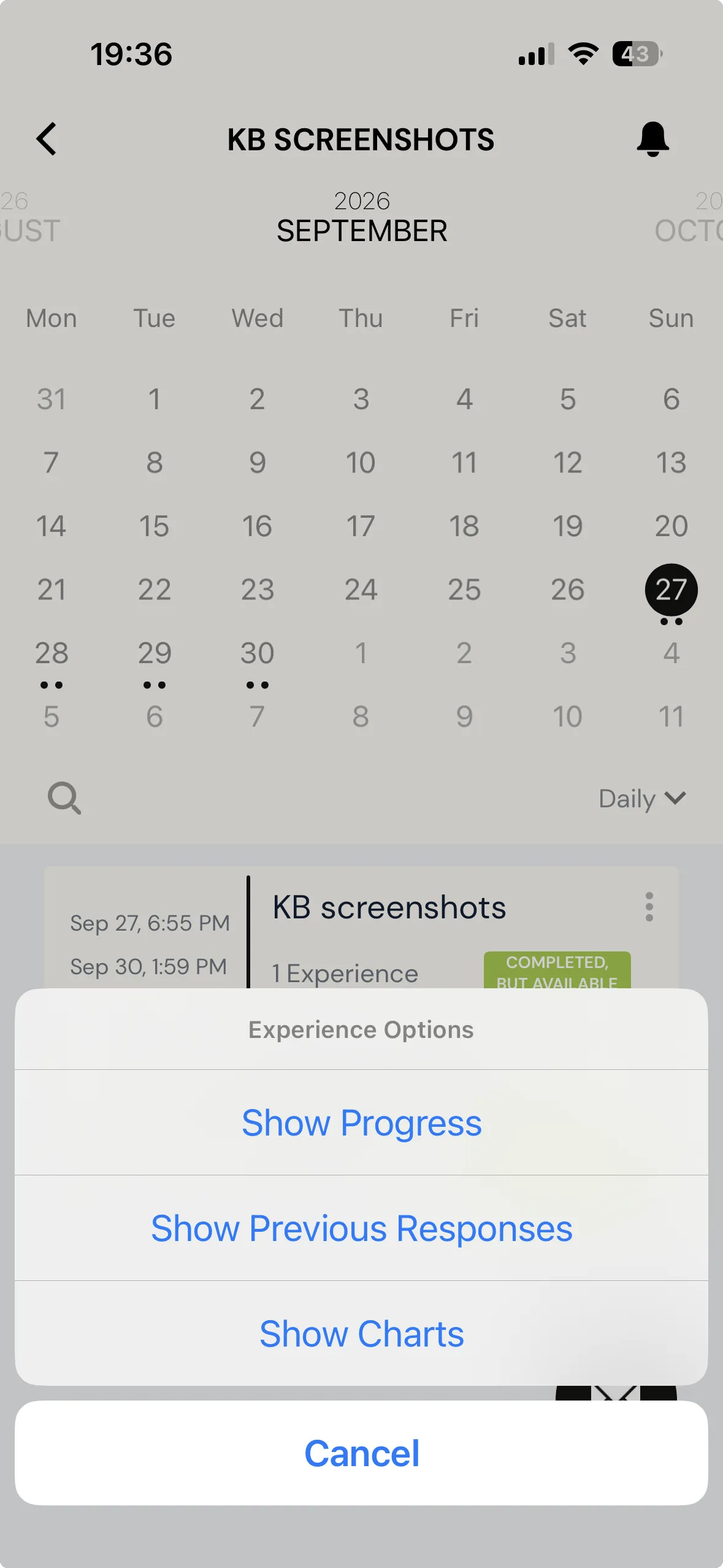
On the mobile app, participants open the survey card's three-dot menu and tap Show Previous Responses.
Each past submission is listed with when it started and ended, followed by the questions you selected and the answer given each time.
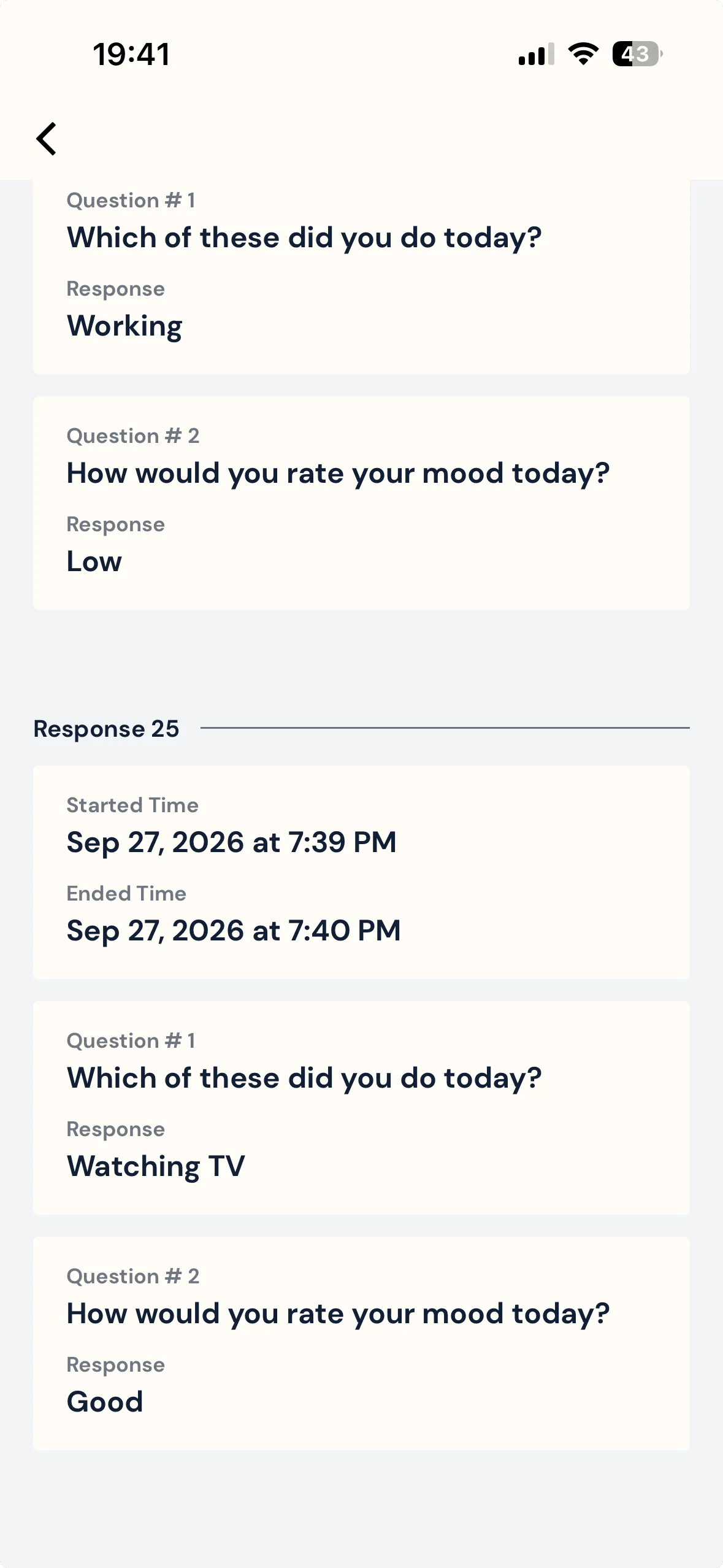
Only submissions made after you select the questions will show answers. Anything submitted earlier still appears in the list, but with its start and end times alone and nothing beneath them.
For further inquiries, please reach out to help@expiwell.com