Under construction

You've sampled us mid-build.

These guides cover the new ExpiWell platform (v2) and are still being written, checked, and rearranged — pardon the scaffolding: pages may move or change between visits. Still on the legacy app? Its documentation remains on the old support portal.

Open the legacy support portal
Knowledge base  /  From the ExpiWell team

How can we help?

Guides for every step of your study — from your first project to your final data export. The ExpiWell knowledge base for the researcher web platform and the participant mobile app.

102 guides across 29 categories · Updated by the ExpiWell team
Help CenterSet upAccount Settings

Enabling 2FA for your account

Set up · Account Settings
Updated September 2, 2026

Two-Factor Authentication (2FA) for Your ExpiWell Account

To ensure that accounts have an additional layer of security, ExpiWell requires two-factor authentication (2FA) on all accounts. This helps add additional protection to the ecological momentary assessment (EMA) and experience sampling method (ESM) data you collect.

After you log in, you can go to Settings > Security
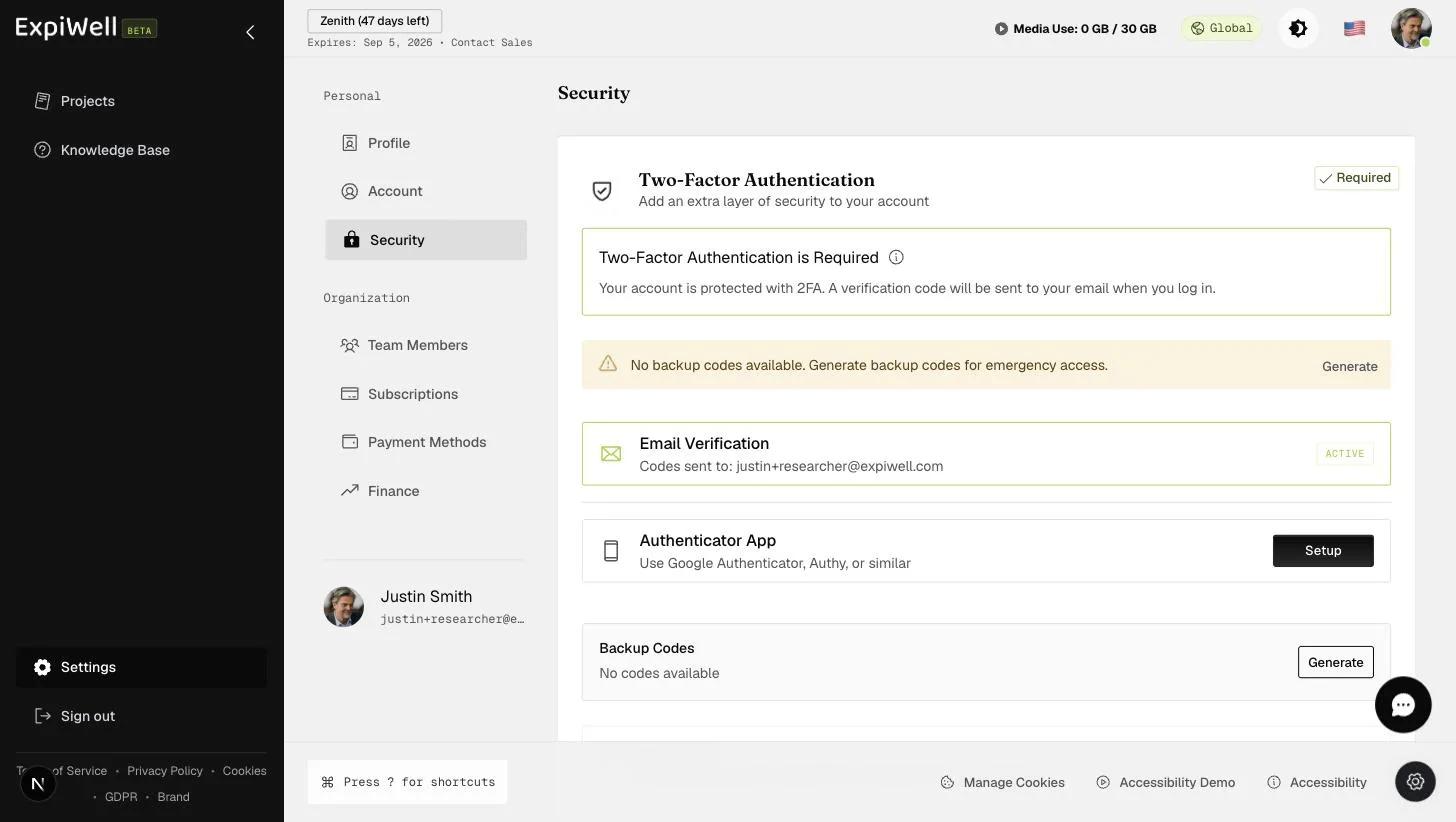
The Security settings page: a Required badge on the Two-Factor Authentication card, a backup-codes warning, Email Verification marked active, Authenticator App setup, and a Device Trust note that trusted devices skip 2FA for 24 hours

When you log in, you will be prompted to enter a six-digit verification code that is sent to your account email. From the Security page, you can also generate backup codes for emergency access and set up an authenticator app that generates time-based codes. At sign-in you can choose Use a backup code instead if the emailed code does not reach you, and tick Trust this device to skip the check on that browser until the trust expires.
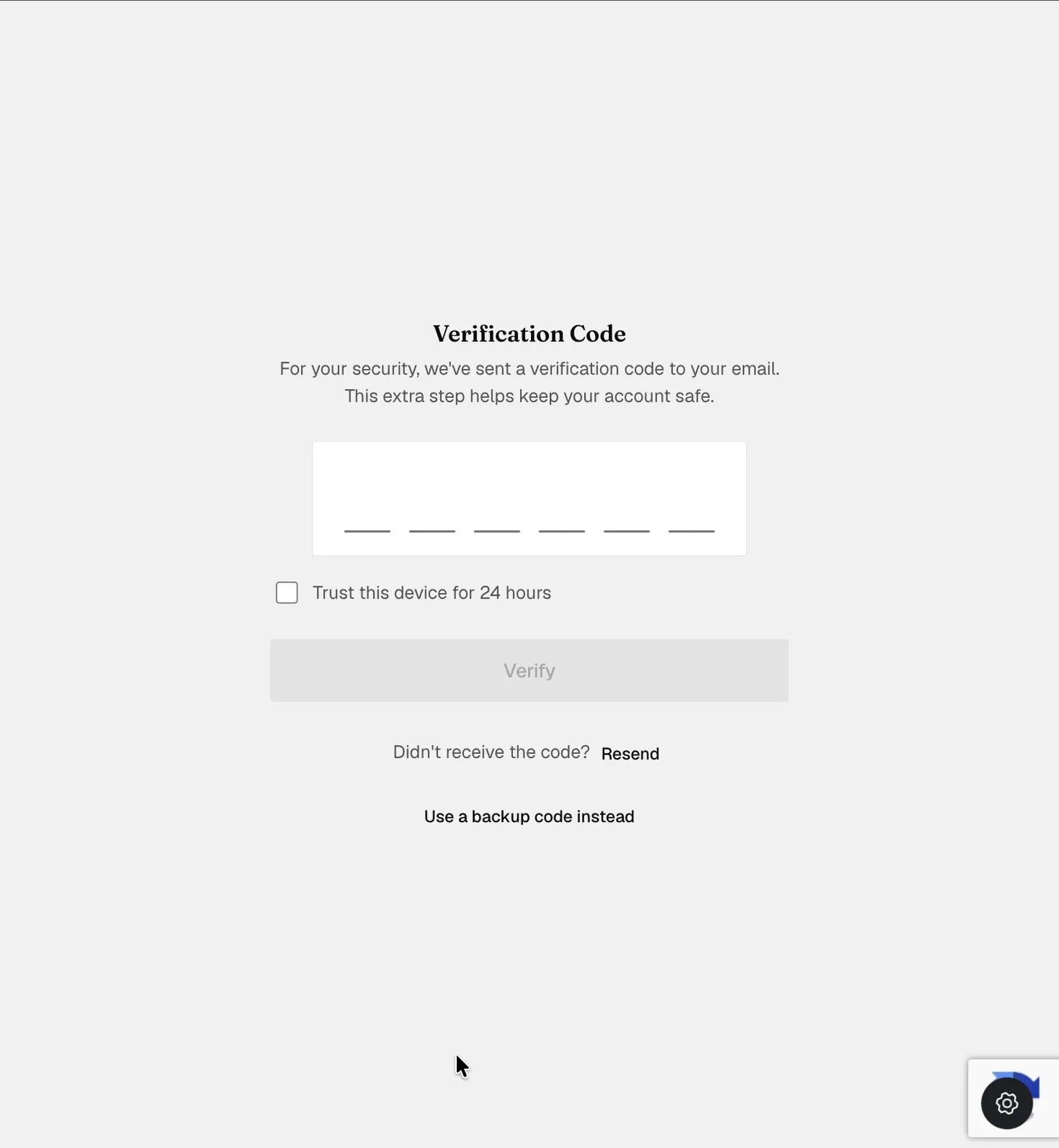
The Verification Code pane at sign-in: a six-digit code field, a checkbox to trust the device for 24 hours, a disabled Verify button, a Resend link, and an option to use a backup code instead
Was this helpful?
Start today

Talk to a human on the ExpiWell team.

Still stuck? Our team of researchers answers technical and study-design questions alike.