Under construction

You've sampled us mid-build.

These guides cover the new ExpiWell platform (v2) and are still being written, checked, and rearranged — pardon the scaffolding: pages may move or change between visits. Still on the legacy app? Its documentation remains on the old support portal.

Open the legacy support portal
Knowledge base  /  From the ExpiWell team

How can we help?

Guides for every step of your study — from your first project to your final data export. The ExpiWell knowledge base for the researcher web platform and the participant mobile app.

102 guides across 29 categories · Updated by the ExpiWell team
Help CenterSet upAccount Settings

Change your password

Set up · Account Settings
Updated September 1, 2026

Change your password at Settings → Account (under Personal), in the password section below the email card. You'll need your current password.

Step by step

  1. Open Settings → Account and scroll to the password section.
  2. Enter your Current Password.
  3. Enter and confirm your New Password (requirements below — the eye icon toggles visibility). ExpiWell scores its strength as you type.
  4. Click Update Password.
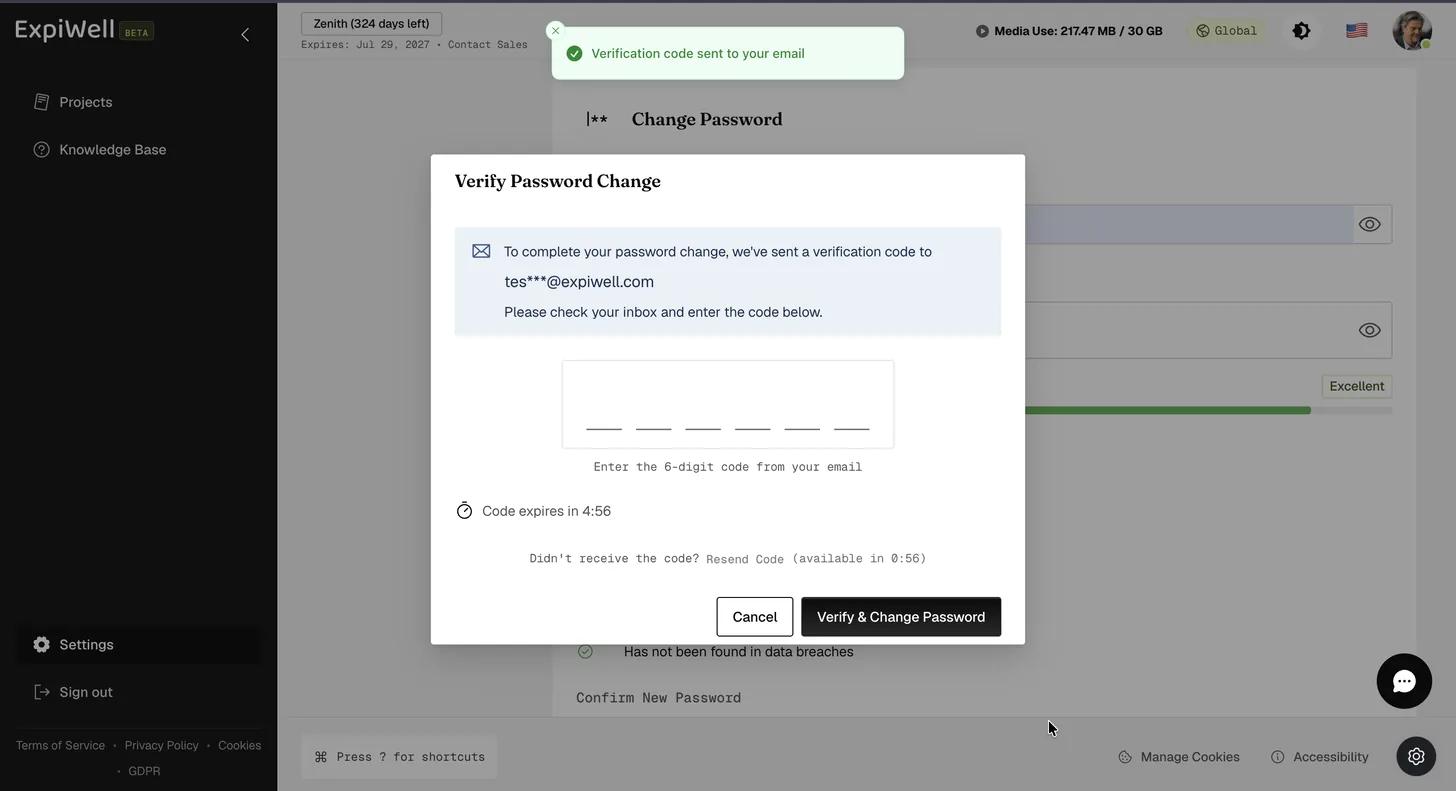
  5. ExpiWell emails a six-digit code to your account address. Enter it in the Verify Password Change dialog and click Verify & Change Password. The code expires after five minutes; use Resend Code if it does not arrive.
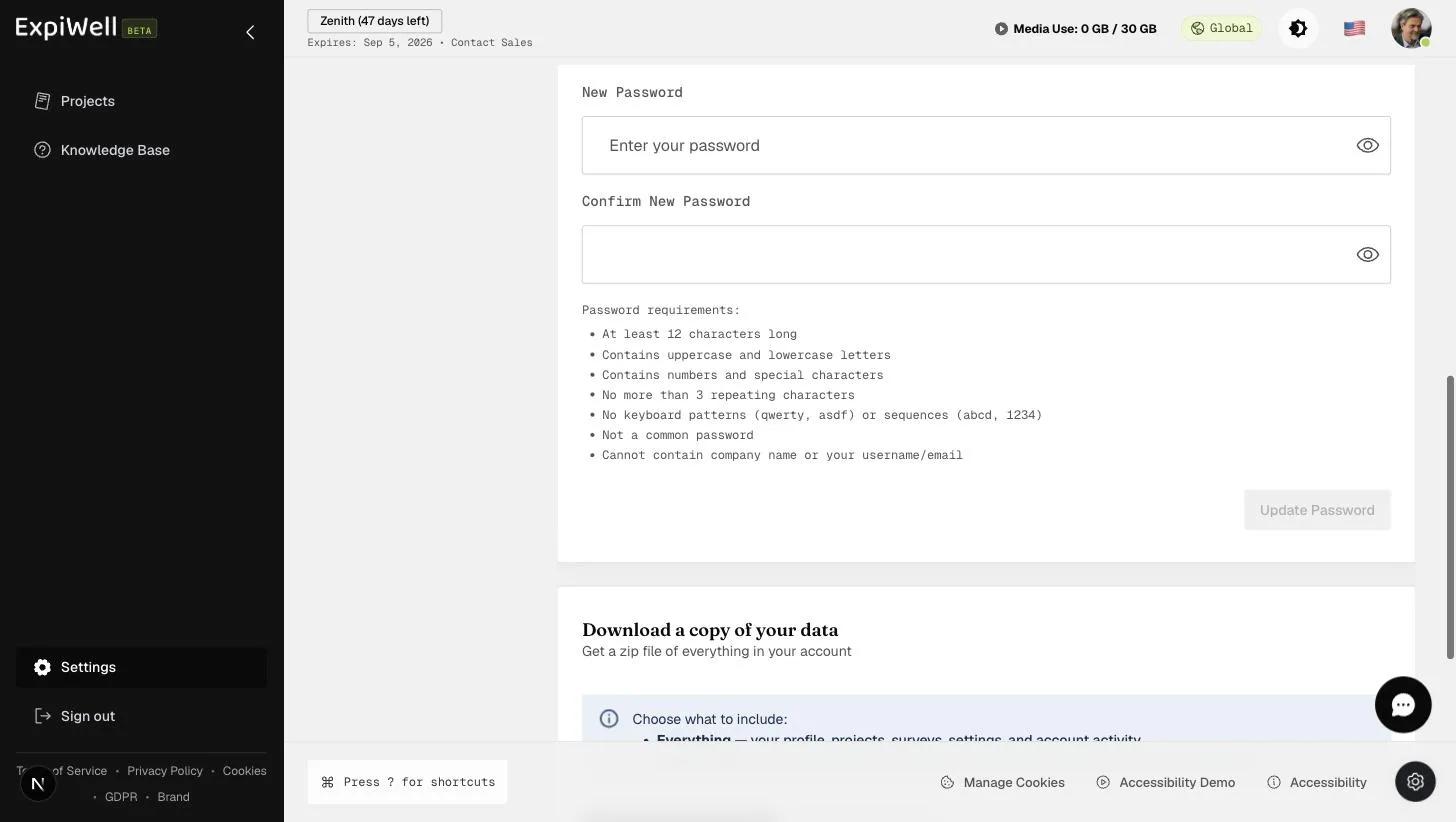
The Change Password card with Current Password, New Password and Confirm New Password all filled, a Password Strength meter reading Excellent at 90 out of 100, the seven requirements each ticked, and an enabled Update Password button
The Verify Password Change dialog naming the masked address the code was sent to, an empty six-digit field, a countdown showing how long the code remains valid, a Resend Code link not yet available, and Cancel and Verify and Change Password buttons

Password requirements

  • At least 12 characters long
  • Contains uppercase and lowercase letters
  • Contains numbers and special characters
  • No more than 3 repeating characters
  • No keyboard patterns (qwerty, asdf) or sequences (abcd, 1234)
  • Not a common password
  • Cannot contain the company name or your username/email

Watch it in action

Was this helpful?
Start today

Talk to a human on the ExpiWell team.

Still stuck? Our team of researchers answers technical and study-design questions alike.