Under construction

You've sampled us mid-build.

These guides cover the new ExpiWell platform (v2) and are still being written, checked, and rearranged — pardon the scaffolding: pages may move or change between visits. Still on the legacy app? Its documentation remains on the old support portal.

Open the legacy support portal
Knowledge base  /  From the ExpiWell team

How can we help?

Guides for every step of your study — from your first project to your final data export. The ExpiWell knowledge base for the researcher web platform and the participant mobile app.

97 guides across 28 categories · Updated by the ExpiWell team
Help CenterLaunchScreening Participants

Creating quotas for screened participants

Launch · Screening Participants
Updated July 20, 2026

How to Create Quotas

Often, you will want to not only screen out participants but also set quotas on the number of participants in a specific category. For instance, you may wish to have 100 participants who are aged 40-60 and 100 participants who are aged 61 and above. This can be helpful in limiting the number of participants based on your project budget.

Creating Quotas

You can create different quotas for participants who passed the Project Screener questions in the "Project Screener" tab. Click on "Add Quota"
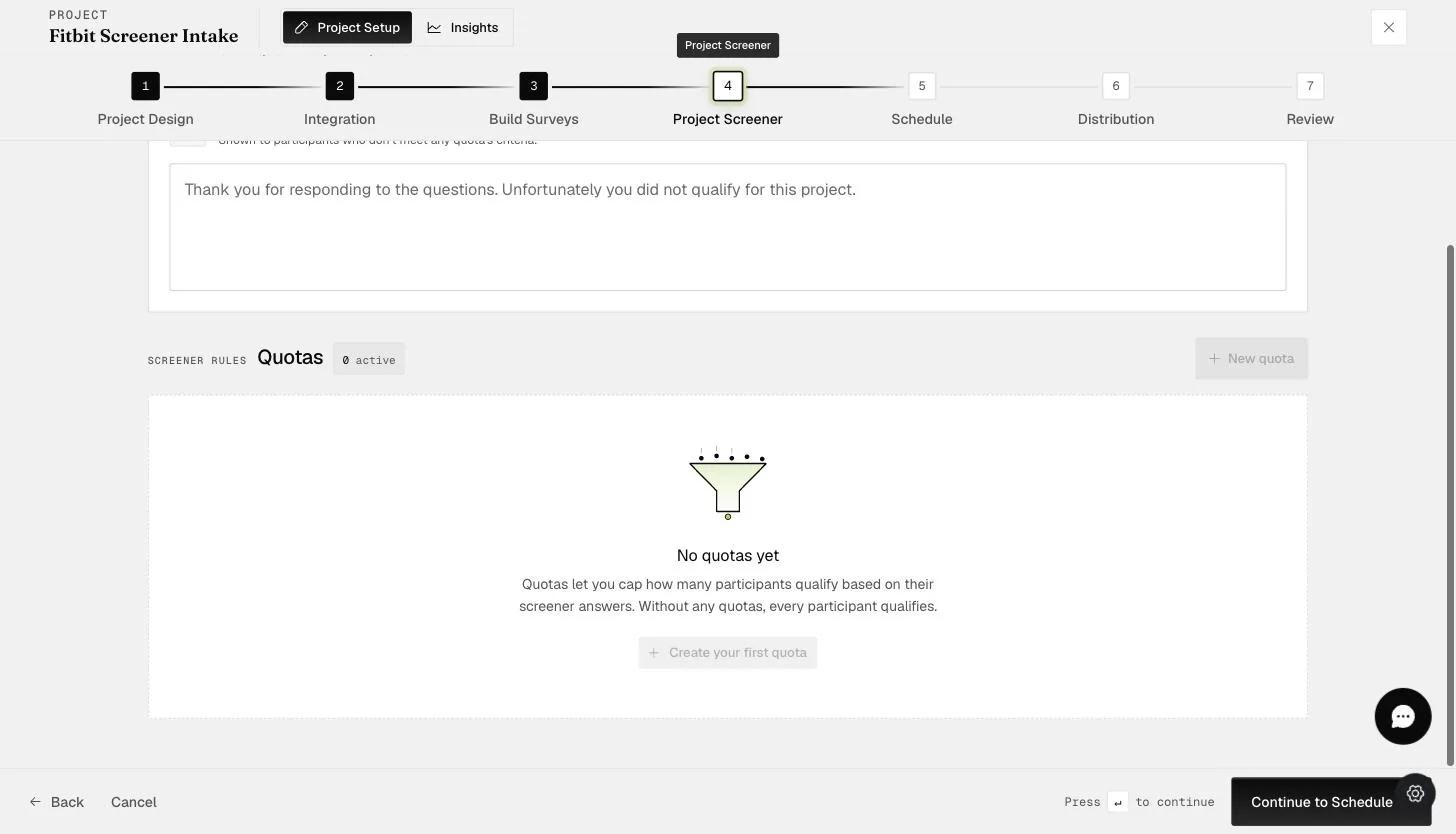
The Project Screener Quotas panel: quotas cap how many participants qualify based on their screener answers, with a Create your first quota button

In the New Quota form, you will be able to set the

  1. Quota name

  2. Quota limit

  3. Screening criteria — select the question responses that fall within the quota

Choose "Add Quota" to continue.
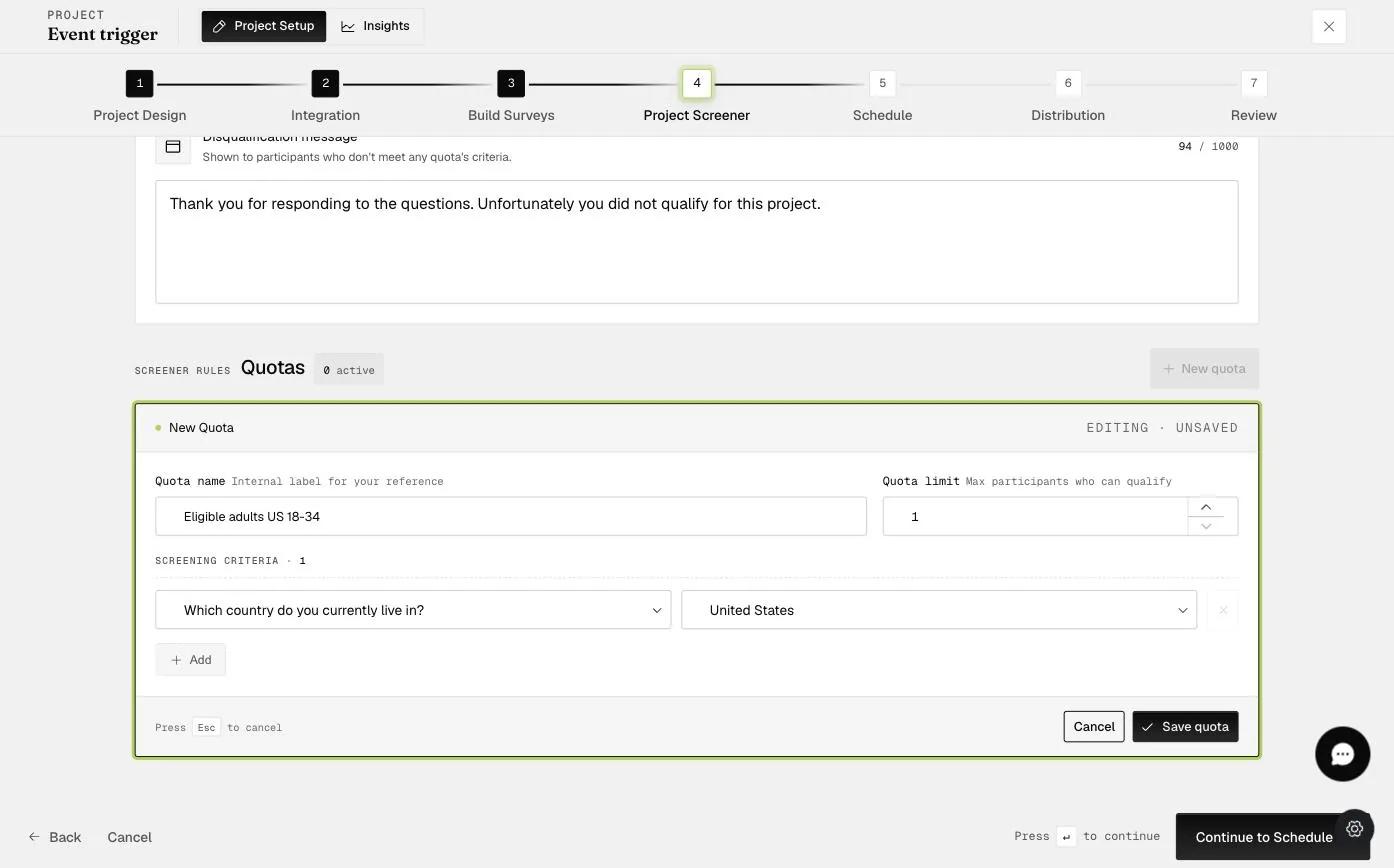
The New Quota form with a quota name, quota limit, and a screening criterion mapping the country question to United States

Afterward, you should be able to see the quota you created.
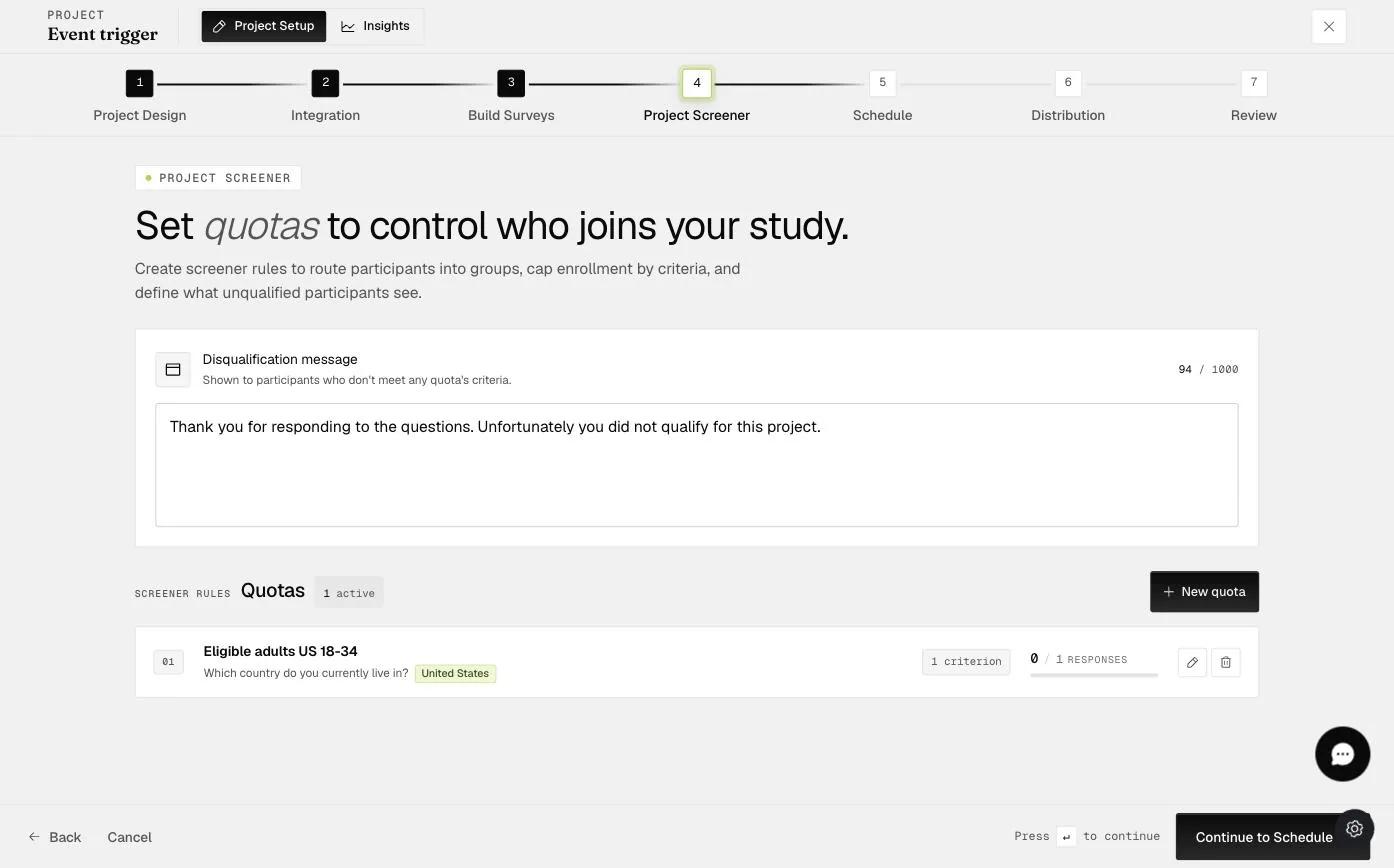
The saved quota shown in the Quotas list with its name, criterion, and response count

Based on this quota, the Project Screener will prevent additional participants from joining the project once the quota number is reached.

Video demo — Creating Quotas for Participants who passed the Project Screener (coming soon)
Was this helpful?
Start today

Talk to a human on the ExpiWell team.

Still stuck? Our team of researchers answers technical and study-design questions alike.