Im Aufbau

Ihre Stichprobe hat uns mitten im Umbau erwischt.

Diese Anleitungen beschreiben die neue ExpiWell-Plattform (v2) und werden noch geschrieben, geprüft und umgebaut — entschuldigen Sie das Gerüst: Seiten können sich zwischen Besuchen verschieben oder ändern. Noch in der bisherigen App? Deren Dokumentation bleibt im alten Support-Portal.

Zum bisherigen Support-Portal
Wissensdatenbank  /  Vom ExpiWell-Team

Wie können wir helfen?

Anleitungen für jeden Schritt Ihrer Studie — vom ersten Projekt bis zum finalen Datenexport. Die ExpiWell-Wissensdatenbank für die Forschungsplattform im Web und die mobile Teilnehmer-App.

101 Anleitungen in 29 Kategorien · Gepflegt vom ExpiWell-Team
Help CenterLaunchScreening Participants

Creating quotas for screened participants

Launch · Screening Participants
Updated 6. Oktober 2026

What Quotas Are For

Screening decides whether someone qualifies. Quotas decide how many of each kind you take. You might want 100 participants aged 40–60 and 100 aged 61 and over, and no more of either — for balance, or simply because the budget stops there.

Note

Quotas are optional. The panel says so itself: "Without any quotas, every participant qualifies." Add them only when you need to cap a group.

Creating a Quota

Quotas live on the Project Screener step, and they only appear there once a screener survey exists — see Project screener. With one in place, start a quota from + New quota at the top right, or + Create your first quota in the empty panel.
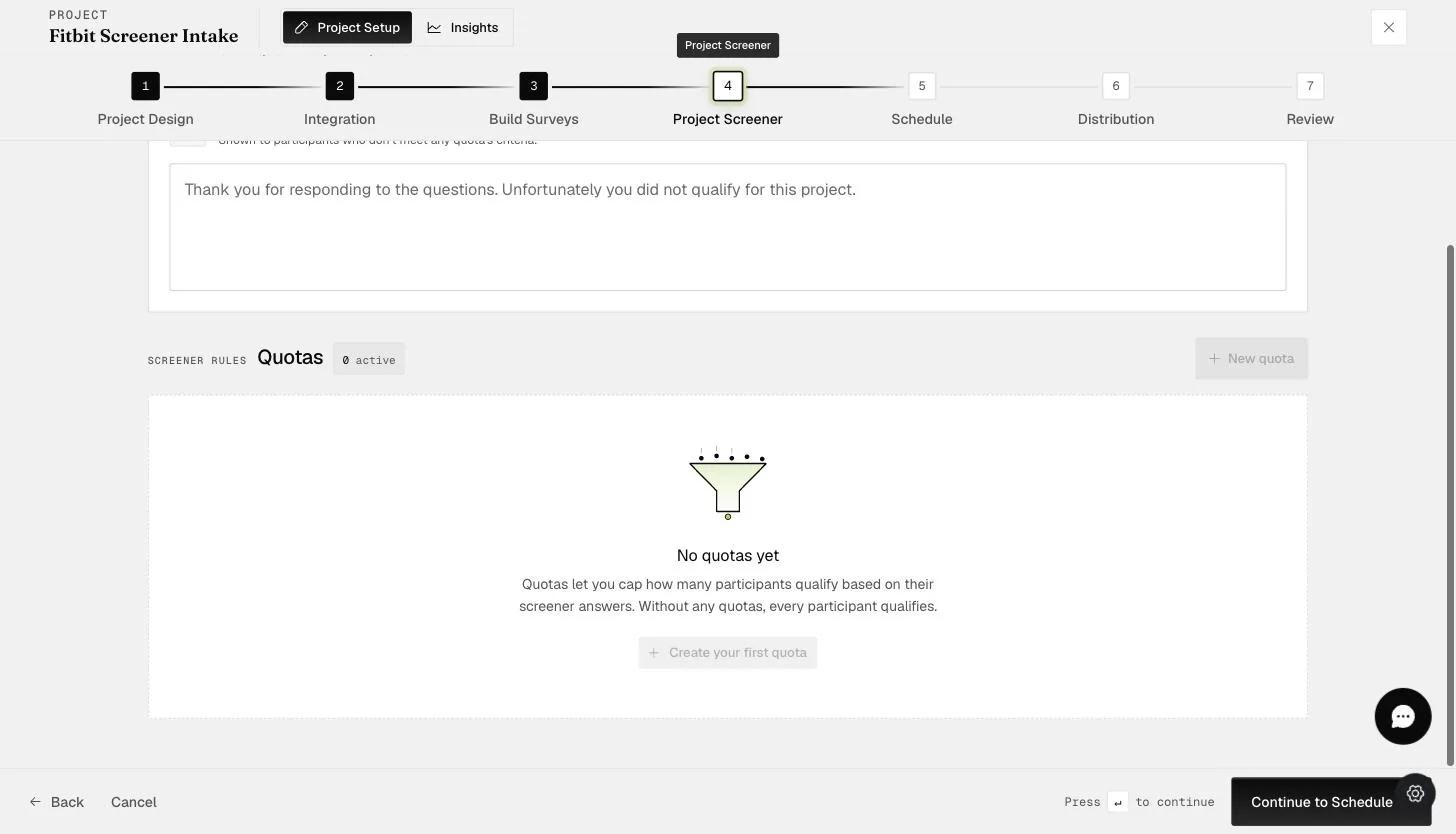
The Quotas panel on the Project Screener step reading No quotas yet, explaining that quotas cap how many participants qualify and that without any quotas every participant qualifies, with a Create your first quota button and a New quota button above

The form takes three things:

  1. Quota name — an internal label, for your reference only. Participants never see it.

  2. Quota limit — the maximum number of participants who can qualify under this quota.

  3. Screening criteria — a screener question paired with the answer that puts someone into this quota. + Add takes more than one, so a quota can require several answers at once.

Click Save quota.
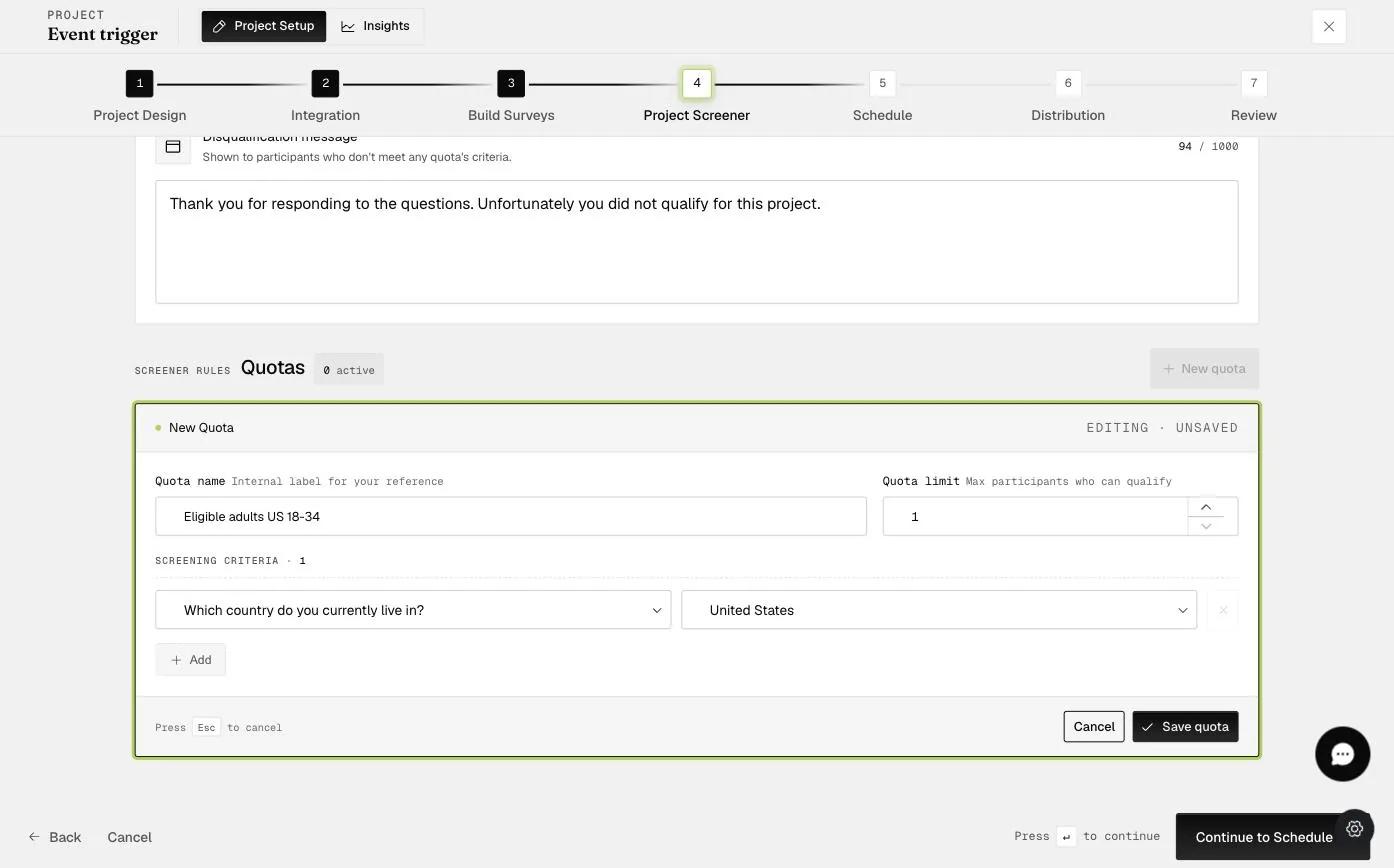
A New Quota form with a quota name described as an internal label, a quota limit described as the maximum participants who can qualify, and one screening criterion pairing the country question with United States

The saved quota then appears in the list, with its criterion and a count of how many participants have filled it.
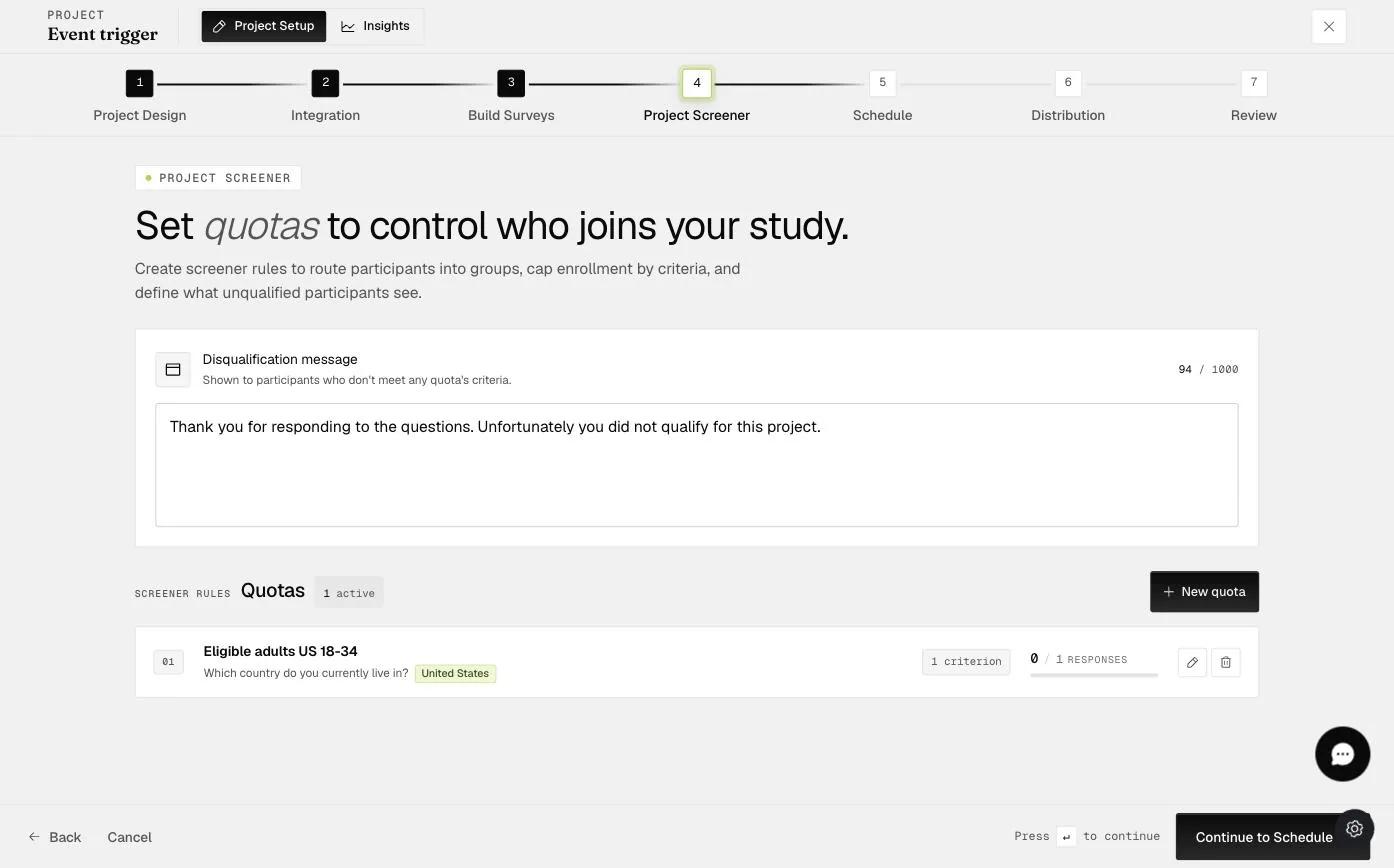
The saved quota shown in the Quotas list with its name, criterion, and response count

Once a quota is full the Project Screener stops accepting participants who match it — they are turned away even though they passed the screener questions, because the places for people like them have gone. What they see at that point is the disqualification message, which you can write yourself: see Providing feedback to screened out participants.

Was this helpful?
Start today

Sprechen Sie mit einem Menschen aus dem ExpiWell-Team.

Kommen Sie nicht weiter? Unser Team aus Forschenden beantwortet technische Fragen ebenso wie Fragen zum Studiendesign.