Under construction

You've sampled us mid-build.

These guides cover the new ExpiWell platform (v2) and are still being written, checked, and rearranged — pardon the scaffolding: pages may move or change between visits. Still on the legacy app? Its documentation remains on the old support portal.

Open the legacy support portal
Knowledge base  /  From the ExpiWell team

How can we help?

Guides for every step of your study — from your first project to your final data export. The ExpiWell knowledge base for the researcher web platform and the participant mobile app.

97 guides across 28 categories · Updated by the ExpiWell team
Help CenterBuildNotifications

Backup email notifications

Build · Notifications
Updated July 20, 2026

The Importance of Backup Email Notifications

For ecological momentary assessment (EMA) and experience sampling method (ESM) projects, it is important to have reliable notifications sent to participants. However, there are multiple reasons why participants may not be able to receive in-app notifications. This includes:

  1. Not having Wi-Fi and cellular service

  2. Not having the mobile phone turned on due to low battery

  3. Removing the ExpiWell mobile app

One way to overcome this is to use our "offline notification" feature. However, there are significant caveats to using it. See Offline Notifications.

To provide an additional channel to notify participants, we have created backup email notifications. To enable it, you can go to the "Review" step of the project. Then, toggle on "Email Backup Notification".
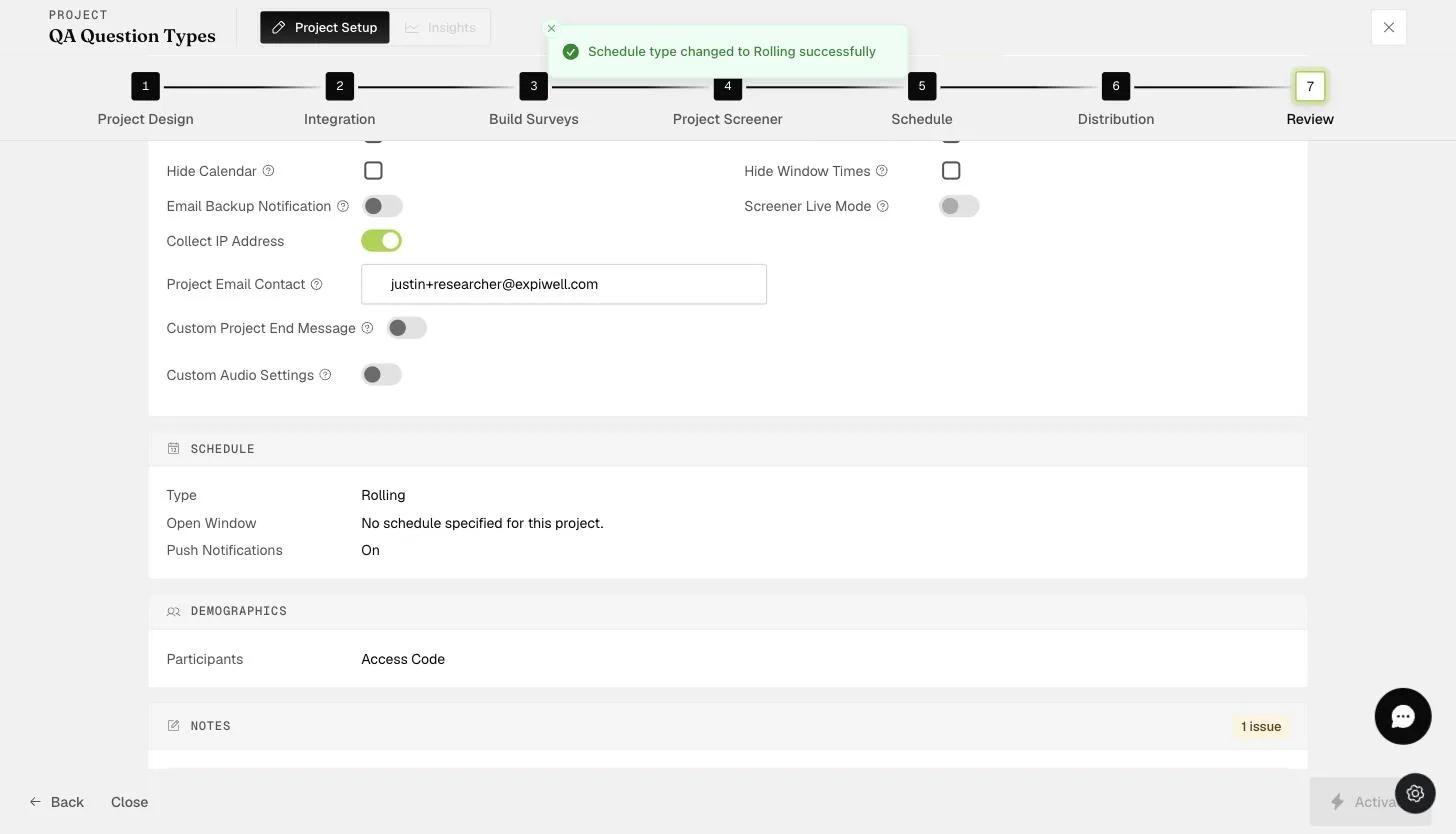
The Review step settings showing the Email Backup Notification toggle among the project options

This will send an email to participants when they cannot receive an in-app notification.

Screenshot — Email template for backup notifications
Video demo — Backup email notifications (coming soon)
Was this helpful?
Start today

Talk to a human on the ExpiWell team.

Still stuck? Our team of researchers answers technical and study-design questions alike.