Backup email notifications
Why a Backup Channel Matters
In EMA and ESM studies a missed prompt is a missed data point, so the reliability of the notification matters as much as the schedule behind it.
ExpiWell sends push notifications through Firebase Cloud Messaging (FCM). Occasionally a notification cannot be dispatched at all — the participant's device token is missing or invalid, usually because they uninstalled the app or moved to a new phone, or FCM itself returns a dispatch error. Backup email notifications exist for exactly those cases: a second delivery channel so the participant still hears about their survey.
What It Does and Does Not Cover
This feature safeguards against dispatch failures — the notification never leaves FCM. It does not fire when a notification is queued normally and simply goes undelivered because the phone is switched off, out of battery, or temporarily without signal. Those are delivery delays, not dispatch failures, and FCM holds the message until the device comes back.
If your concern is participants losing signal rather than losing the app, this is the wrong tool — look at Offline Notifications instead, and read its caveats before committing to it.
How to Enable It
-
Open your project and go to the Review step.
-
Under General, find Email Backup Notification.
-
Toggle it on.
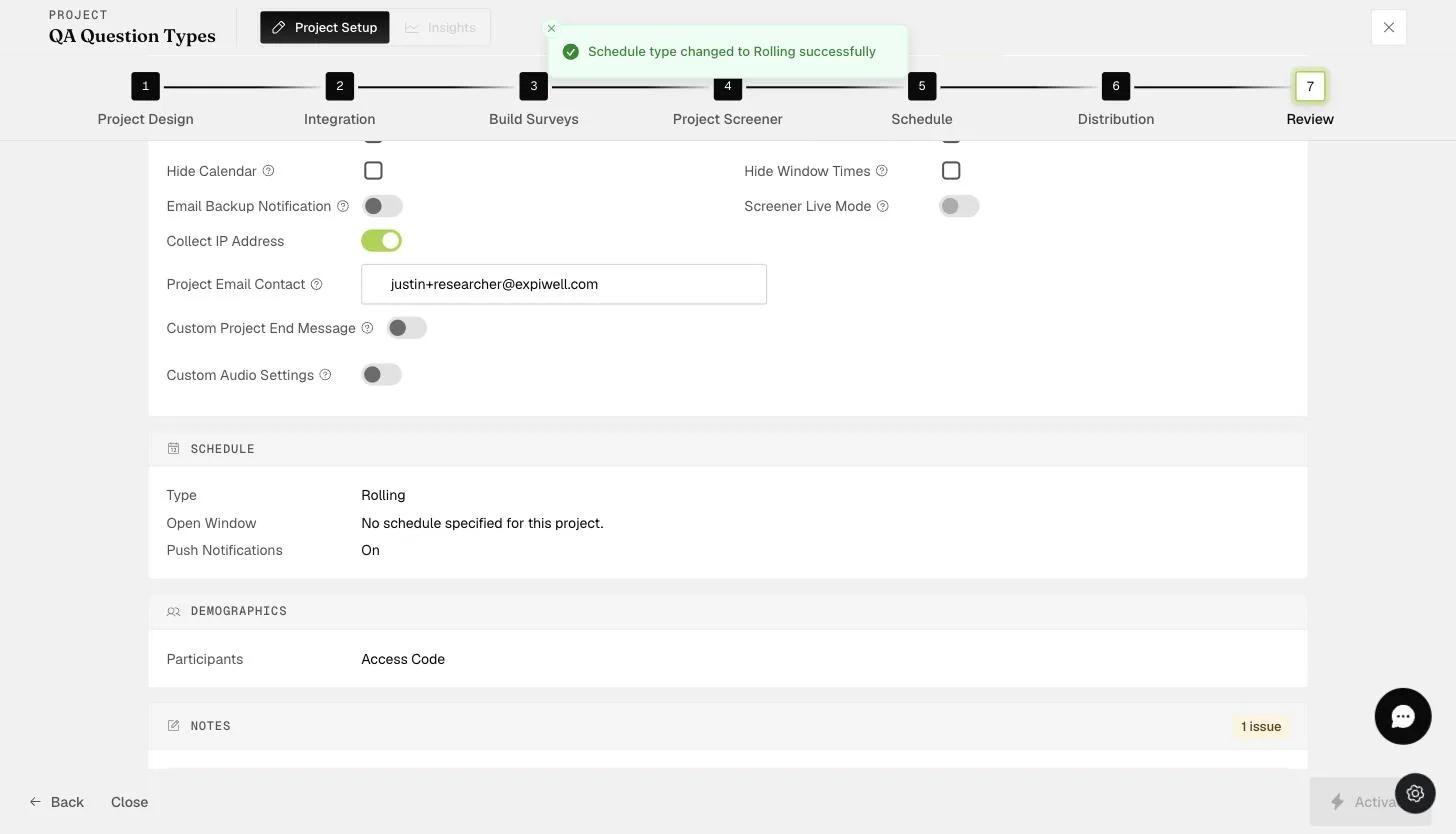
From then on, any push that fails to dispatch for that project is followed by an email to the participant.
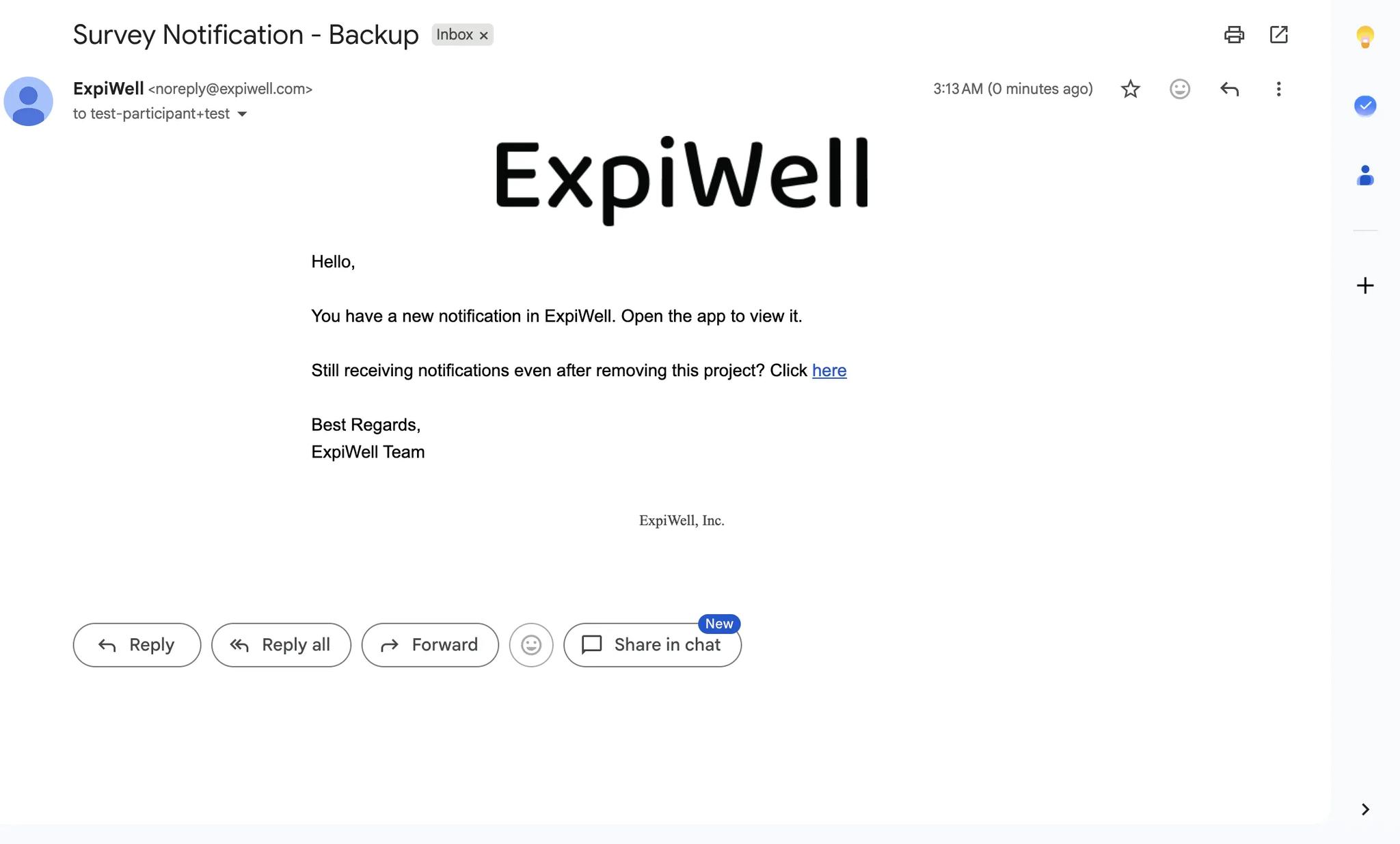
It is deliberately plain. Unlike a triggered email, it names neither the project nor the survey — only that something is waiting in the app — so it carries nothing sensitive into an inbox. It also offers a link for anyone still receiving emails after leaving a study.
You cannot have this and Offline at the same time. They are mutually exclusive in the Review step: switching Email Backup Notification on turns Offline off, and switching Offline on turns this off. The reason follows from how each works — an offline participant's notifications are scheduled on their own phone and never dispatched through FCM, so there is no dispatch to fail and nothing for a backup to catch. Pick the one that matches your risk: participants who lose signal, or participants who lose the app.
If you are testing this and nothing arrives, check the configuration before the feature. The email is prompt once the setup is right, so a long silence almost always means something is off rather than slow: Email Backup Notification not actually on, Offline switched on and therefore having turned it off, or no notification due in the first place — a project's schedule is locked once it is active, so you cannot add a window to force one.