Adaptive timings of notifications & surveys
What to Know About Adaptive Timings
In an EMA or ESM study the schedule only means anything in the participant's own time zone — a 9 AM prompt is useless if it lands at 2 AM. ExpiWell handles this without any setting to configure.
Whenever you schedule surveys, two things are true by default: notifications and surveys go out in each participant's own time zone, and they adapt when a participant changes time zone, even mid-study.
Automatically Scheduled for Participant Time Zones
You do not have to worry about participants having different time zones, as the system will automatically detect their time when they download and sign up on the ExpiWell mobile app. If your survey starts at 9 AM, it will be 9 AM in your participant's time, regardless of where they are located.
Therefore, you can collect data from all across the United States - or across the world - and know that every participant will receive the surveys at the scheduled time.
Automatic Adaptation to Participant Time Zone Changes
Researchers often recruit people who commute or travel. If a participant joins a project and then moves to a different time zone, reopening the mobile app updates their time. They get a single pop-up telling them so, naming the size of the shift in hours.
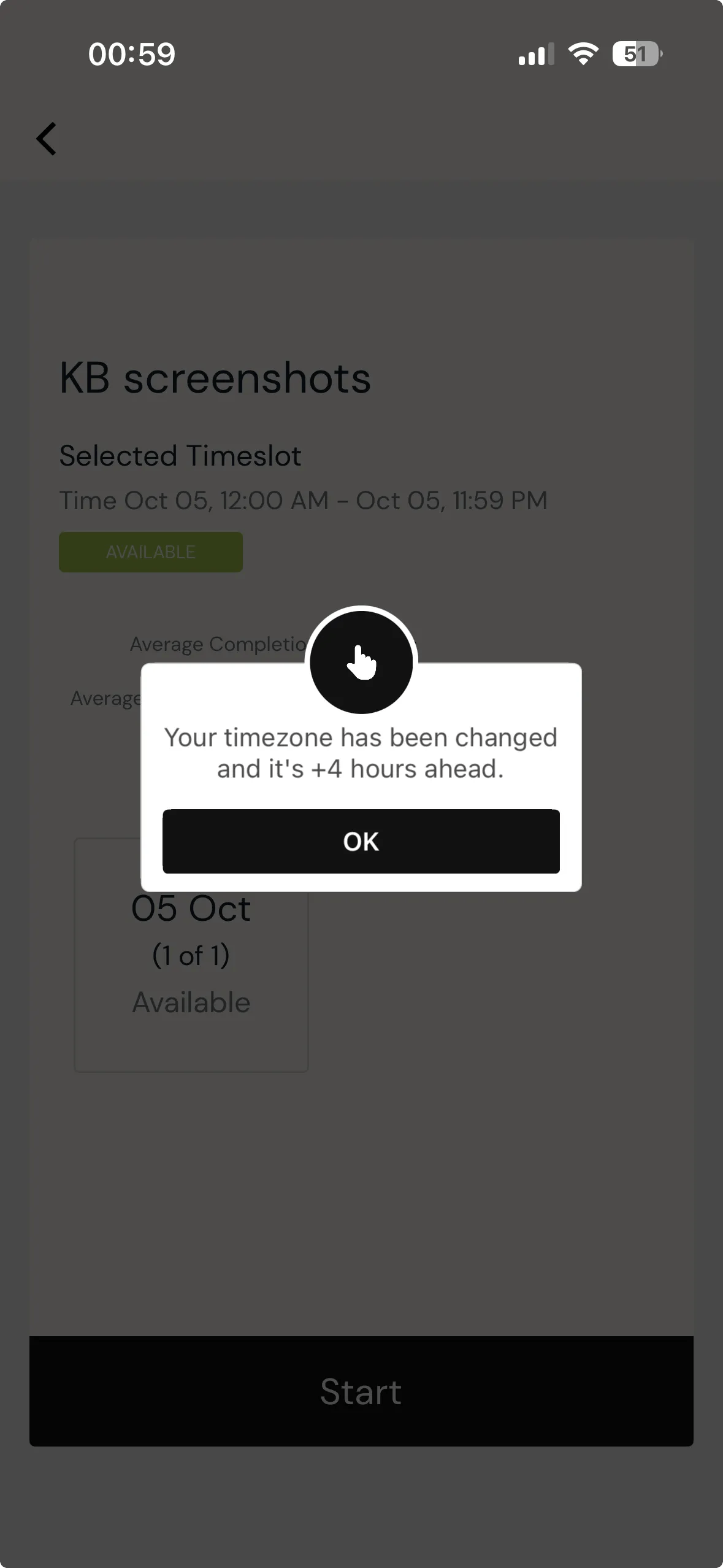
Participants can also update it themselves without waiting for the app to notice: Settings → Update Timezone confirms with "Your timezone is now set to…" and the new zone. Useful if someone's notifications look wrong after a trip.
From that point their notifications and their submission windows both follow the new zone. Nothing is asked of you, and nothing is asked of them beyond opening the app.