Im Aufbau

Ihre Stichprobe hat uns mitten im Umbau erwischt.

Diese Anleitungen beschreiben die neue ExpiWell-Plattform (v2) und werden noch geschrieben, geprüft und umgebaut — entschuldigen Sie das Gerüst: Seiten können sich zwischen Besuchen verschieben oder ändern. Noch in der bisherigen App? Deren Dokumentation bleibt im alten Support-Portal.

Zum bisherigen Support-Portal
Wissensdatenbank  /  Vom ExpiWell-Team

Wie können wir helfen?

Anleitungen für jeden Schritt Ihrer Studie — vom ersten Projekt bis zum finalen Datenexport. Die ExpiWell-Wissensdatenbank für die Forschungsplattform im Web und die mobile Teilnehmer-App.

102 Anleitungen in 29 Kategorien · Gepflegt vom ExpiWell-Team
Help CenterBuildSurvey Creation

Participants viewing past responses

Build · Survey Creation
Updated 27. September 2026

Review Past Responses

Participants can be shown their own answers from earlier submissions of the same survey. In experience sampling and ecological momentary assessment studies this helps keep people engaged, since they can see what they reported before rather than answering into a void.

In the survey builder, click Feedback in the top bar. The Participant Feedback modal opens, and the first section is Questions to show back.

Tick the questions whose answers you want participants to see — the Select all button takes every question at once. Then click Save changes.
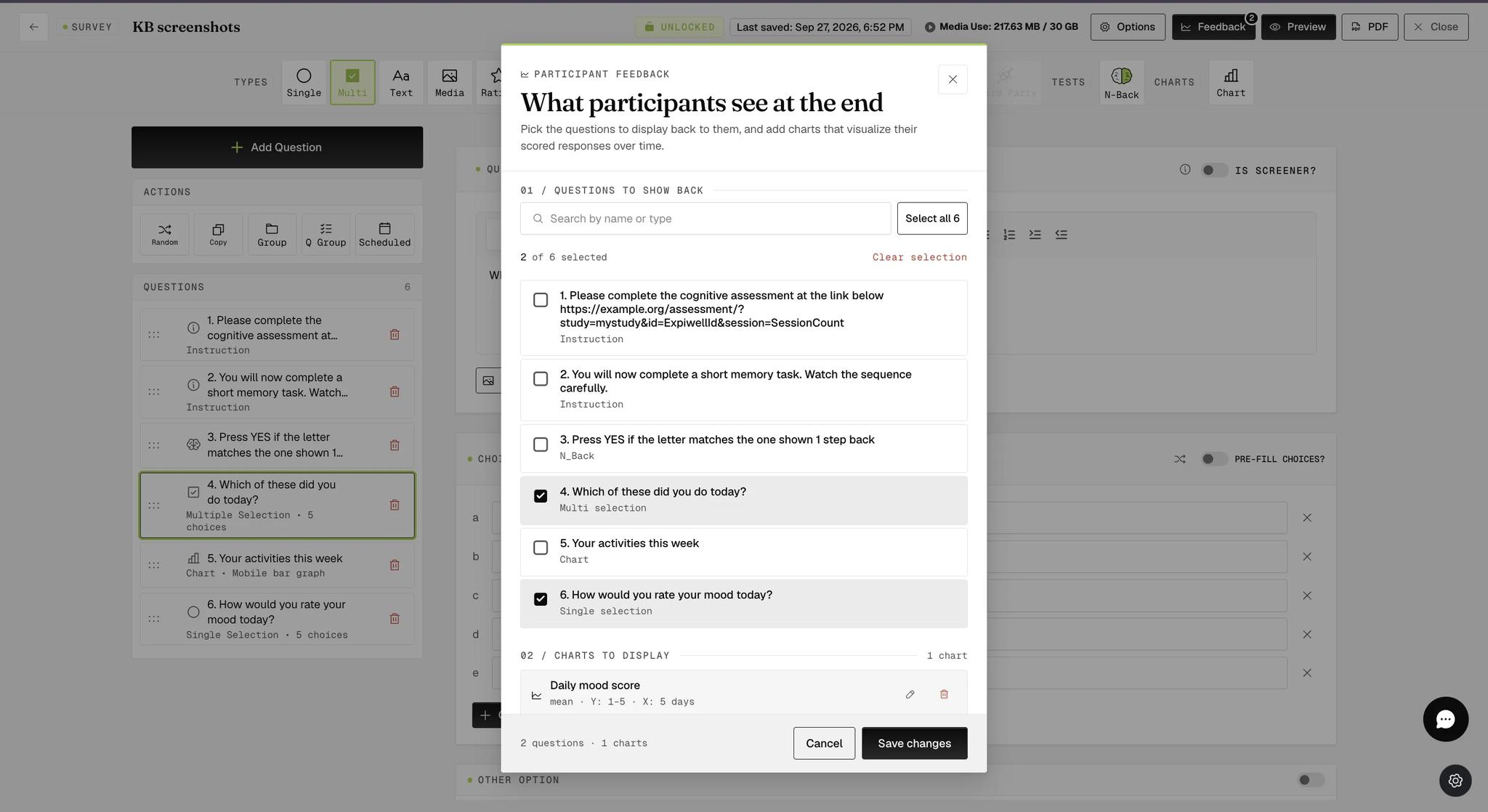
The Participant Feedback modal with two of the survey's six questions ticked under Questions to show back, a count reading 2 of 6 selected, and a Save changes button below
Note

Only questions that record an answer are worth showing back, since an Instruction question has nothing to display. If the survey is locked, these settings are visible but read-only — unlock the survey first.

What Participants See

On the mobile app, participants open the survey card's three-dot menu and tap Show Previous Responses.
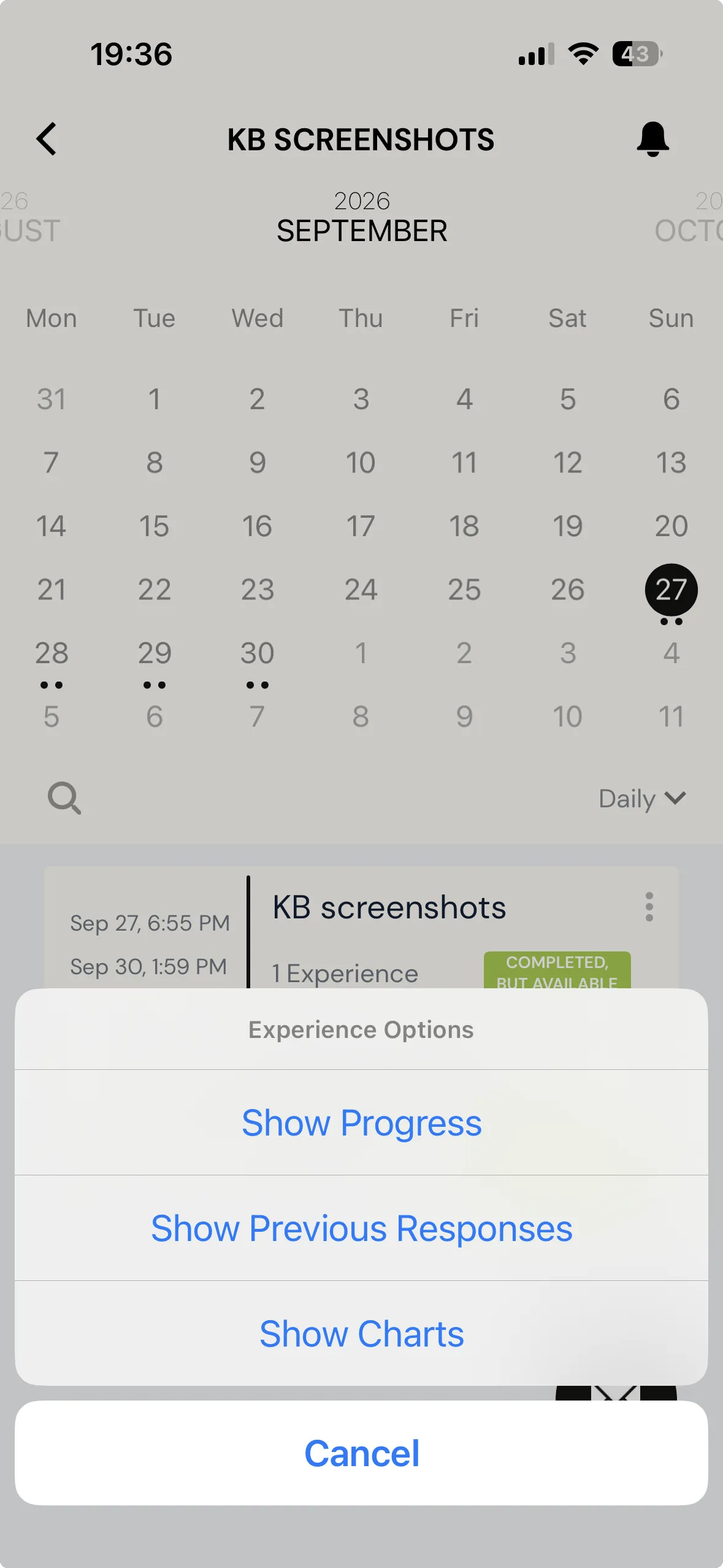
The ExpiWell mobile app with an Experience Options menu open over the survey card, offering Show Progress, Show Previous Responses, and Show Charts

Each past submission is listed with when it started and ended, followed by the questions you selected and the answer given each time.
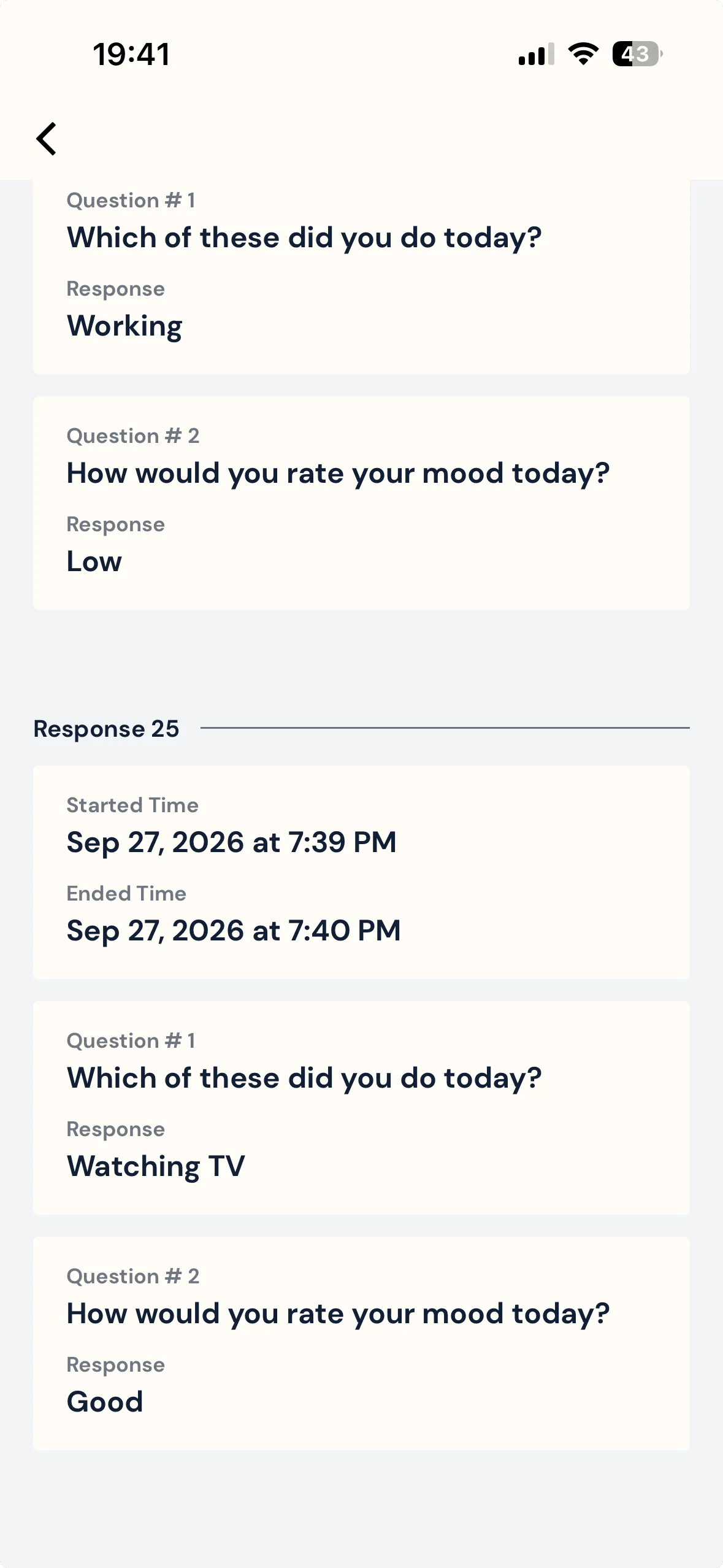
The previous responses screen on the mobile app, showing a submission's start and end times above the two selected questions, each with the answer the participant gave
Note

Only submissions made after you select the questions will show answers. Anything submitted earlier still appears in the list, but with its start and end times alone and nothing beneath them.

For further inquiries, please reach out to help@expiwell.com

Was this helpful?
Start today

Sprechen Sie mit einem Menschen aus dem ExpiWell-Team.

Kommen Sie nicht weiter? Unser Team aus Forschenden beantwortet technische Fragen ebenso wie Fragen zum Studiendesign.