Im Aufbau

Ihre Stichprobe hat uns mitten im Umbau erwischt.

Diese Anleitungen beschreiben die neue ExpiWell-Plattform (v2) und werden noch geschrieben, geprüft und umgebaut — entschuldigen Sie das Gerüst: Seiten können sich zwischen Besuchen verschieben oder ändern. Noch in der bisherigen App? Deren Dokumentation bleibt im alten Support-Portal.

Zum bisherigen Support-Portal
Wissensdatenbank  /  Vom ExpiWell-Team

Wie können wir helfen?

Anleitungen für jeden Schritt Ihrer Studie — vom ersten Projekt bis zum finalen Datenexport. Die ExpiWell-Wissensdatenbank für die Forschungsplattform im Web und die mobile Teilnehmer-App.

102 Anleitungen in 29 Kategorien · Gepflegt vom ExpiWell-Team
Help CenterBuildSurvey Creation

Download surveys in PDF format

Build · Survey Creation
Updated 27. September 2026

Downloading a Survey as a PDF

PDF export is available on Premium and the plans above it, including their trial and academic variants. It is not available on Free Basic or Plus.

Note

Access follows the survey's owner rather than whoever clicks the button, so a team member on a lower plan can still export a project lead's surveys. Providers are the exception: they cannot export surveys at any plan level.

Open the survey in the builder and click PDF in the top bar. There is no dialog or export step: the button reads Generating… for a moment, then the file downloads.
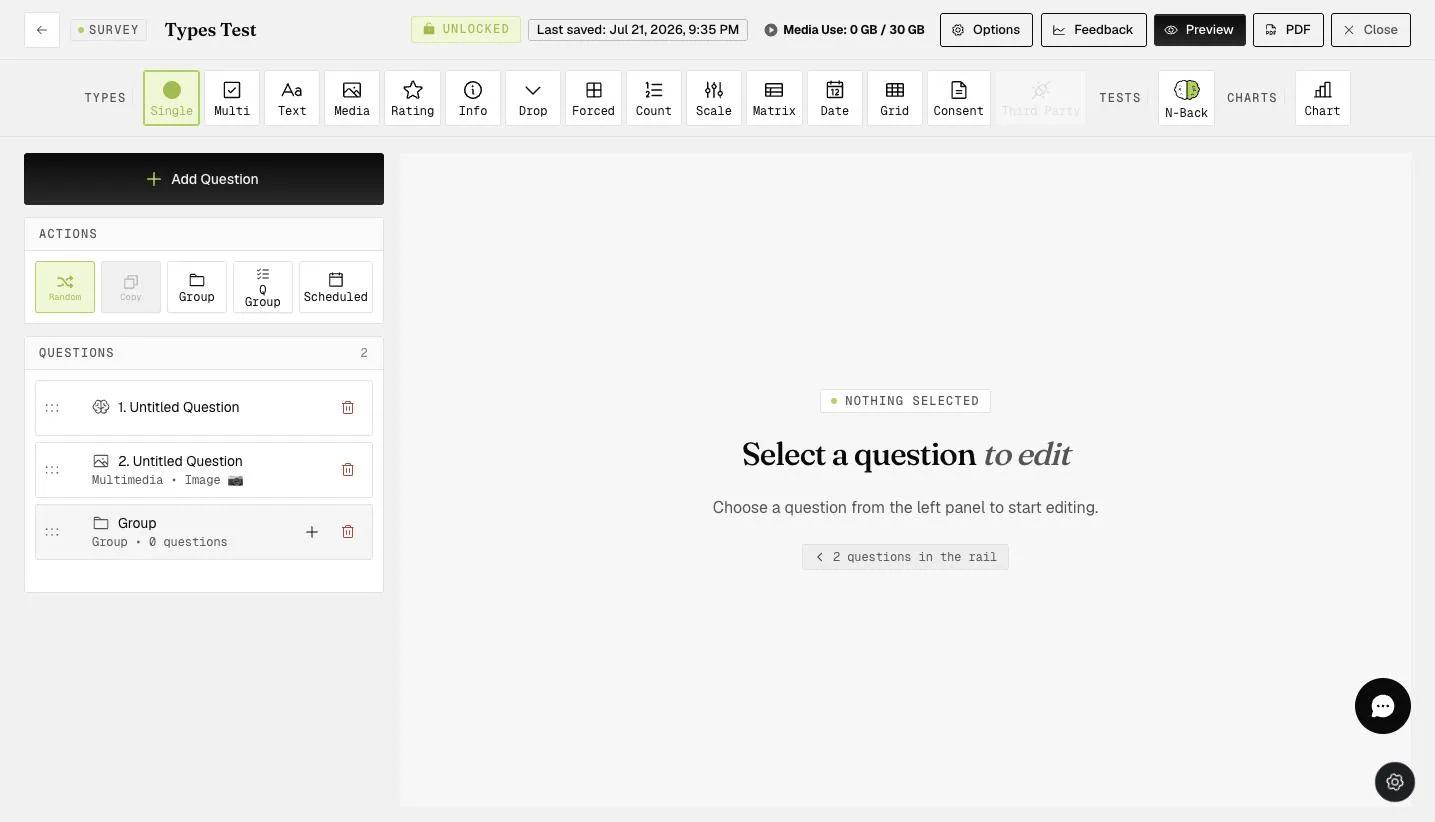
The survey builder with the PDF button in the top bar outlined in green, sitting between the Preview and Close buttons

The export documents the questionnaire rather than just listing it. It opens with a count of questions, groups and question types, followed by a legend of the types used. Each question then appears in order with its type, its response choices, and any configuration behind it — an N-Back question carries its level, stimuli, trial count and timings.
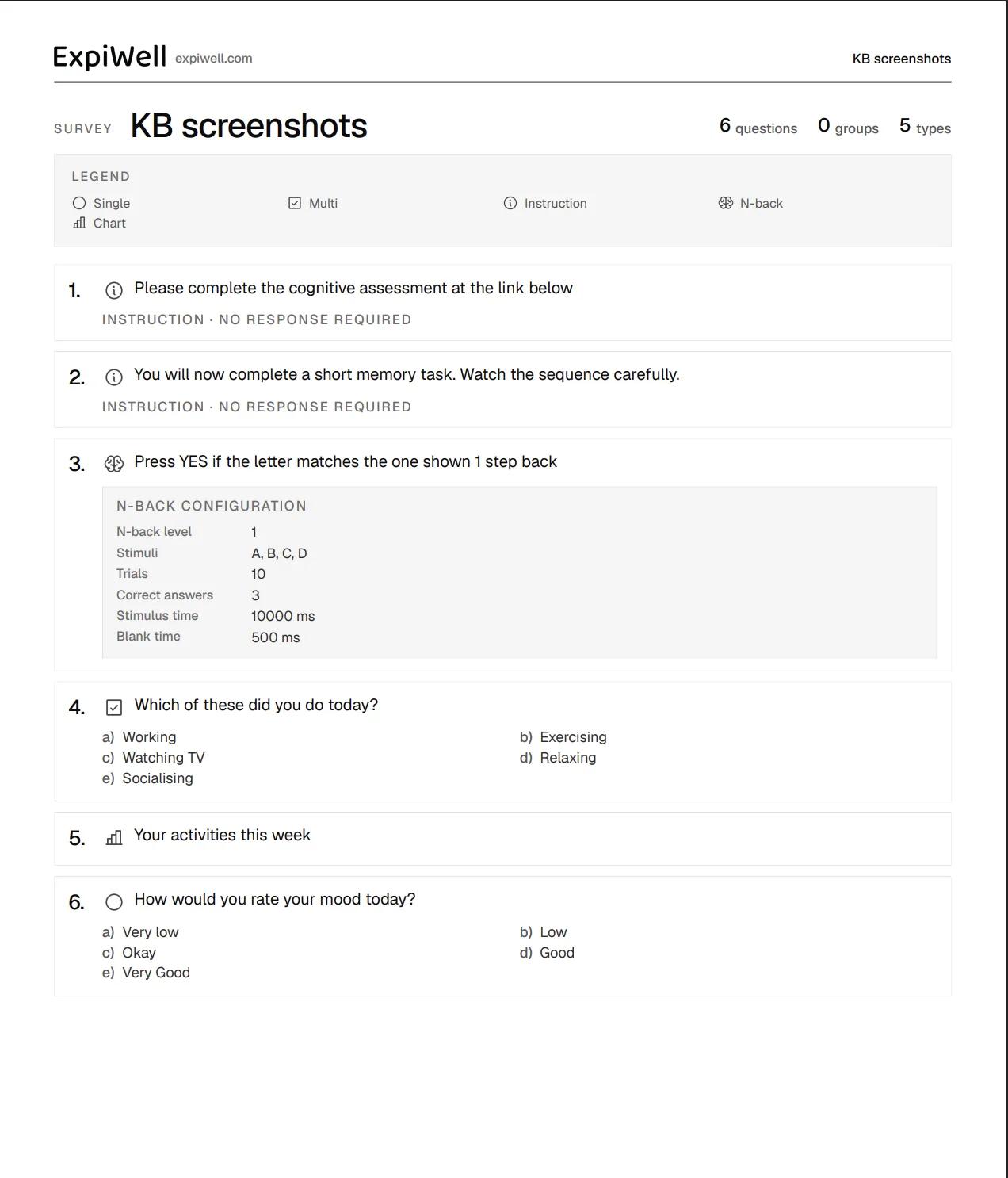
A survey exported to PDF, headed with the ExpiWell logo and survey name, followed by counts of questions, groups and types, a legend of question type icons, and each numbered question with its type, choices, and for the N-Back question a configuration table

That makes it useful for archiving a questionnaire, reviewing it away from the app, or sharing it with collaborators, reviewers, and participants.

For further inquiries, please reach out to help@expiwell.com

Was this helpful?
Start today

Sprechen Sie mit einem Menschen aus dem ExpiWell-Team.

Kommen Sie nicht weiter? Unser Team aus Forschenden beantwortet technische Fragen ebenso wie Fragen zum Studiendesign.