Distributing your project to participants
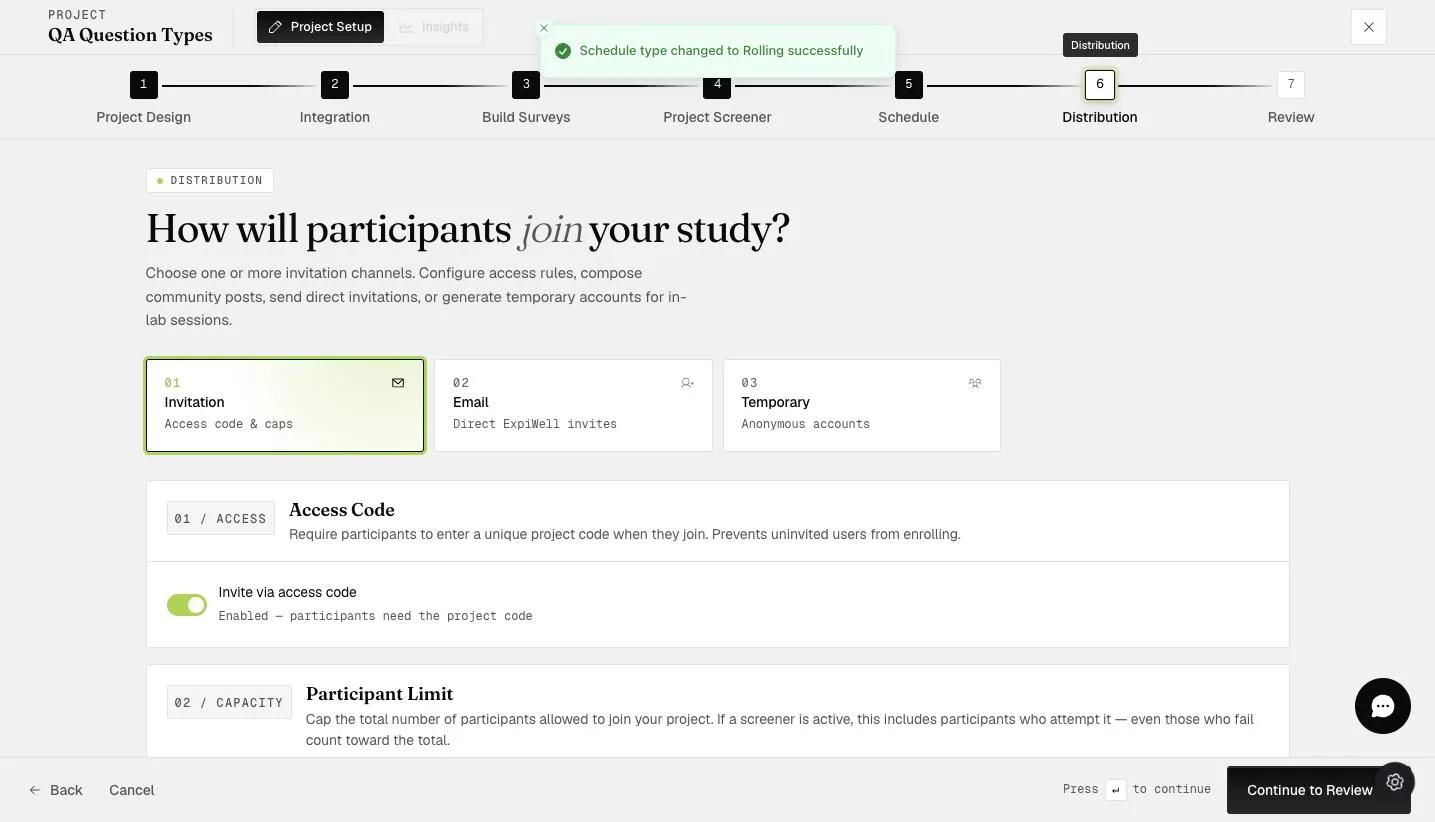
Participants join your project through the free ExpiWell app (iOS and Android) — no payment and no technical setup on their side. The Distribution step offers three channels, and you can use more than one: a study might take most people by access code while inviting a handful of named participants by email.
The three distribution channels
- Access code — participants enter a unique code into the mobile app to start the project. The simplest option for most studies.
- Invite by user account email — only participants with specific email addresses can start the project. Useful when ExpiWell runs alongside other data-collection platforms. See Invite by user account email.
- Temporary participant accounts — project-based accounts you create, for fully anonymous data collection or for populations (e.g., elderly participants) who can't easily create their own account. See Creating temporary participant accounts.
Capping how many participants join
Beneath the access-code setting is Participant Limit, which caps the total number of people who can join. Leave it alone and the project is uncapped.
A screener changes what the cap counts. Where a Project Screener is active, everyone who attempts it counts toward the limit — including those who fail and never join. The step says so itself: "even those who fail count toward the total". A cap of 100 against a screener that turns away half your applicants will close the project at roughly 50 actual participants.
What participants experience
- Remote onboarding: they install the app and join from anywhere
- Scheduled and randomized notifications in their own time zone — schedules adapt automatically if they travel mid-project
- Offline participation: responses upload once they reconnect
- Anonymity that depends on the channel: an access code or a temporary account identifies someone only as "Participant 2", while inviting by email means you already know who they are
Troubleshooting
The participant log shows each participant's response rates in real time, including whether push notifications are reaching them — so you can spot and fix onboarding problems on day one instead of at export time. See Logs.