Under construction

You've sampled us mid-build.

These guides cover the new ExpiWell platform (v2) and are still being written, checked, and rearranged — pardon the scaffolding: pages may move or change between visits. Still on the legacy app? Its documentation remains on the old support portal.

Open the legacy support portal
Knowledge base  /  From the ExpiWell team

How can we help?

Guides for every step of your study — from your first project to your final data export. The ExpiWell knowledge base for the researcher web platform and the participant mobile app.

101 guides across 29 categories · Updated by the ExpiWell team
Help CenterMobile appExperiences

Project overview

Mobile app · Experiences
Updated October 2, 2026

The project overview shows a study's schedule as a calendar, with the surveys you can take listed below it.

Opening the project overview

On the Current tab, tap a study's card.
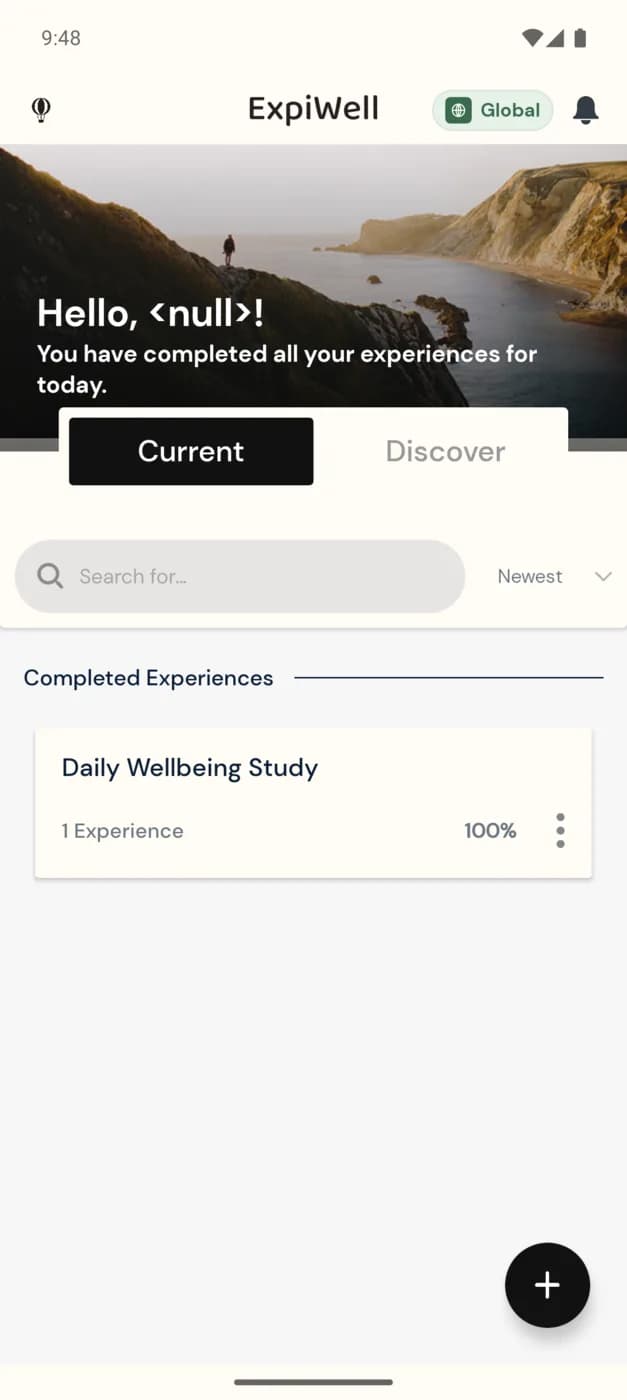
The Current tab of the ExpiWell app with one study card under Completed Experiences: Mood Survey, 1 Experience, Static Schedule, 100%, and a three-dot options icon

The calendar

A dot under a date marks a day that has a survey. Tap a date to see its surveys below the calendar. A survey you can take now is marked Available: tap it, then tap Start.
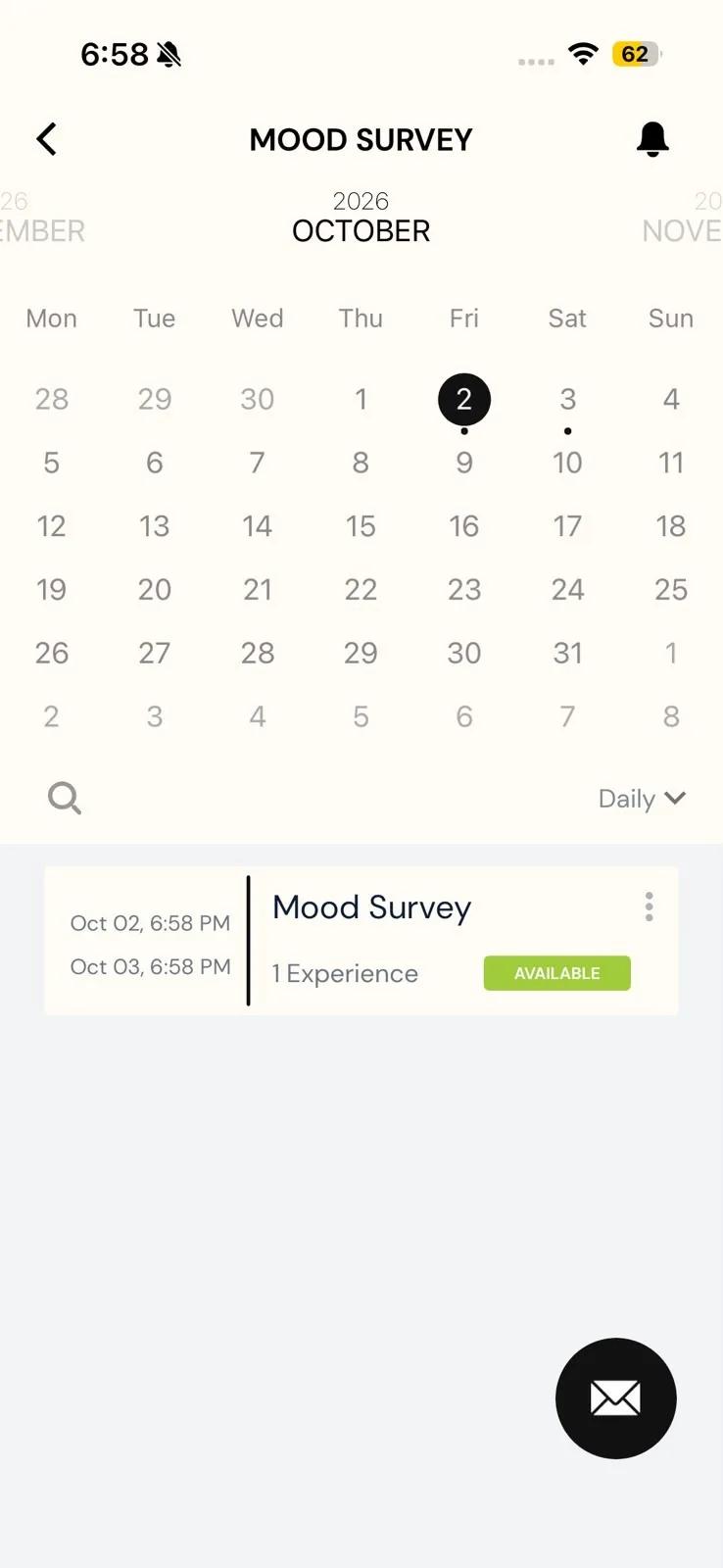
The Mood Survey overview in the Daily view: an October calendar with today circled and dots under the 2nd and 3rd, and a survey row with its window from Oct 02 to Oct 03 and an Available badge

Switching views

On iPhone, tap the view menu beside the search icon (it shows Daily by default) and choose Daily, All Experiences or Modules.

On Android, there's no menu. Each tap on the view button moves to the next view: Daily, then All Experiences, then Modules. A study with no end date opens on All Experiences and switches only between All Experiences and Modules.
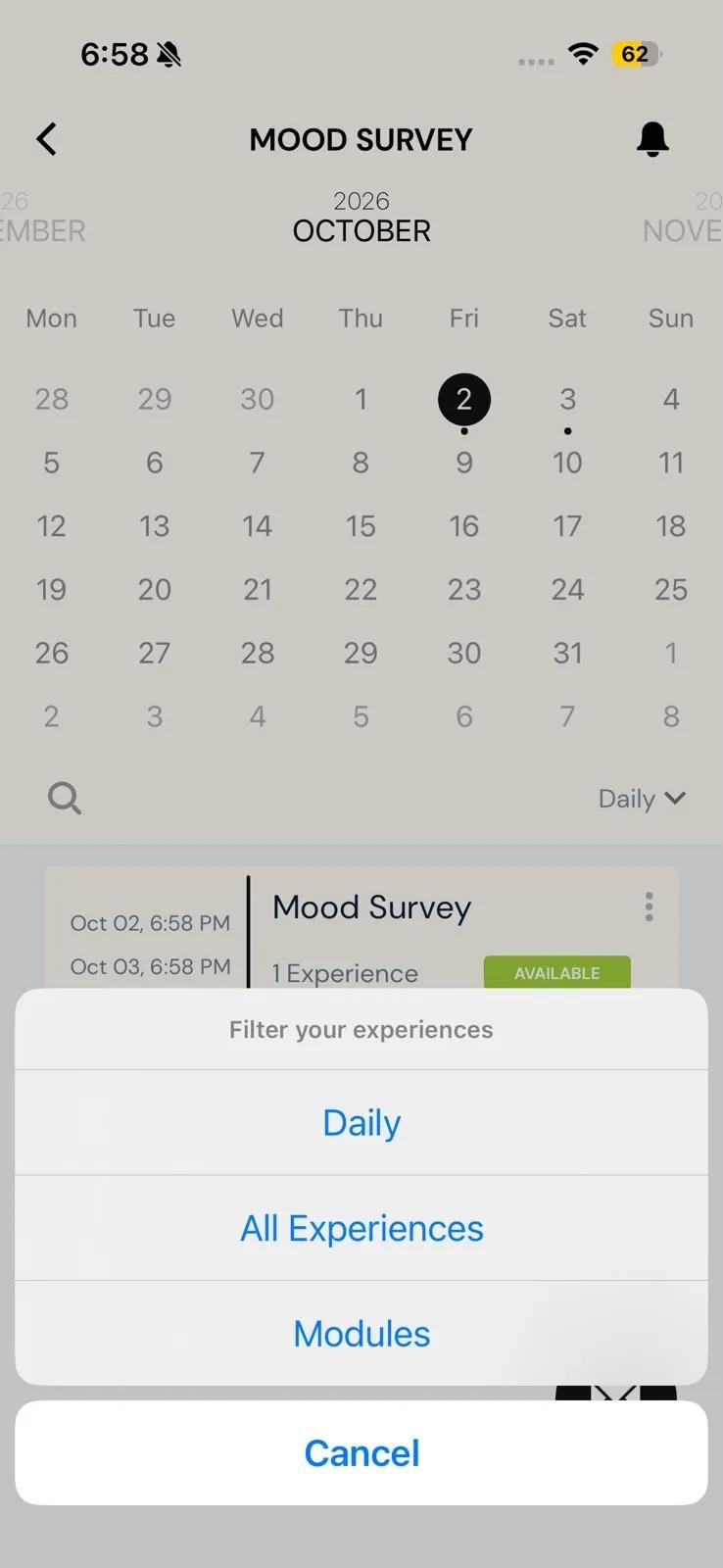
A study's overview with the Filter your experiences menu open, offering Daily, All Experiences and Modules
Was this helpful?
Start today

Talk to a human on the ExpiWell team.

Still stuck? Our team of researchers answers technical and study-design questions alike.