En construction

Vous nous avez échantillonnés en plein chantier.

Ces guides portent sur la nouvelle plateforme ExpiWell (v2) et sont encore en cours d’écriture, de relecture et de réorganisation — pardonnez les échafaudages : les pages peuvent bouger ou changer d’une visite à l’autre. Toujours sur l’ancienne app ? Sa documentation reste sur l’ancien portail d’assistance.

Ouvrir l’ancien portail d’assistance
Base de connaissances  /  Par l’équipe ExpiWell

Comment pouvons-nous vous aider ?

Des guides pour chaque étape de votre étude — du premier projet à l’export final des données. La base de connaissances ExpiWell pour la plateforme web chercheur et l’app mobile participant.

97 guides dans 28 catégories · Mis à jour par l’équipe ExpiWell
Help CenterAnalyzeDashboards

Sharing dashboards

Analyze · Dashboards
Updated 20 juillet 2026

Sharing Your ExpiWell Dashboards

ExpiWell's Dashboards offer real-time insights, enabling you to visualize data as you collect it and identify emerging trends and patterns throughout your study. With the Providers feature, you can effortlessly share these insights with users without exposing raw data. Simply invite users as providers to grant them access to view the dashboards you've created in your account.

The following section outlines the steps to add a user as a provider and explains how the provider's dashboard will appear.

How to Add a Provider

  1. Go to the Insights area > ‘Providers’ tab and click ‘Add Provider’.
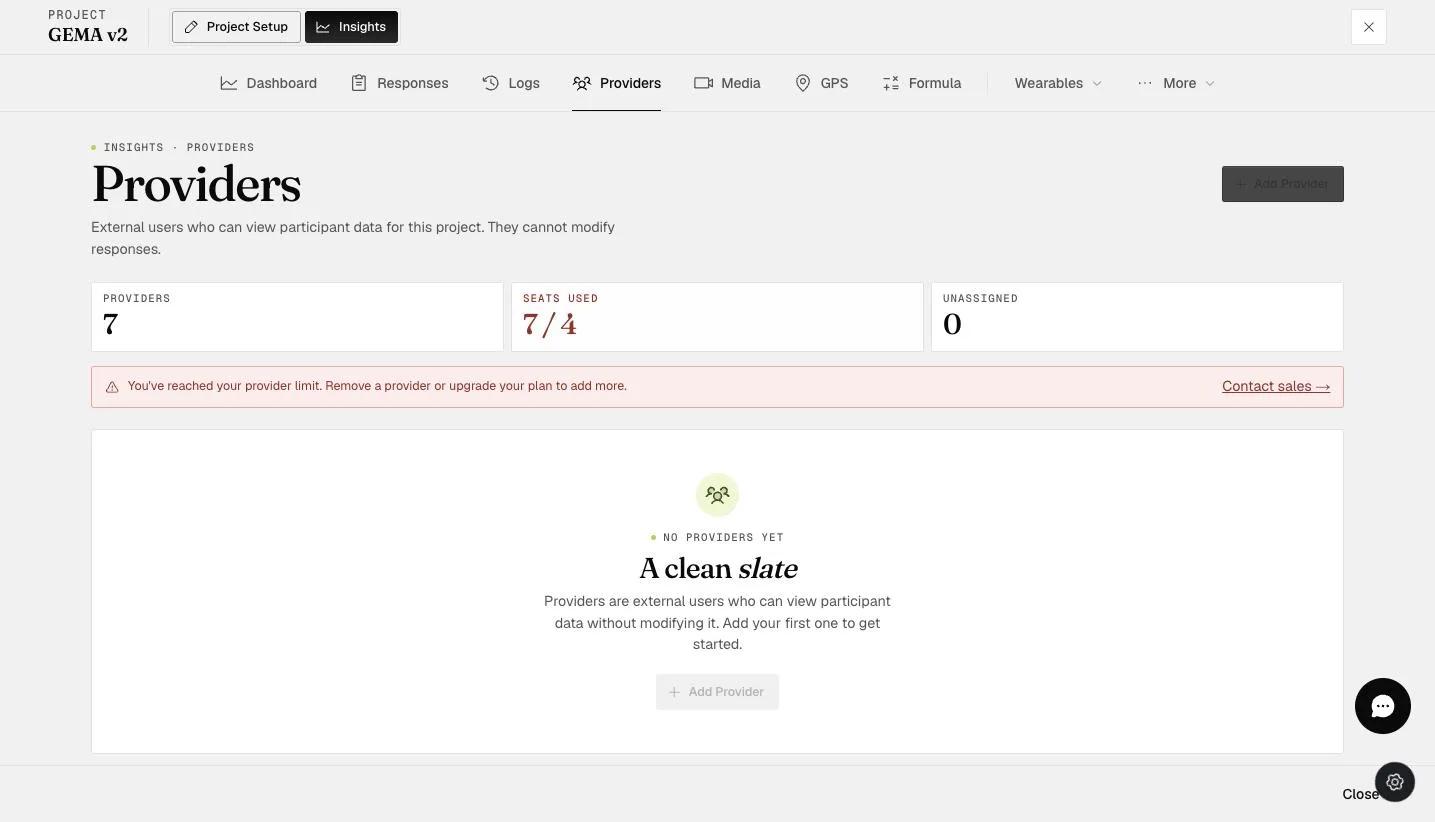
The Insights Providers tab — external users who can view participant data without modifying it — with an Add Provider button
  1. A pop-up modal will appear. Input the provider's email address.
Screenshot — add provider email
  1. Select the participant(s) whose dashboards you want to share with the provider, then click ‘Add Provider’ to proceed.
Screenshot — select participants - provider
  1. The provider with the selected participant(s) will now appear in the providers list as shown below.
The Providers panel showing provider count and seats used for view-only sharing
Note

Note: Existing team members on your account cannot be added as providers for your account’s projects. An error message will be displayed as shown below.

Screenshot — error message - added provider is a team member

Provider’s Dashboard

  1. Log in to the Provider’s account. Click ‘My Projects’ and a drop-down will allow you to select the Dashboard you’ve been assigned.
Screenshot — providers main dashboard
  1. The projects that you’ve been assigned as a provider will be displayed.
Screenshot — providers projects
  1. You can view the dashboard charts generated by the administrator in each respective project.
Screenshot — dashboard chart view on provider account

For more information on including the Provider feature in your account, please get in touch with sales@expiwell.com.

Video demo — Sharing Dashboards (coming soon)
Was this helpful?
Start today

Parlez à un humain de l’équipe ExpiWell.

Toujours bloqué ? Notre équipe de chercheurs répond aussi bien aux questions techniques qu’aux questions de design d’étude.