Randomization
Some studies open surveys at a random moment rather than at a fixed time. Your research team turns this on. You don't set anything up, but it changes when you can take the survey.
How a random timeslot works
A random survey has a timeslot, for example 1:00 PM to 4:00 PM. It doesn't open for that whole time. It opens once, at a random moment inside the timeslot, for a shorter window set by your research team, for example 15 minutes.
So with a 15-minute window, the survey might open at 2:10 PM and close at 2:25 PM. The moment changes from day to day.
Spotting a random survey
Random surveys have a shuffle icon on their row. Tap it to see the Random Timeslot popup: This experience has a random start and end time within the available window. We'll send you a notification as soon as it's available.
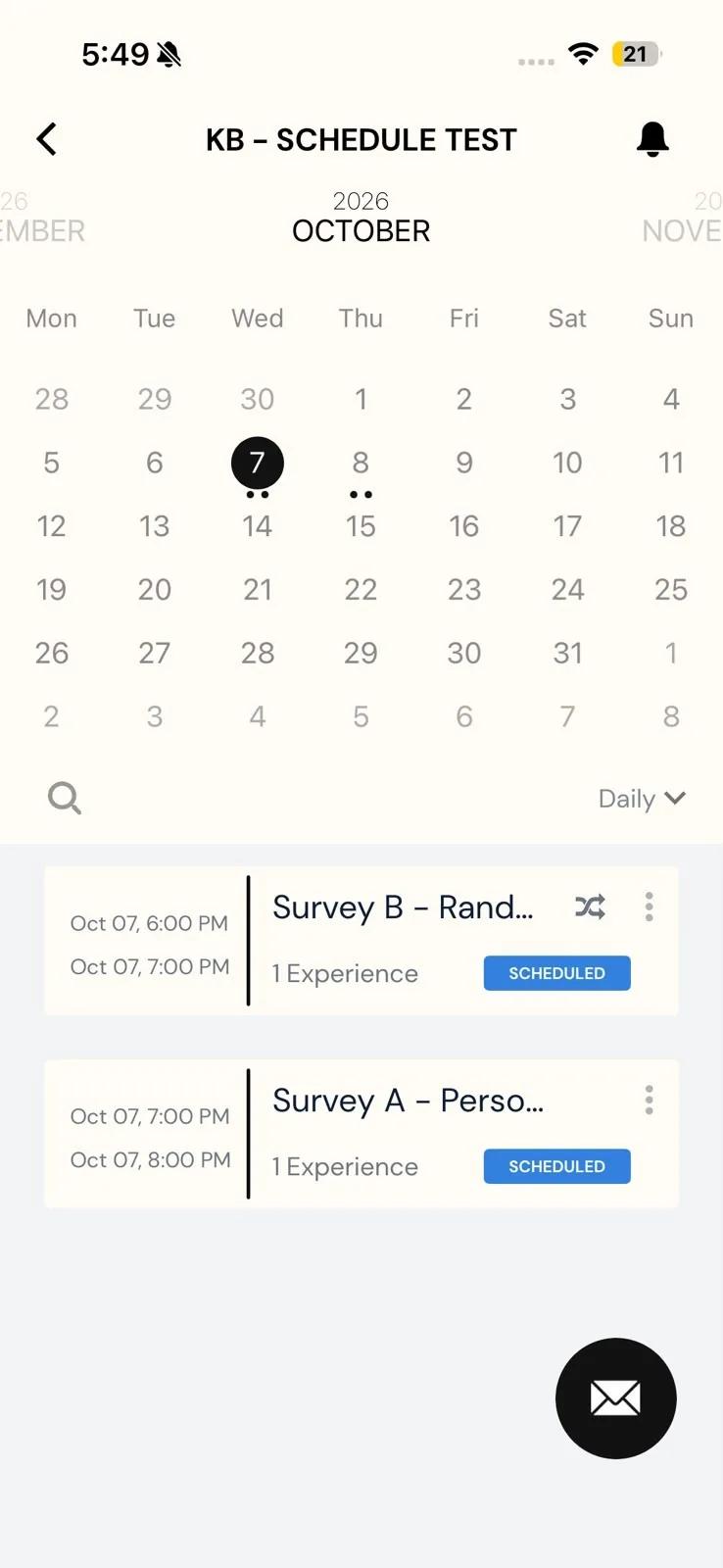
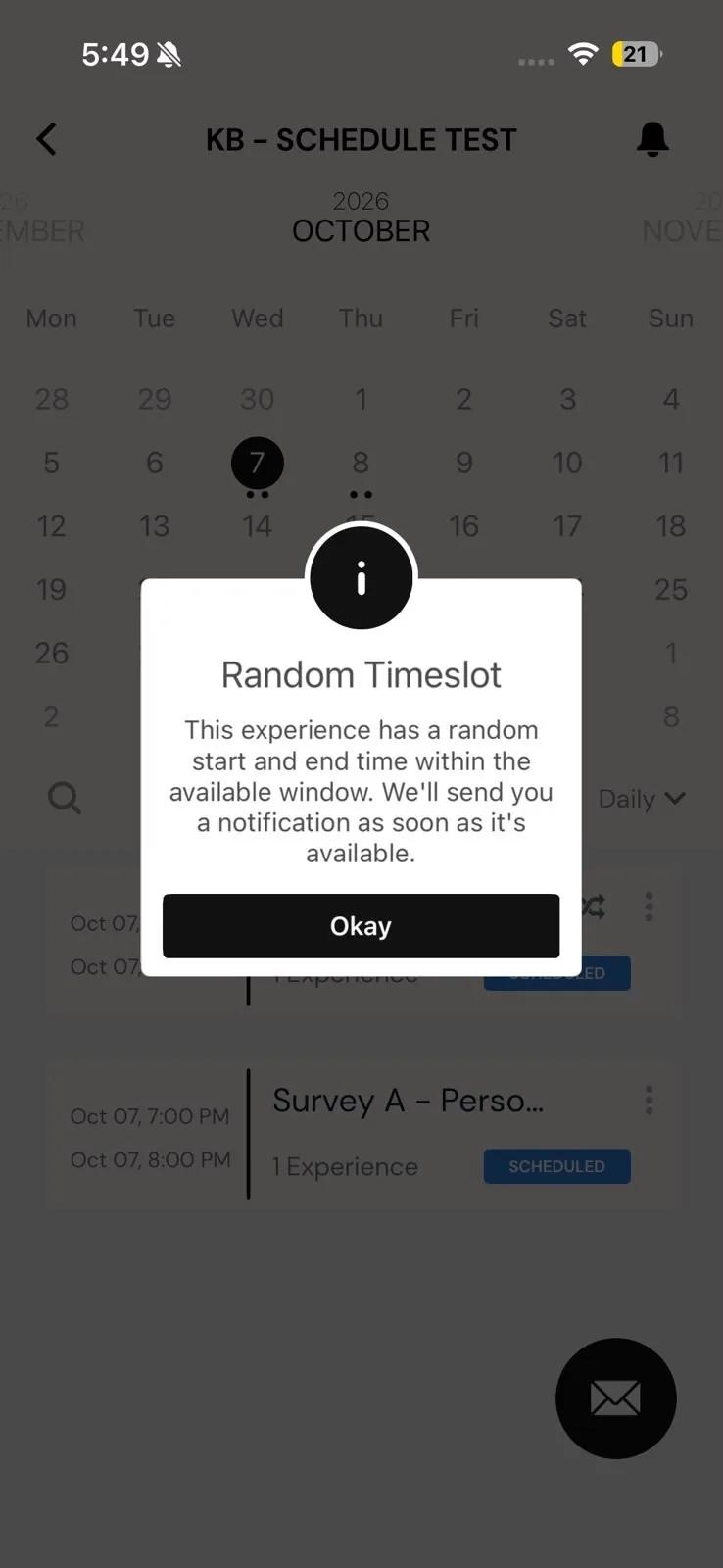
On iPhone, if the window is already open, the popup tells you the survey is available now and you can start it right away.
Taking a random survey
- Until the random window opens, the survey's row shows the whole timeslot, and you can't start the survey yet.
- When the window opens, you get a notification. The survey's row now shows the exact window you have.
- Open the survey. Its page tells you how long you have, for example Survey is available 15 minutes from notification.
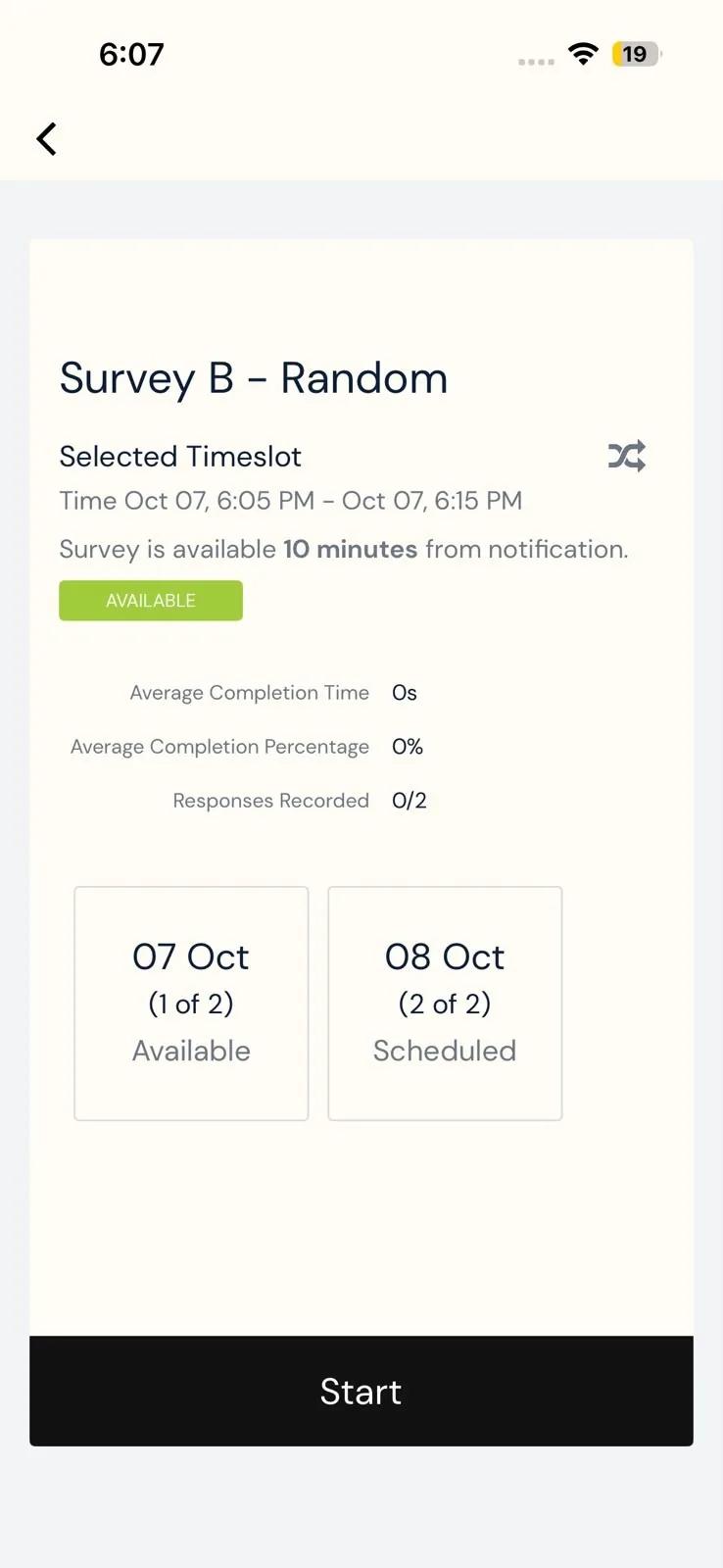
If you don't take the survey before the window closes, it's marked Missed, even if the timeslot hasn't ended yet. If your study allows retakes, you can take a missed survey again; see Schedule personalization.
A random window can be short, and the notification is how you find out it has opened. Keep notifications turned on for the app; see Notifications.
Other things that can be randomized
Your research team can also shuffle the order of the questions in a survey, or the order of the answer choices under a question. You still answer the same questions. Only the order changes, and it doesn't affect how your answers are recorded.
Troubleshooting
- It's inside the timeslot, but I can't start the survey. The random window hasn't opened yet. Wait for the notification.
- The survey says Missed, but the timeslot hasn't ended. Its random window has already closed. The survey was only open for that window, not the whole timeslot.
- I never got the notification. Check that notifications are allowed for the app. If it keeps happening, tell your research team; see Contacting the researchers.