Contacting the researchers
Questions about a study, such as its schedule, your eligibility or your compensation, go to the research team that runs it. You can email them from inside the ExpiWell app in two ways: choose Contact Researcher from the study's options menu on your home screen, or tap the envelope button inside the study. Either way, a new email opens, addressed to the researcher.
Both routes need a study on your Current tab. Not in a study yet? Use the contact details your research team gave you with your invitation or access code.
From your home screen
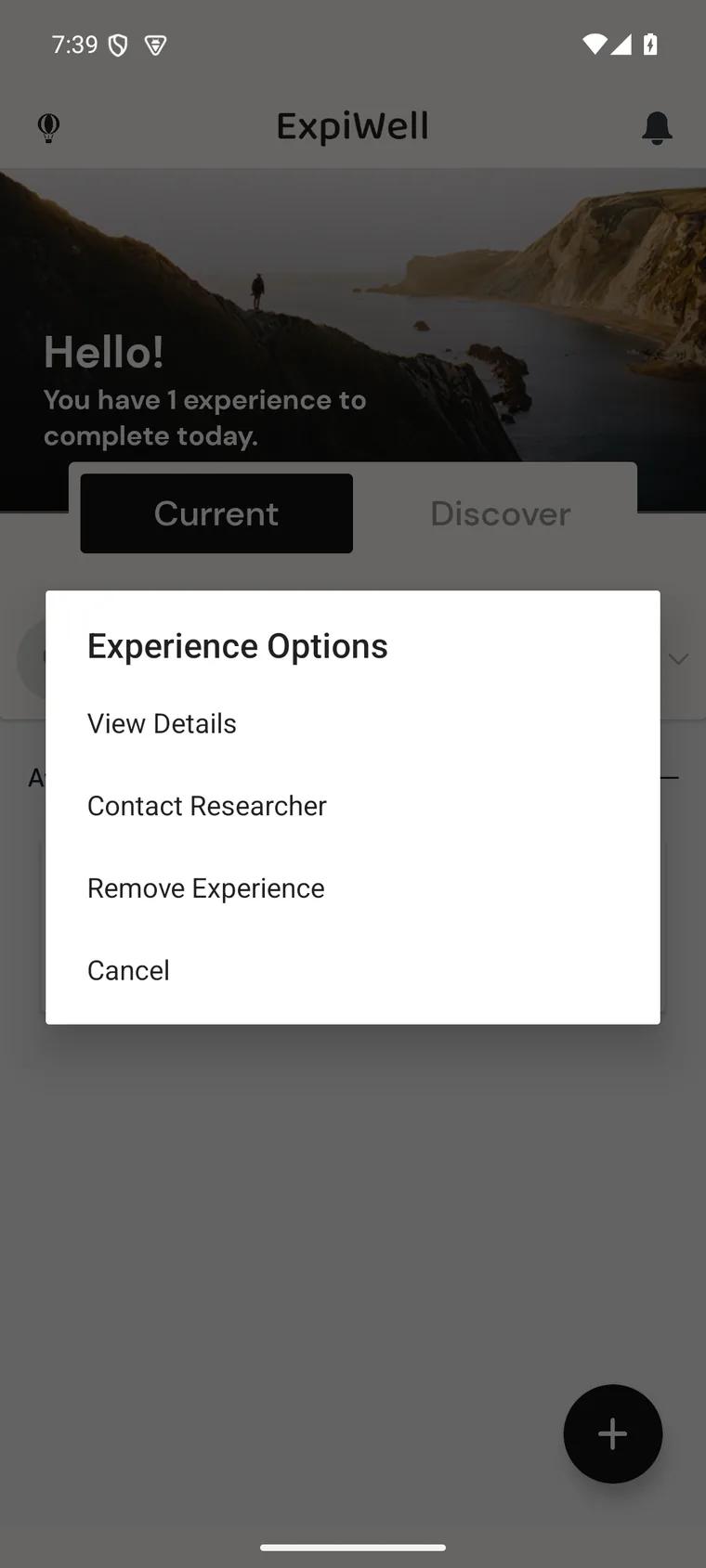
- On the Current tab, tap the ⋮ icon on the right of the study's card.
- In Experience Options, tap Contact Researcher (on iPhone: Contact).
- A new email opens, addressed to the researcher. Write your question and send it.
From inside a study
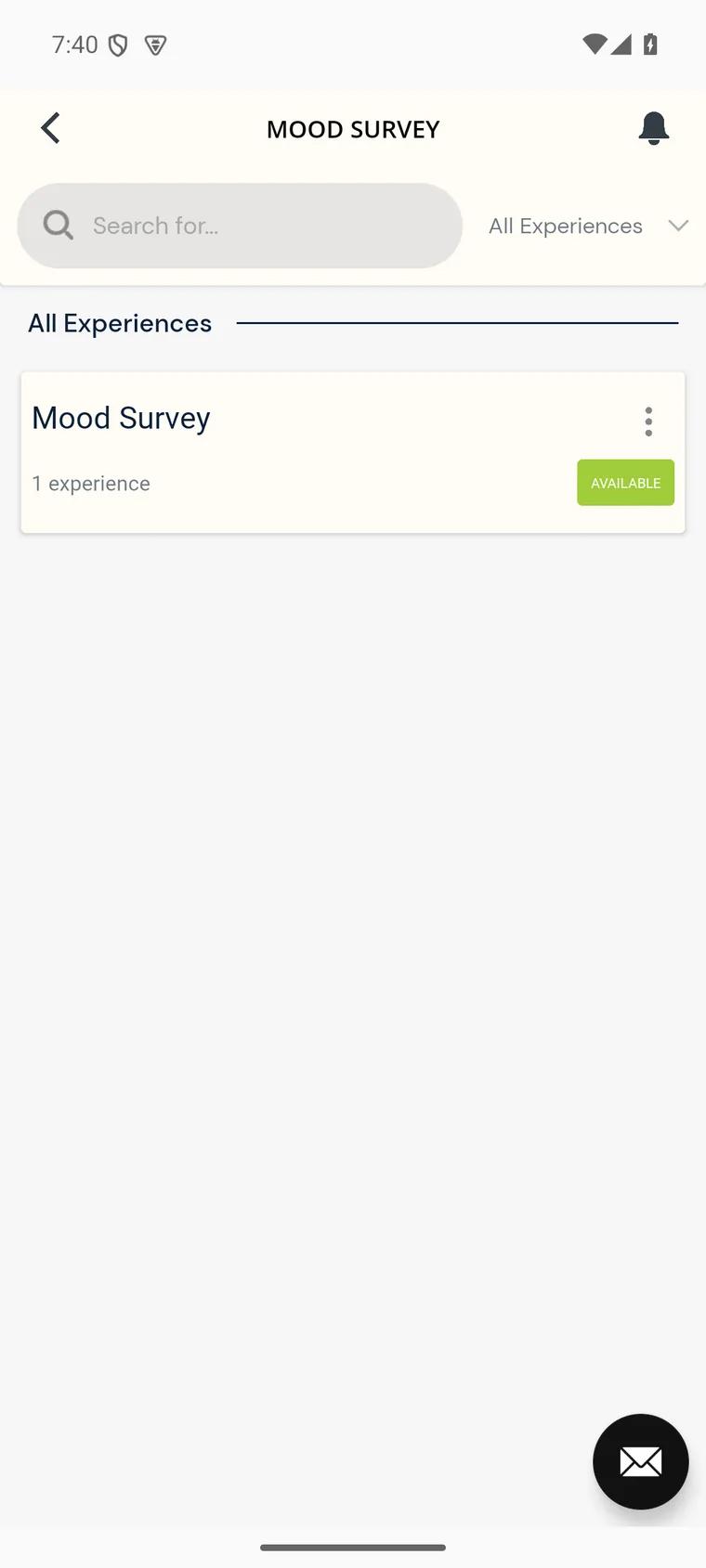
- Tap the study on your Current tab to open it.
- Tap the envelope button in the bottom-right corner.
- A new email opens, addressed to the researcher. On Android, if you have more than one email app, choose the one to use first.
You'll also see a Contact button when you finish a study, for questions about compensation, and if a screener question ends your participation.
The message is sent from your own email account, so the research team sees your email address. Mention the study name so they know which study you mean.
App problems: contact ExpiWell
For problems with the app itself, such as signing in, notifications or payments, email the ExpiWell team at help@expiwell.com.
Who to ask
- "When will I get my next survey?" → your research team. They set the schedule.
- "My access code won't work." → your research team. They issue codes. See How to add experiences.
- "Notifications stopped." → check your phone settings first (Notifications), then help@expiwell.com.
- "Where's my payment?" → your research team. They approve payments. See Receiving payments.