En construction

Vous nous avez échantillonnés en plein chantier.

Ces guides portent sur la nouvelle plateforme ExpiWell (v2) et sont encore en cours d’écriture, de relecture et de réorganisation — pardonnez les échafaudages : les pages peuvent bouger ou changer d’une visite à l’autre. Toujours sur l’ancienne app ? Sa documentation reste sur l’ancien portail d’assistance.

Ouvrir l’ancien portail d’assistance
Base de connaissances  /  Par l’équipe ExpiWell

Comment pouvons-nous vous aider ?

Des guides pour chaque étape de votre étude — du premier projet à l’export final des données. La base de connaissances ExpiWell pour la plateforme web chercheur et l’app mobile participant.

101 guides dans 29 catégories · Mis à jour par l’équipe ExpiWell
Help CenterLaunchPaying Participants

Funding your payment account

Launch · Paying Participants
Updated 6 octobre 2026

Pay Participants with the Finance Account

One of ExpiWell's goals is to make researchers' lives easier, so participant compensation is handled right inside your dashboard through the Finance account. This way, you can fund and track participant payments in a single platform.

Go to Settings, then Finance under the Organization heading. The page opens on Add Funds, showing your available balance and a form to top it up by credit or debit card.

Important

The 20% service fee is added on top of what you enter, not taken out of it. Enter $1,000 and your card is charged $1,200, with the full $1,000 available for participants. Budget from the total, not the amount you type.
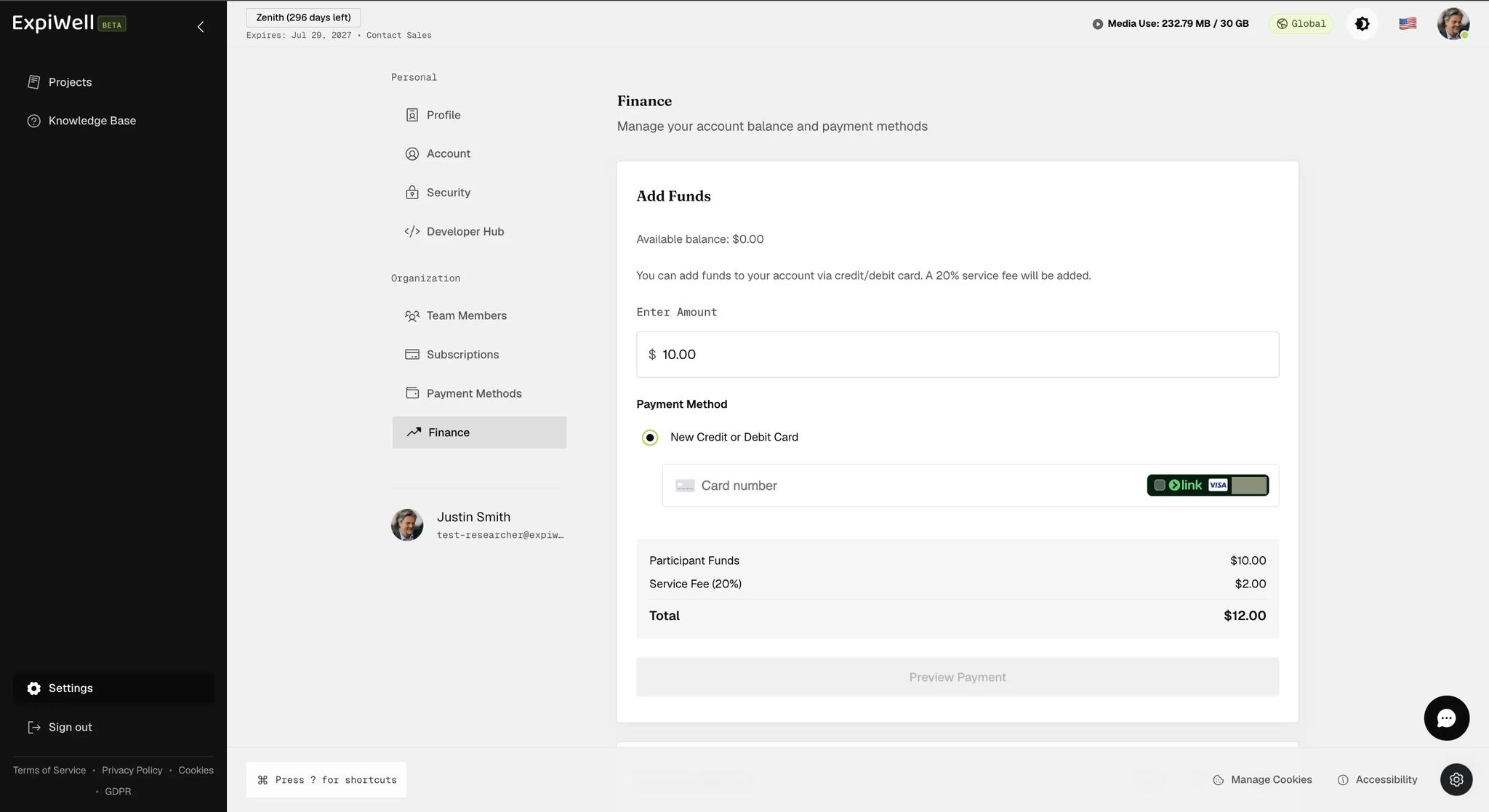
The Finance page's Add Funds form showing an available balance of zero, an amount of ten dollars entered, a saved card whose digits are redacted in this screenshot, and a summary reading Participant Funds ten dollars, Service Fee twenty percent two dollars, Total twelve dollars

The summary does the arithmetic for you before you commit: enter $10 and it shows Participant Funds $10.00, Service Fee (20%) $2.00, Total $12.00. The amount you type is what reaches participants; the total is what leaves your card.

Account History sits below the form and lists every transaction — name, amount, date, and the running balance after each. It is searchable, which matters once a study has been paying people for a few months. It is shown here on a fresh account, before anything has been added or paid out.
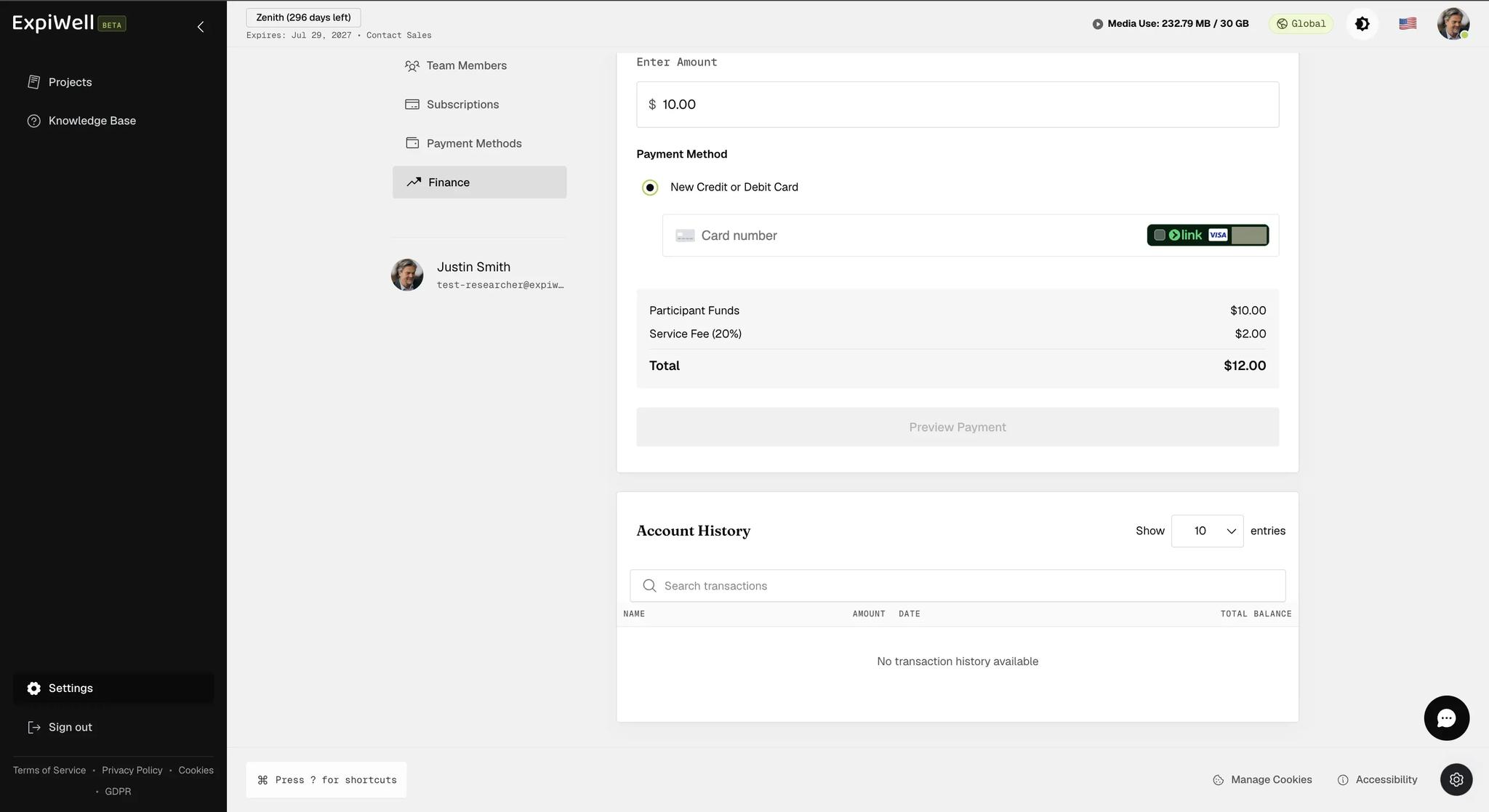
The Account History section below the Add Funds form, with a search field and a table headed Name, Amount, Date and Total Balance, currently reading no transaction history available
Was this helpful?
Start today

Parlez à un humain de l’équipe ExpiWell.

Toujours bloqué ? Notre équipe de chercheurs répond aussi bien aux questions techniques qu’aux questions de design d’étude.