En construction

Vous nous avez échantillonnés en plein chantier.

Ces guides portent sur la nouvelle plateforme ExpiWell (v2) et sont encore en cours d’écriture, de relecture et de réorganisation — pardonnez les échafaudages : les pages peuvent bouger ou changer d’une visite à l’autre. Toujours sur l’ancienne app ? Sa documentation reste sur l’ancien portail d’assistance.

Ouvrir l’ancien portail d’assistance
Base de connaissances  /  Par l’équipe ExpiWell

Comment pouvons-nous vous aider ?

Des guides pour chaque étape de votre étude — du premier projet à l’export final des données. La base de connaissances ExpiWell pour la plateforme web chercheur et l’app mobile participant.

97 guides dans 28 catégories · Mis à jour par l’équipe ExpiWell
Help CenterBuildProject Creation

Duplicating projects & editing project name

Build · Project Creation
Updated 20 juillet 2026

A Guide to Duplicating Existing Projects & Editing Project Name

Researchers may occasionally need to duplicate their existing projects for piloting purposes or to distribute them to different participant groups. ExpiWell makes this process simple by enabling researchers to swiftly duplicate projects, along with their associated surveys, schedules, and settings. Moreover, project names can be edited along the way as needed.

Duplicating a Project

To duplicate an existing project, go to the main projects dashboard, click the three-dot menu on the project card you would like to duplicate, and select 'Copy'.
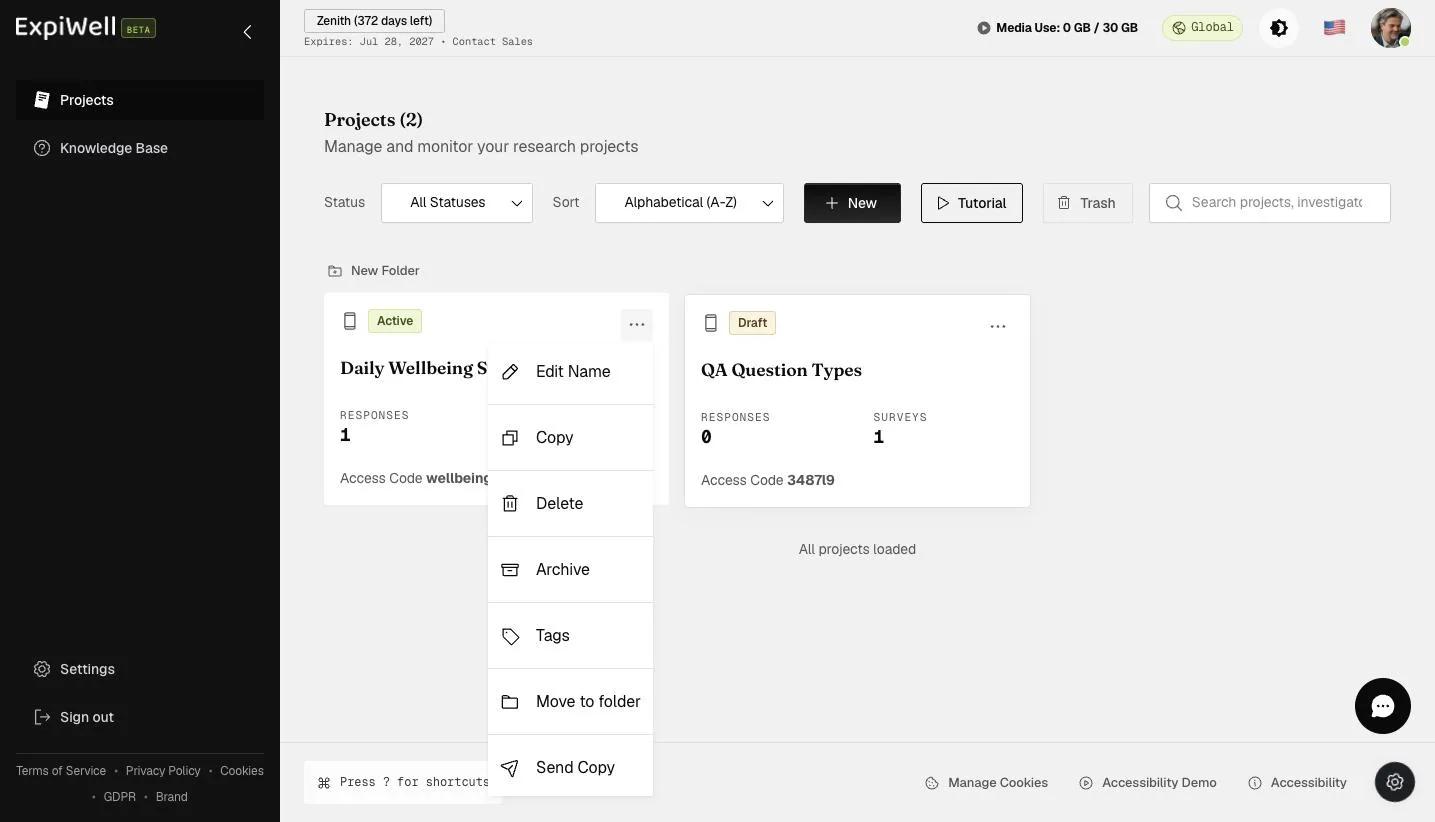
The project card three-dot menu with Edit Name, Copy, Delete, Archive, Tags, Move to folder, and Send Copy

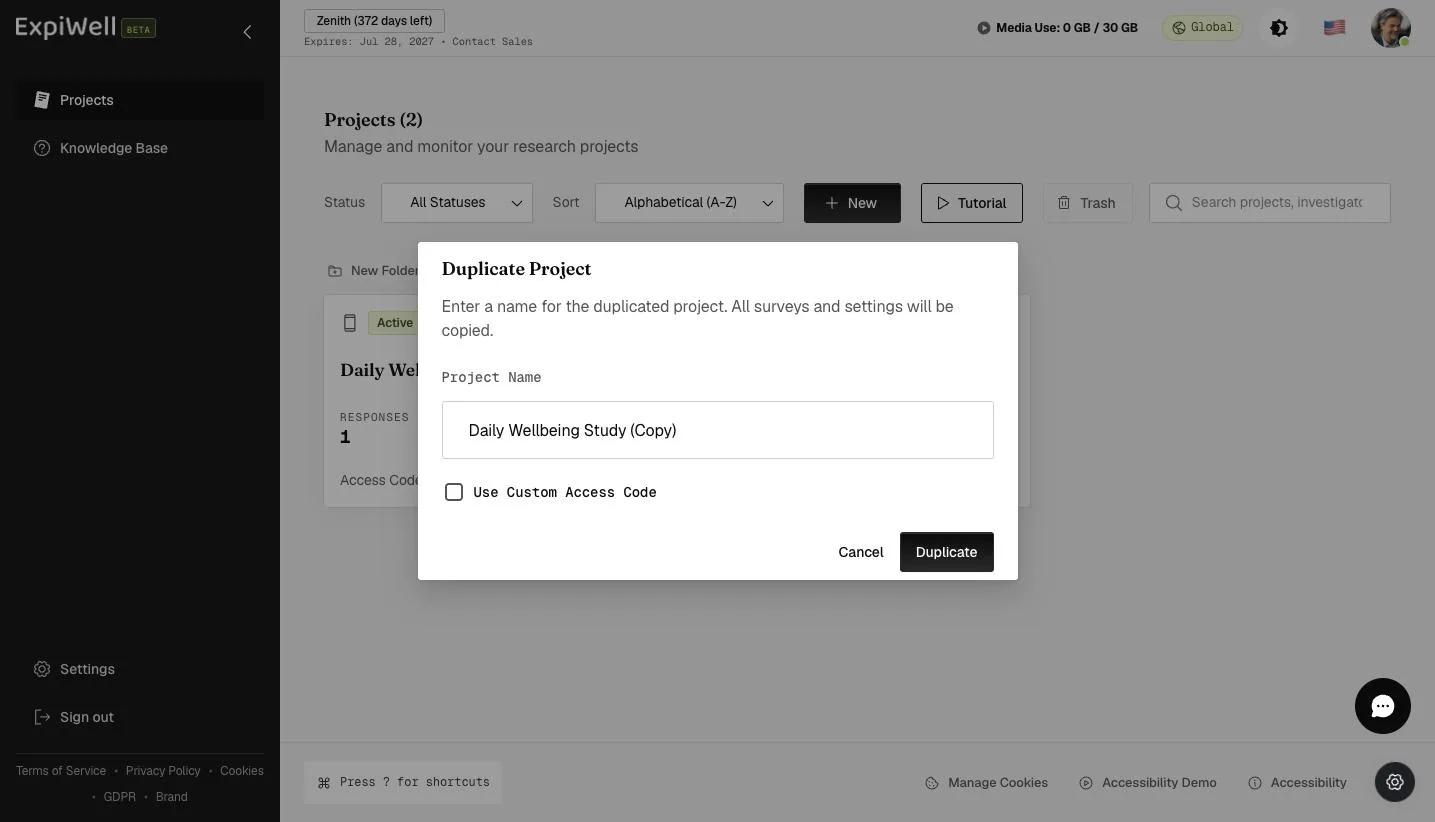
A popup will allow you to edit the name of the duplicated project.

The Duplicate Project dialog with a pre-filled project name and a Use Custom Access Code checkbox

Provide a name for your duplicated project and click 'Duplicate'.

Entering a name for the duplicated project before clicking Duplicate

Review the duplicated project setup and make the changes according to your research needs.
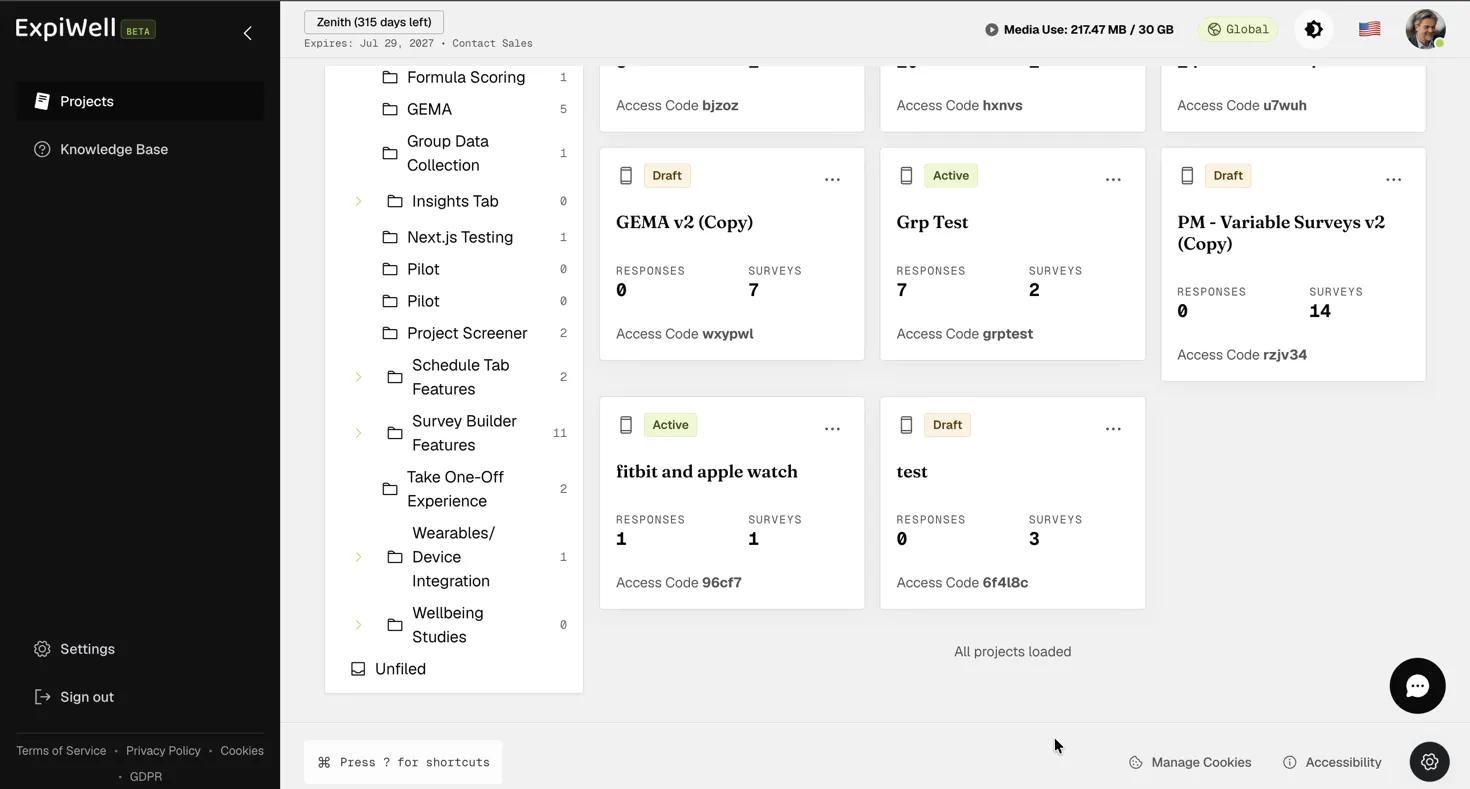
Screenshot — Reviewing the duplicated project setup

Editing Project Name

To edit an existing project name, go to the main projects dashboard, click the three-dot menu on the project card you would like to edit, and select 'Edit Name'.

The project card three-dot menu with the Edit Name option

A popup will appear, allowing you to edit the project's name as needed. Click 'Confirm' to update the project name on the main projects dashboard. Note that the project's access code will remain unchanged, even after the name is updated.
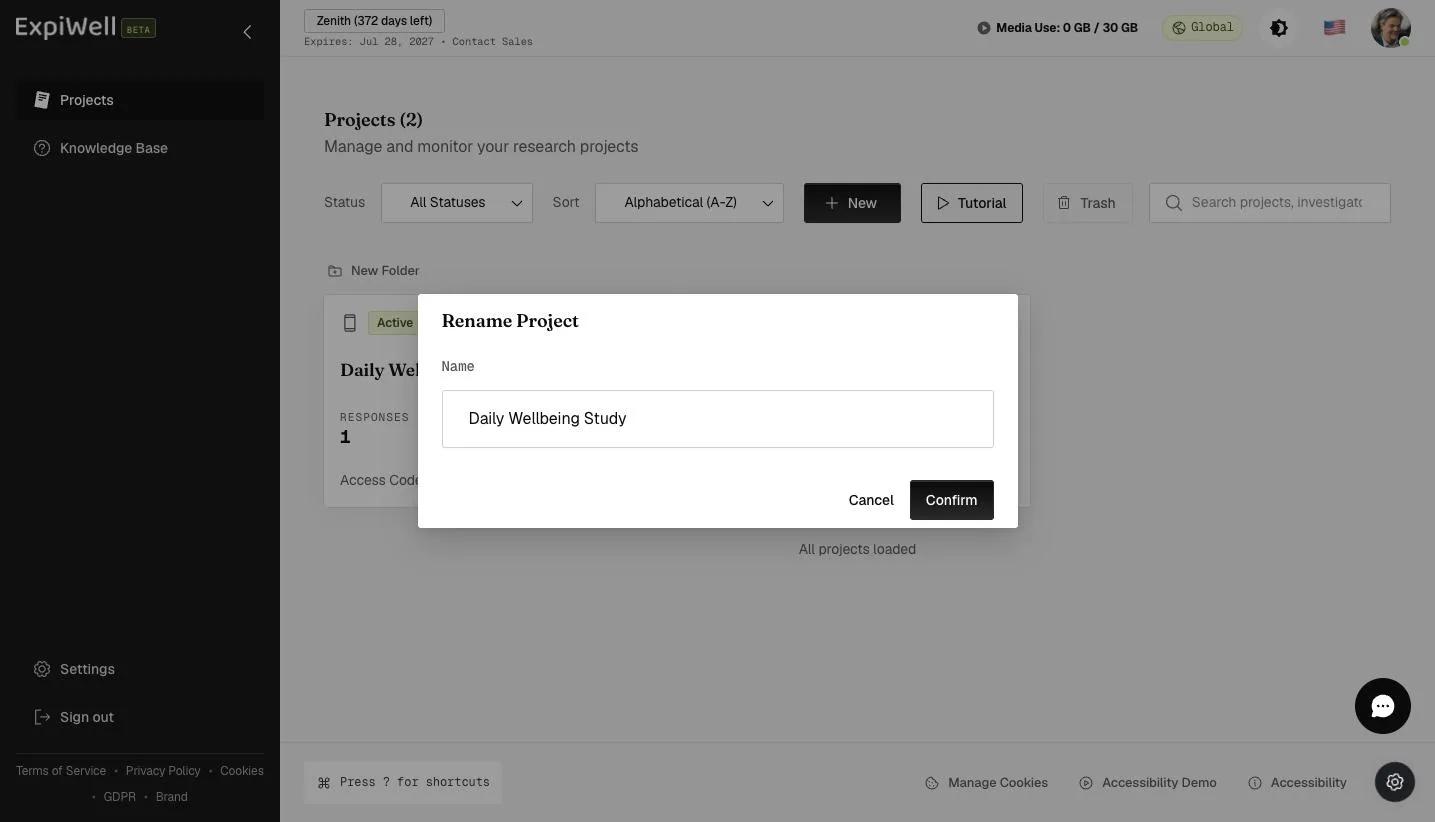
The Rename Project dialog with the project Name field and Confirm button
Video demo — Duplicating Existing Projects & Editing Project Name (coming soon)
Was this helpful?
Start today

Parlez à un humain de l’équipe ExpiWell.

Toujours bloqué ? Notre équipe de chercheurs répond aussi bien aux questions techniques qu’aux questions de design d’étude.