قيد الإنشاء

لقد أخذتَ عيّنة منا في منتصف البناء.

تغطي هذه الأدلة منصة ExpiWell الجديدة (v2) وما زالت قيد الكتابة والمراجعة وإعادة الترتيب — نعتذر عن السقالات: قد تنتقل الصفحات أو تتغيّر بين زيارة وأخرى. ما زلت تستخدم التطبيق السابق؟ تبقى وثائقه على بوابة الدعم القديمة.

فتح بوابة الدعم القديمة
قاعدة المعرفة  /  من فريق ExpiWell

كيف يمكننا مساعدتك؟

أدلة لكل خطوة في دراستك — من مشروعك الأول إلى تصدير بياناتك النهائي. قاعدة معارف ExpiWell لمنصة الباحث على الويب وتطبيق المشاركين للهاتف.

97 دليلاً في 28 فئة · يُحدّثها فريق ExpiWell
Help CenterSet upAccount Settings

Enabling 2FA for your account

Set up · Account Settings
Updated 20 يوليو 2026

Two-Factor Authentication (2FA) for Your ExpiWell Account

To ensure that accounts have an additional layer of security, ExpiWell requires two-factor authentication (2FA) on all accounts. This helps add additional protection to the ecological momentary assessment (EMA) and experience sampling method (ESM) data you collect.

After you log in, you can go to Settings > Security
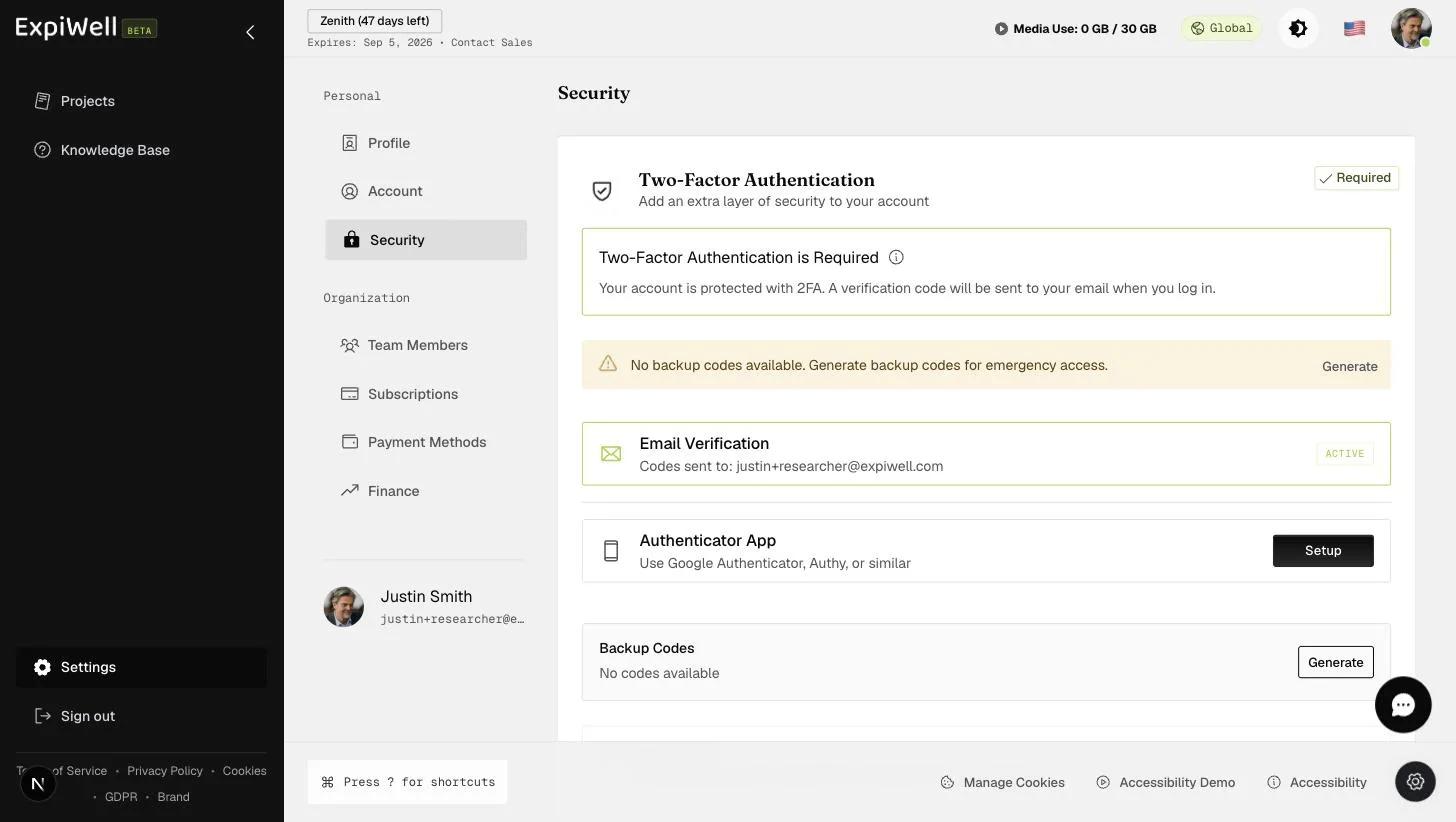
The Security settings page showing two-factor authentication status, email verification, backup-code generation, and authenticator-app setup

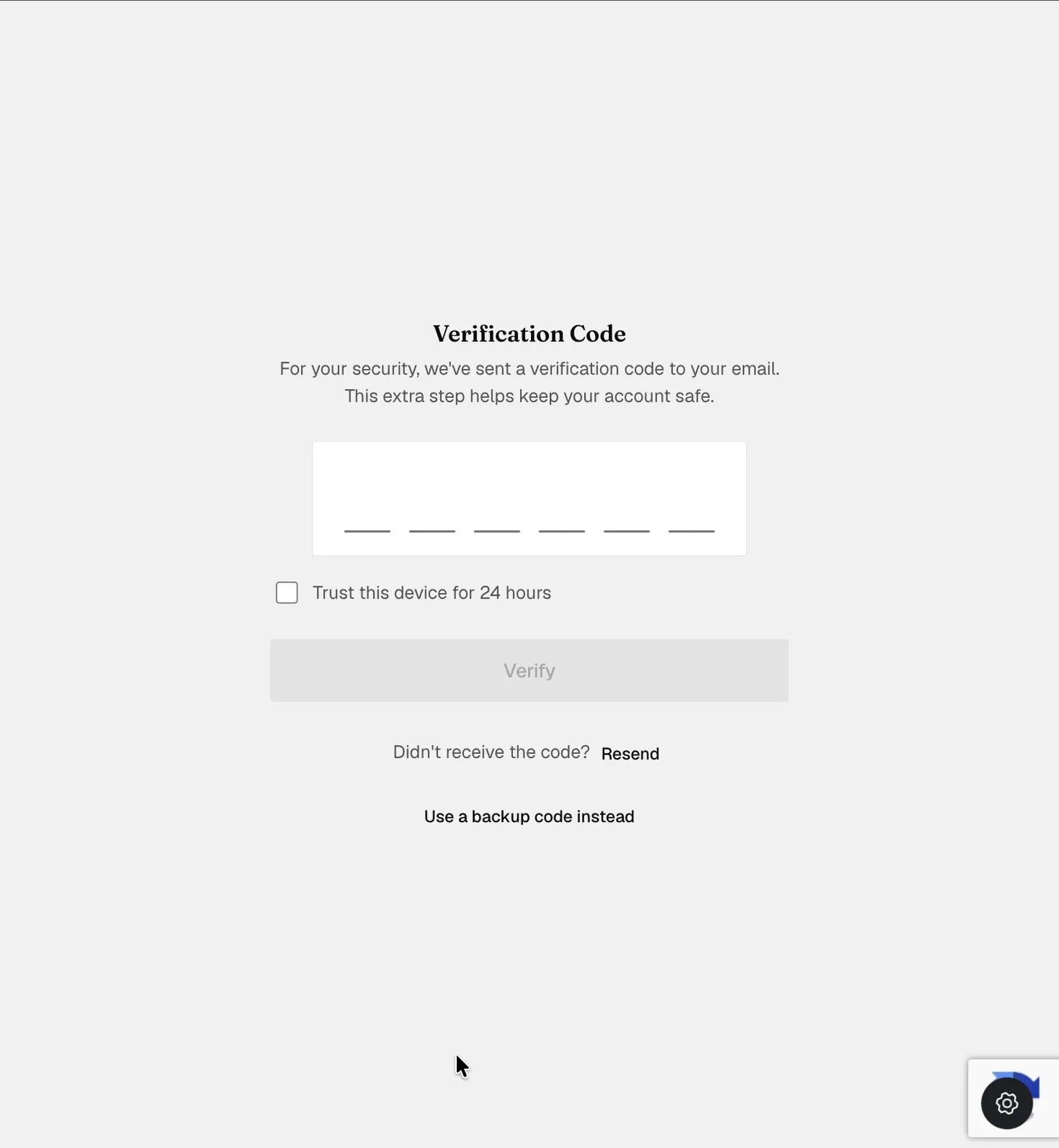
When you log in, you will be prompted to enter a six-digit verification code that is sent to your account email. From the Security page, you can also generate backup codes for emergency access and set up an authenticator app that generates time-based codes.

Screenshot — Enter Verification Code
Video demo — Enabling 2FA for ExpiWell Account (coming soon)
Was this helpful?
Start today

تحدّث إلى إنسان من فريق ExpiWell.

ما زلت عالقاً؟ فريقنا من الباحثين يجيب عن الأسئلة التقنية وأسئلة تصميم الدراسات على السواء.