Download a copy of your data
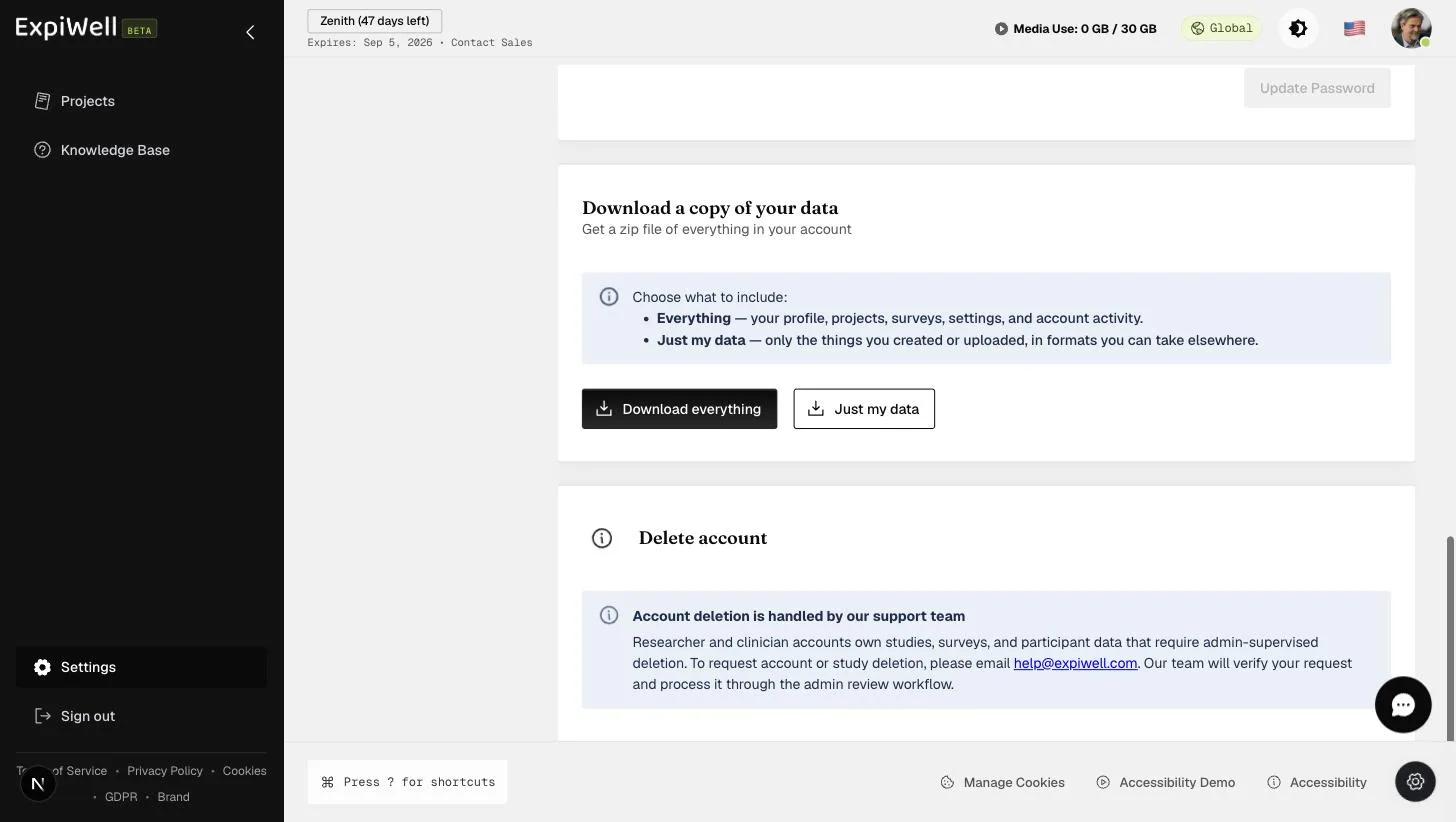
You can obtain a copy of the data associated with your account from Settings → Account (under Personal) — scroll to the Download a copy of your data section at the bottom of the page. Either option gives you a zip file.
This is data about you, not data your participants gave you. Your projects and surveys come out as definitions — their structure, not what was collected through them — and the only responses included are ones you submitted yourself as a participant.
Participant responses belong to the study, and you export those from inside the project. The links are at the bottom of this page.
Choose what it should contain:
- Download everything — your profile, project and survey definitions, settings, and account activity.
- Just my data — only the things you created or uploaded, in formats you can take elsewhere.
What happens after you click
The export is prepared in the background and delivered as a link, not as an immediate download.
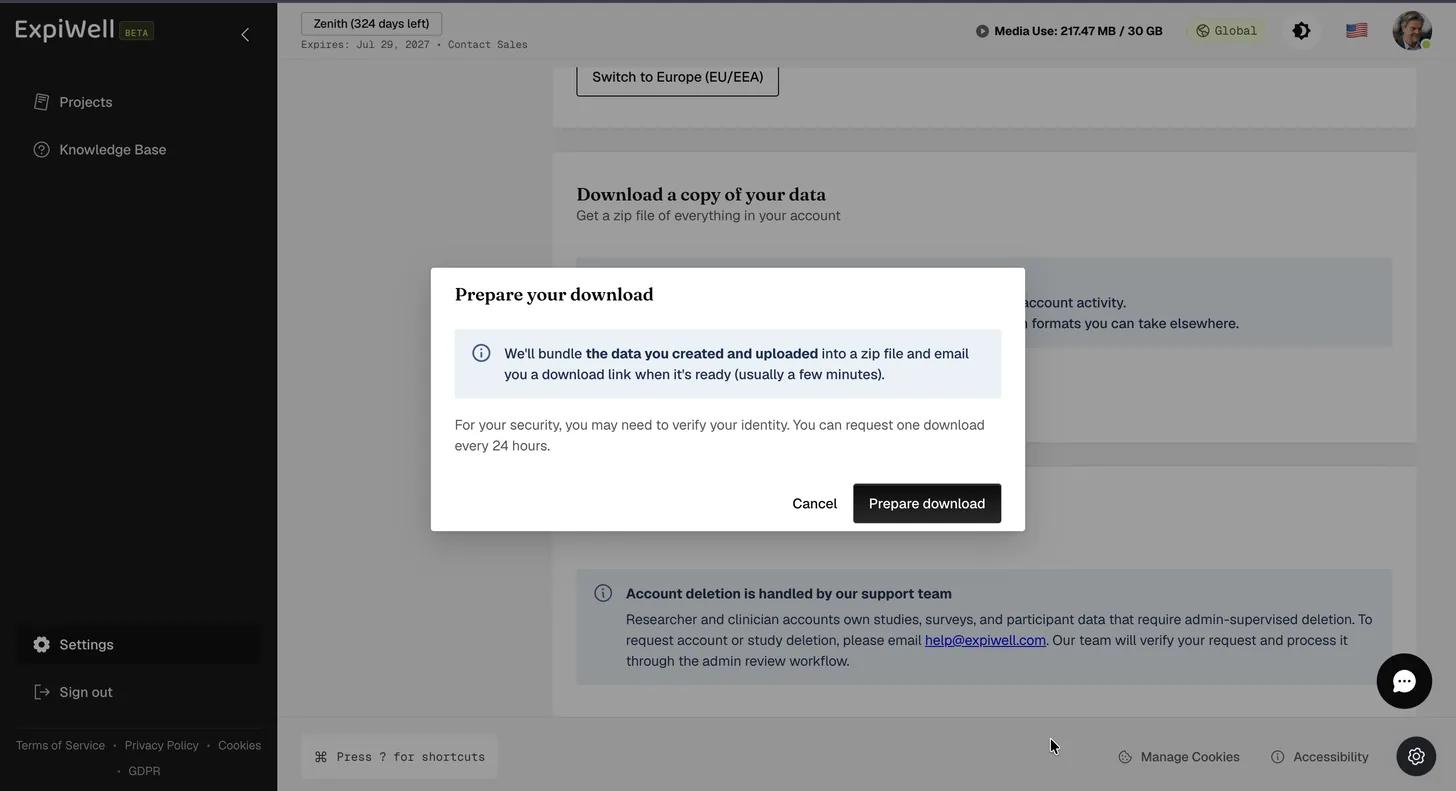
- A Prepare your download dialog explains what will be bundled. Click Prepare download.
- Verify it's you — ExpiWell emails a six-digit code. Enter it and click Verify and continue.
- The section shows Status: running while the archive is built, and both buttons are disabled until it finishes. On a small account this passes in seconds; a large one takes longer.
- When it is done the status becomes completed and a green panel appears with the zip and the date its link expires — seven days after the request. Download it, or Dismiss the panel.
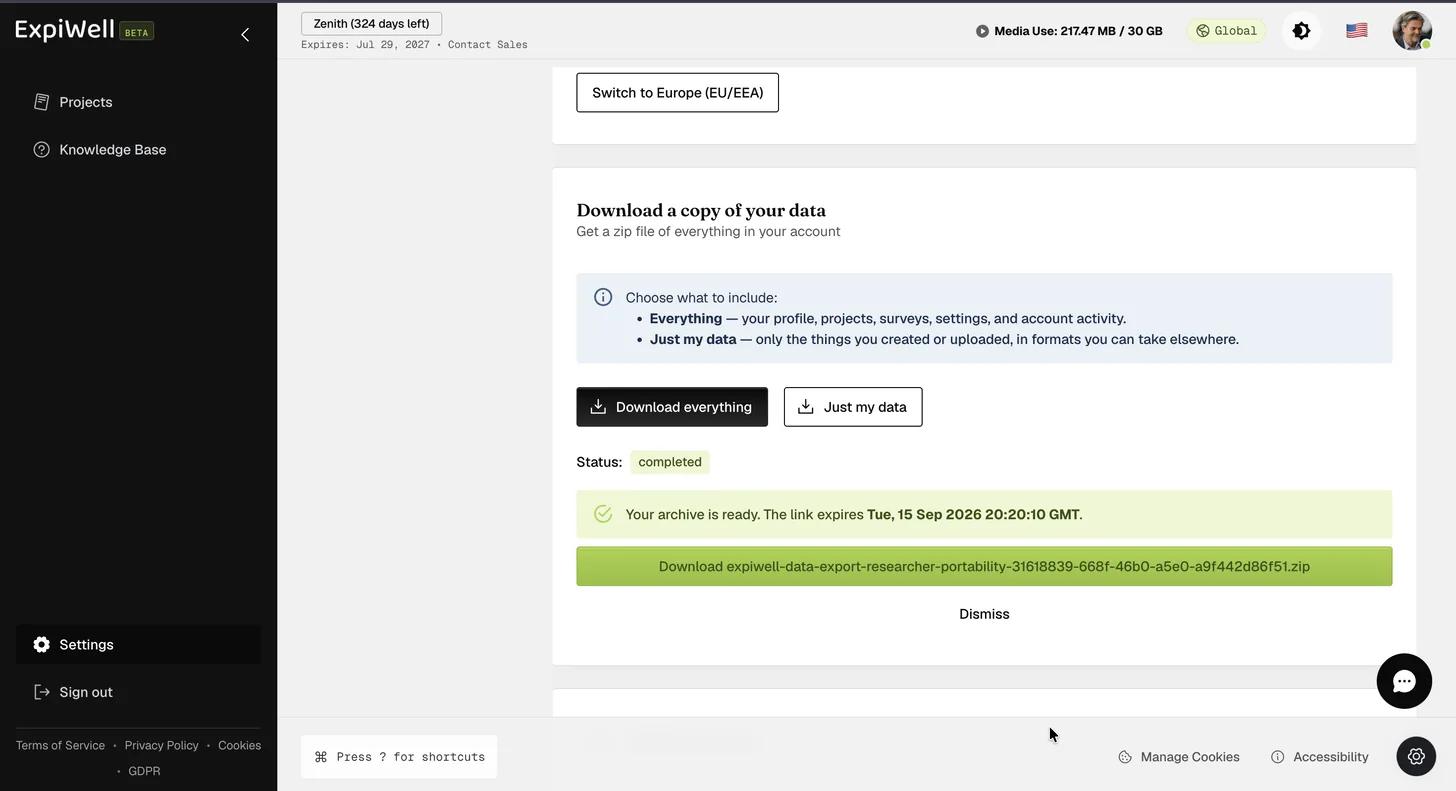
You can also wait for the email; it carries the same link.
You can request one download every 24 hours.
What's in the archive
Each data category arrives as both JSON and CSV — profile, projects,
surveys, consent_records and so on — alongside a README.md and a
manifest.json. The manifest records the export's data categories, retention
windows, sub-processors, and a SHA-256 hash for every other file, so you can
confirm nothing has been altered since ExpiWell prepared it.
Photos, audio, video and file uploads are left out of self-serve exports —
they are large and need a different transfer mechanism. To request them, reply
to the email carrying your archive, or contact
privacy@expiwell.com quoting the jobId from
manifest.json.
This is your account-level export. For exporting research data (participant responses, media, timestamps), use the project-level tools instead: