Static schedule
How Does Static Schedule Work for EMA and ESM?
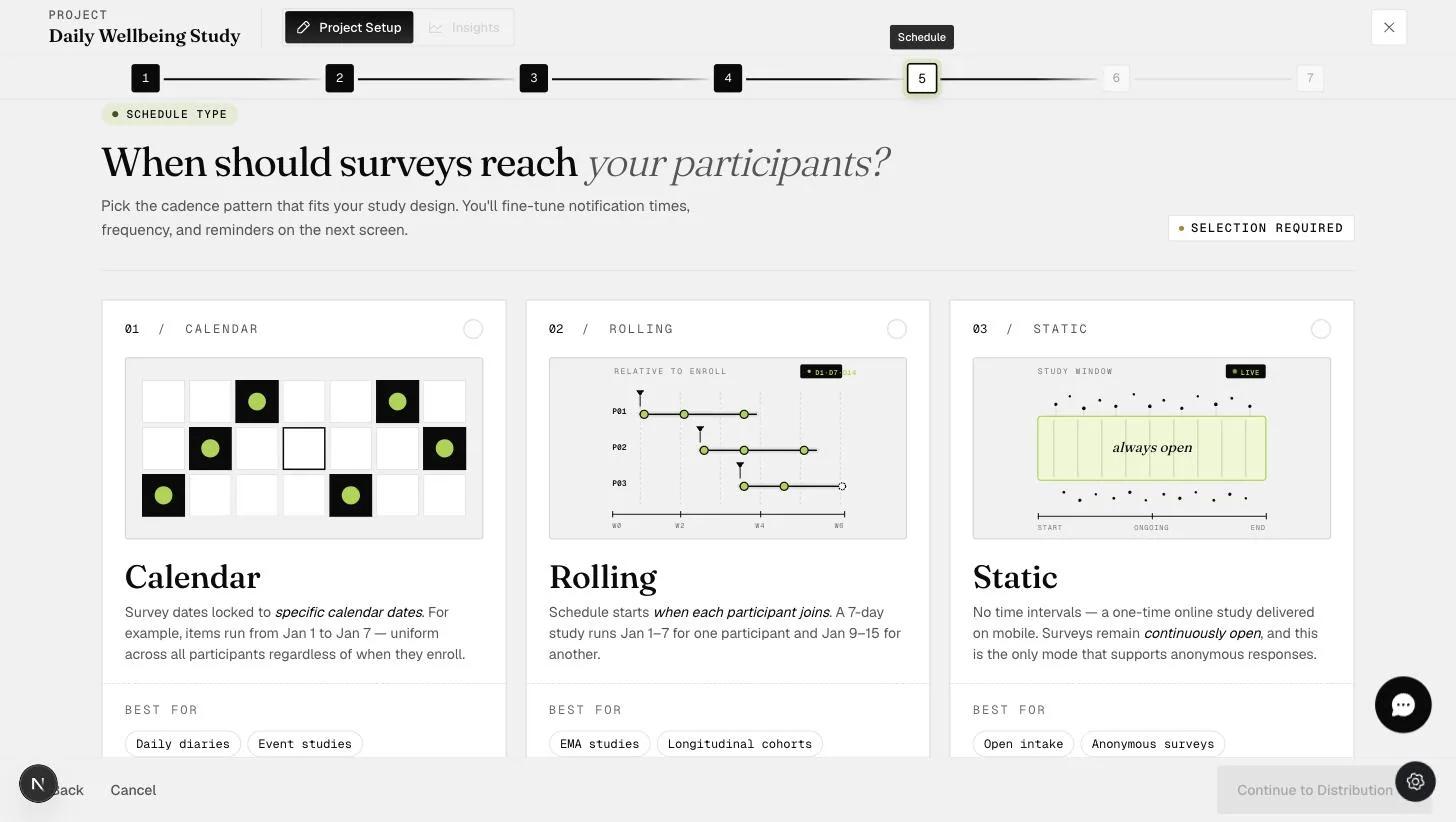
A static schedule has no timetable. Your surveys are simply open, and participants work through them whenever they choose. A project can hold as many surveys as you need, and every one of them stays available the whole time.
Because there is nothing to schedule, no notifications are sent. Participants are never prompted, so a static project relies on them remembering to open the app, or on you telling them when to respond. Think of it as an ordinary survey delivered on mobile rather than an experience-sampling study.
It is also the only schedule type that can be taken anonymously: participants do not need to sign in to the ExpiWell mobile app to start the project.
Static is one of three schedule types offered at step 5 of project setup — see Overview of survey scheduling for how it compares with Calendar and Rolling.
The schedule cannot be modified while the project is active. Deactivate the project first if you need to change it.
One-Time Submissions (the default)
Anyone who enters the project's access code can work through every survey in it. Each survey accepts one submission, and once a participant has completed them all the project closes for that participant — no end date is involved, just their own completion.
Multiple Submissions
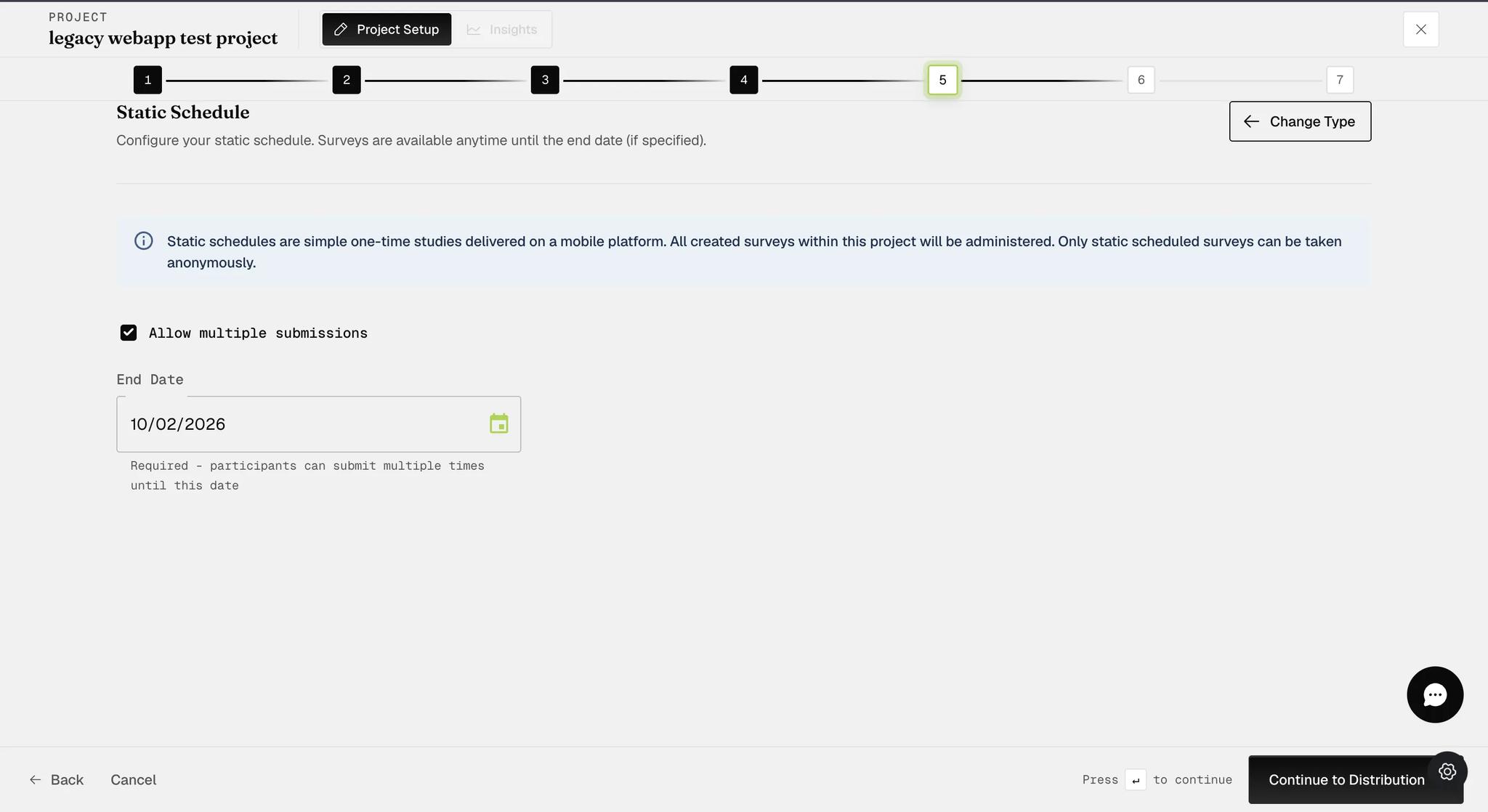
Tick Allow multiple submissions and every survey in the project can be completed repeatedly rather than once.
An end date appears only once this box is ticked, and it is then required — the field's own helper text reads "Required - participants can submit multiple times until this date". The project closes when that date arrives. With one-time submissions there is no end date at all: the project ends for each participant when they finish.
Use this when you want event-contingent sampling: participants fill in a survey each time the event you are studying happens to them, for as long as the project runs.
What You Give Up by Choosing Static
A static schedule is the simplest option, and the trade is that several features need a timetable to work against. None of these are available on a static project:
-
Apple Watch integration — offered for Calendar and Rolling schedules only. (The same restriction applies to Fitbit, though Fitbit connections are being discontinued and no new devices can be linked.)
-
Scheduled notifications, as above. Event-triggering and schedule personalization likewise have no timetable to act on.
Weigh this before you distribute: the schedule type cannot be changed once a project has been distributed, so a static project cannot be converted later to pick these features up.
For further inquiries, please reach out to help@expiwell.com