Overview of survey scheduling
Survey Scheduling for EMA and ESM Studies
Survey scheduling lies at the heart of ecological momentary assessment (EMA) and the experience sampling method (ESM) — it is what decides when each survey reaches each participant.
You schedule at step 5 of project setup, once your surveys are built and the project screener, if you are using one, is finished.
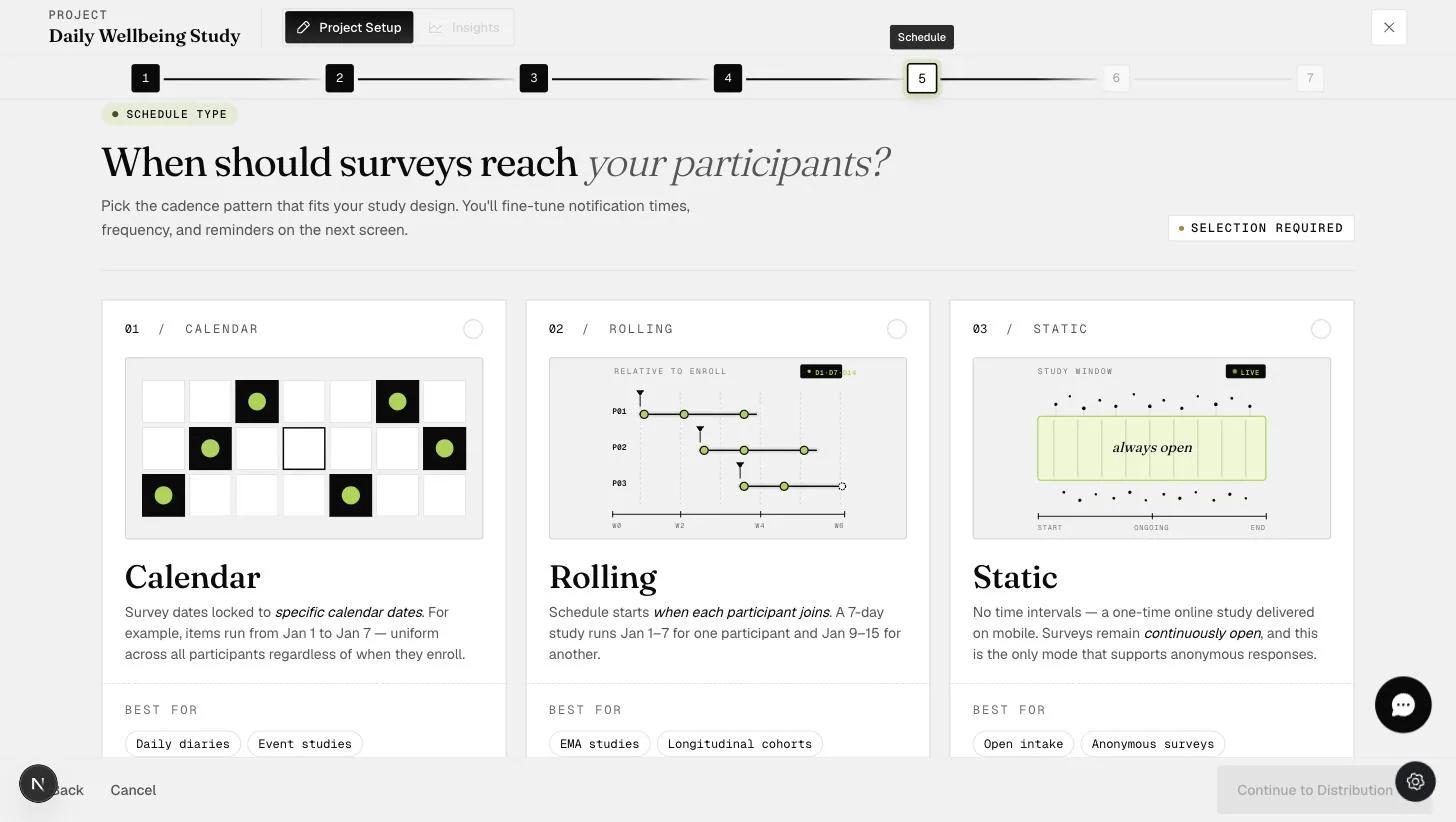
There are three main schedule types:
-
Calendar schedule: Scheduling is based on calendar dates, so every participant is surveyed on the same days. A researcher studying the effect of New Year's resolutions, for example, would schedule surveys for all participants beginning on January 1st.
-
Rolling schedule: Scheduling is based on how long a participant has been in the study rather than the date, so each participant's schedule starts when they do. This is what you want when collecting, say, two weeks of data from everyone: getting every participant to start on the same date is usually impractical, and a rolling schedule removes the need for them to.
-
Static schedule: No schedule at all. The surveys are simply open for a period of time and participants work on them when they choose. Use it for one-off data collection, or for data collected repeatedly on the participant's own initiative — a health survey completed whenever they fall ill over three months, for instance.
The schedule type cannot be changed once the project has been distributed. Switching between Calendar, Rolling and Static stops being possible at that point, so choose with the whole study in mind rather than just its first week.
What Each Type Can Schedule
Calendar and Rolling schedules both support:
-
Time-based surveys — a signal at a specific time of day
-
Signal-contingent surveys — a signal at a random point within a time slot
-
Event-contingent surveys — the participant fills one in whenever the event you are studying happens to them
-
Any combination of the above
A Static schedule sends no signals, so it supports only:
-
One-time surveys
-
Event-contingent surveys
What ExpiWell Handles for You
Scheduling always follows the participant's own time zone. An 8am survey reaches every participant at 8am where they are, wherever in the world that is. This is handled by ExpiWell's participant-time algorithm — there is nothing to configure.
App notifications are sent automatically. Every survey on a Calendar or Rolling schedule triggers a mobile notification telling the participant it is available. You can add further reminder notifications on top of that, but the first alert is sent for you.
Responses stay linked to the participant across the study. However many scheduled surveys a project contains, each participant's responses are tied together automatically. You do not need to ask for a participant ID inside your surveys in order to join their data up afterwards.
Advanced Scheduling
Two further options go beyond choosing a schedule type:
-
Event-triggering: Creates or removes survey timeslots based on participant responses
-
Personalization of schedules: Enables each participant to change their schedule within the limits you set