בבנייה

דגמתם אותנו באמצע הבנייה.

המדריכים האלה מכסים את פלטפורמת ExpiWell החדשה (v2) ועדיין נכתבים, נבדקים ומאורגנים מחדש — סלחו לנו על הפיגומים: עמודים עשויים לזוז או להשתנות בין ביקור לביקור. עדיין באפליקציה הקודמת? התיעוד שלה נשאר בפורטל התמיכה הישן.

לפורטל התמיכה הישן
מאגר ידע  /  מצוות ExpiWell

איך נוכל לעזור?

מדריכים לכל שלב במחקר — מהפרויקט הראשון ועד ייצוא הנתונים הסופי. מאגר הידע של ExpiWell לפלטפורמת החוקרים באינטרנט ולאפליקציית המשתתפים בנייד.

97 מדריכים ב‑28 קטגוריות · מתעדכן על ידי צוות ExpiWell
Help CenterLaunchProject Review

Changing project email contact

Launch · Project Review
Updated 29 בדצמבר 2023

How to Change Project Email Contact

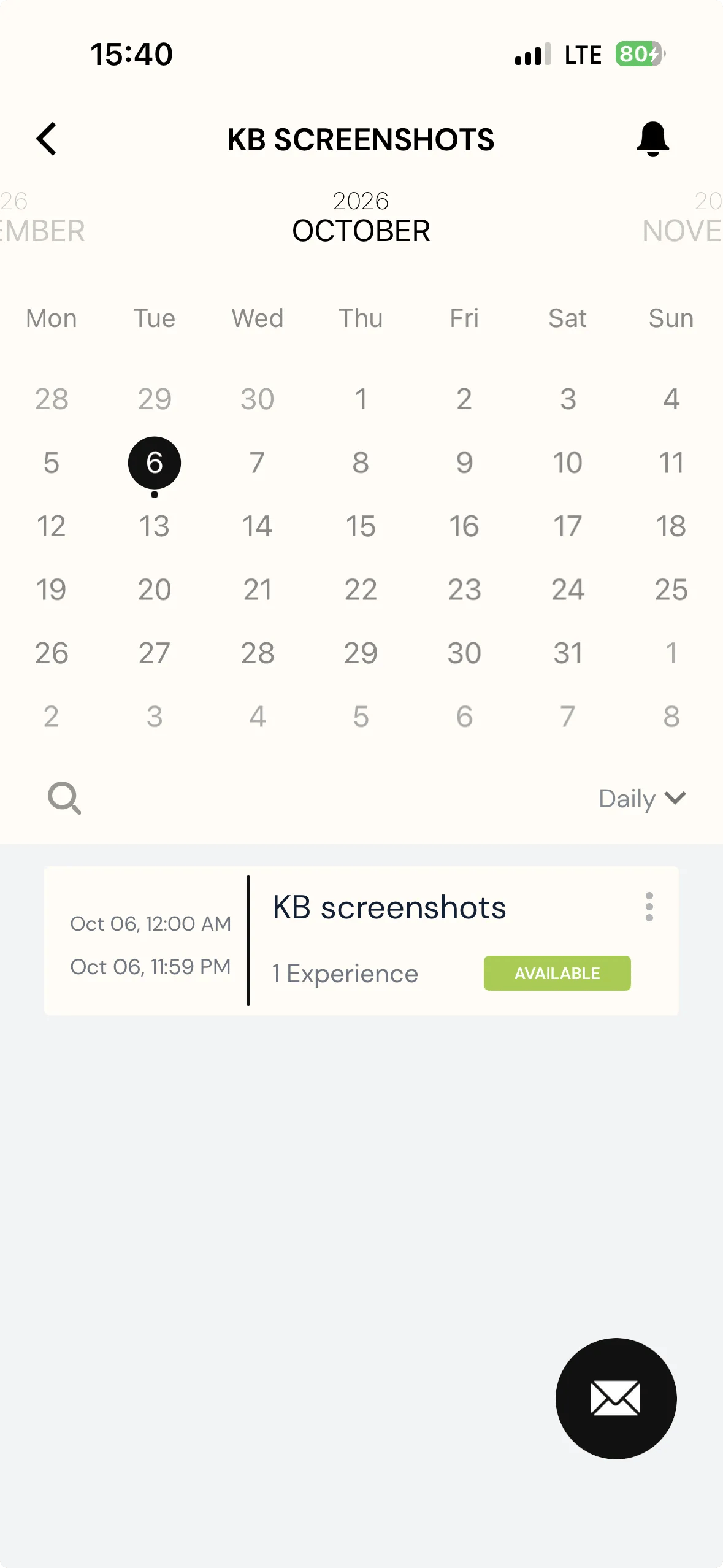
To enhance communication between participants and researchers, participants will be able to contact researchers directly when they view the project on their ExpiWell app.

Screenshot — a red arrow pointing to mail option

When clicking the email contact button, an email will be created that is based on the researcher's email account by default.

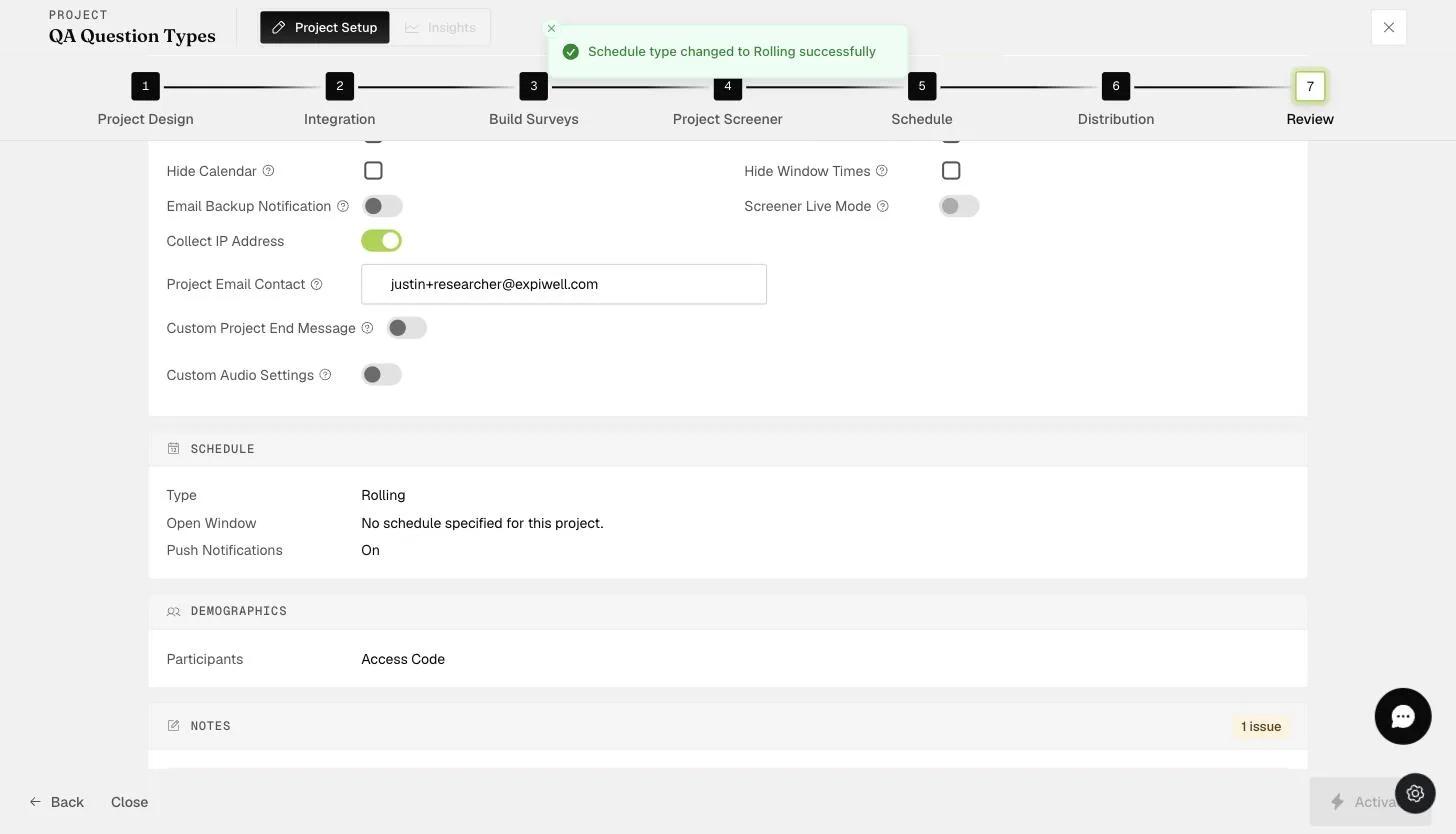
You can change the default email contact on the "Review" page of the project on any plan. This allows the research administrator or coordinator within the project team to receive any queries from participants directly.

The Review step Project Email Contact field where the notification contact email is set
Video demo — Changing Project Email Contact (coming soon)
Was this helpful?
Start today

דברו עם בן אדם מצוות ExpiWell.

עדיין תקועים? צוות החוקרים שלנו עונה גם על שאלות טכניות וגם על שאלות של תכנון מחקר.