New experiences
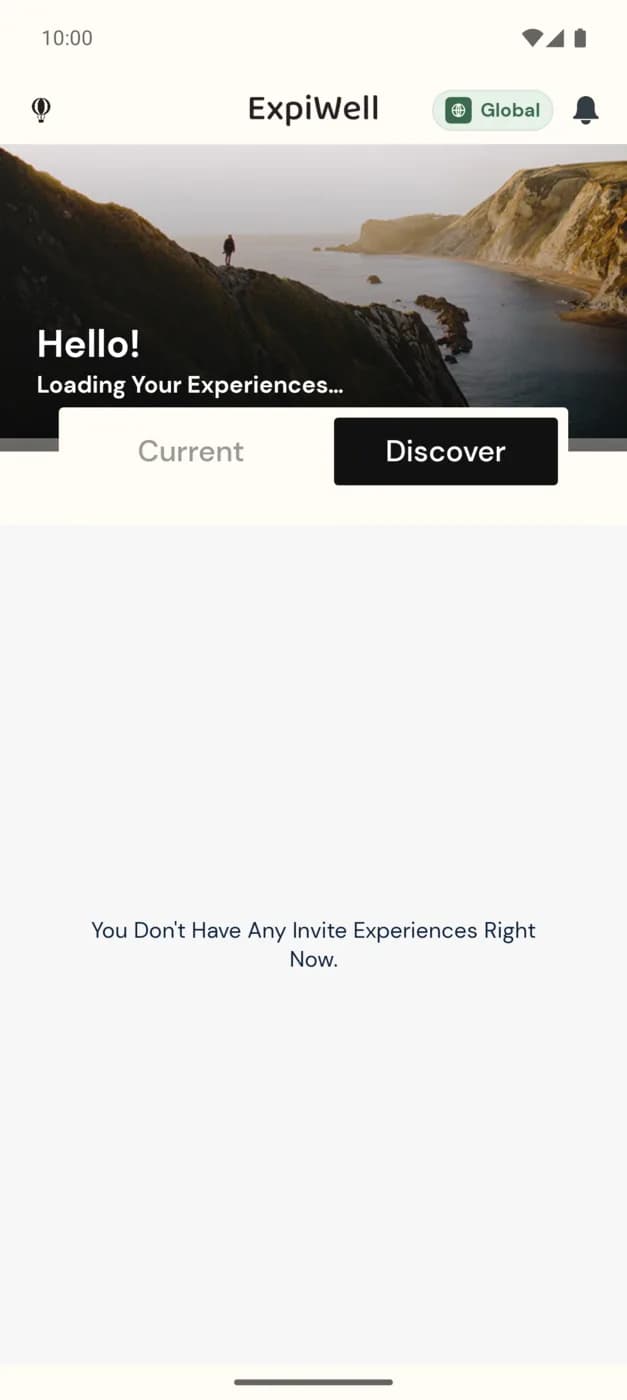
The Discover tab is where studies you've been invited to show up, ready for you to accept. It sits next to Current (the studies you're already taking part in) on the home screen.
Older help described Discover as a feed of studies matched to your demographics. The current app doesn't have that feed: Discover only lists invitations a research team has sent you.
Opening Discover
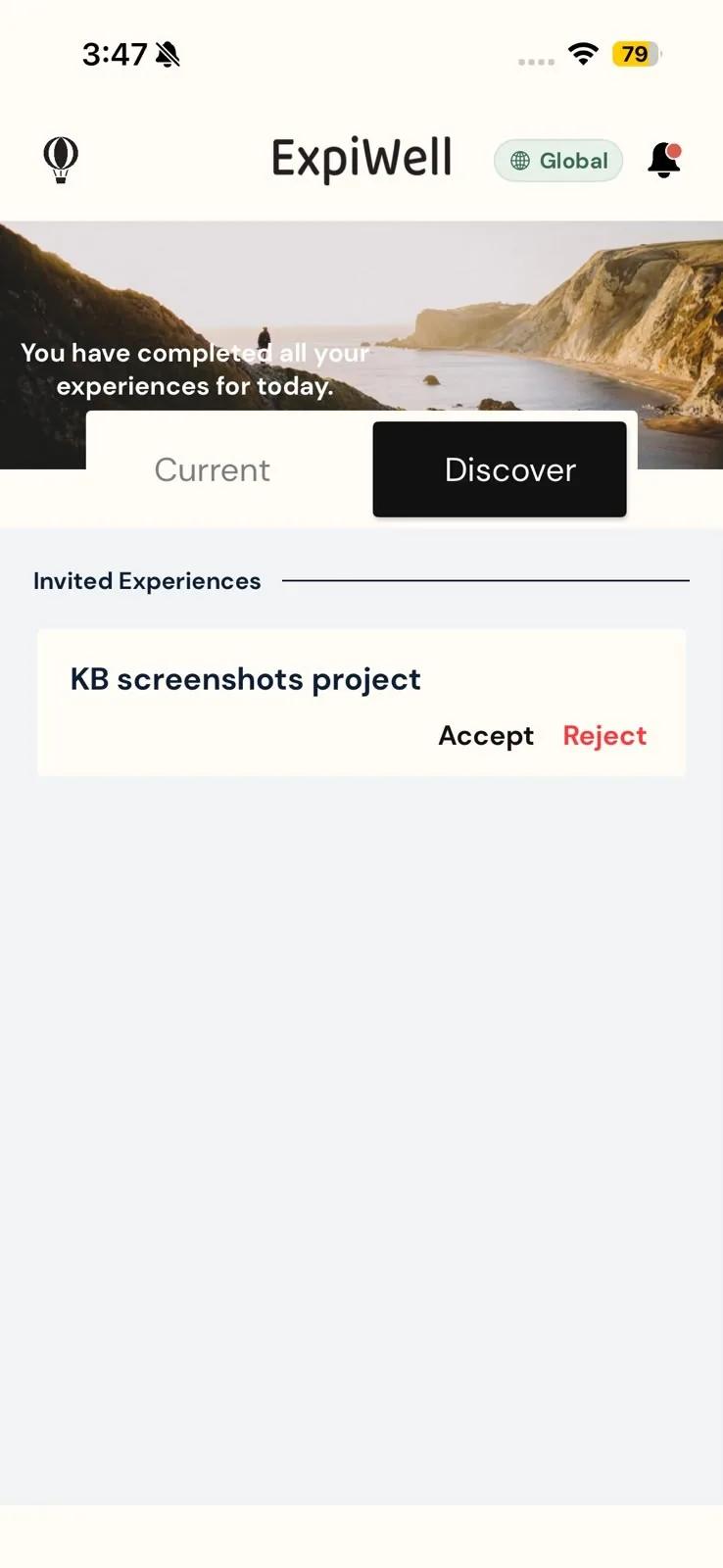
On the home screen, tap Discover. Each study a research team has invited you to, using the email address on your ExpiWell account, appears under Invited Experiences. Pull down on the list to refresh it.
If there are no invitations waiting, you'll see "You Don't Have Any Invite Experiences Right Now."
When a research team invites you, you also get a push notification. Tapping it opens the app on the Discover tab.
Accepting an invitation
Each invitation shows the study's name with two buttons:
- Accept adds the study to your account. It leaves Discover and appears on your Current tab, and its surveys begin on schedule.
- Reject asks you to confirm ("Are you sure you want to reject this invitation?"), then removes the invitation from the list.
Some studies ask for more before you can join, such as a start date, location access, or a connected device. The app asks for these right after you tap Accept, the same way it does when you join with an access code. See How to add experiences.
Once you've joined, see Available & completed experiences for where your studies appear.
Joining with an access code instead
If your research team gave you an access code rather than an email invitation, the study won't appear in Discover. Add it yourself with the + button; see How to add experiences.
Invitations are tied to the email address on your ExpiWell account. To reload the list on Android, pull down on Discover; on iPhone, tap Current and then Discover again. If the invitation still isn't there, check with your research team that they invited the same email address you signed in with; see Contacting the researchers.