Notifications
ExpiWell sends you a push notification as soon as one of your surveys opens. It tells you which experience is available and how long it stays open, so you can respond in the moment. Your research team sets when surveys open and whether you get reminders; the app keeps every notification in an inbox behind the bell icon.
Make sure notifications are allowed for ExpiWell on your phone:
- iPhone: Settings → Notifications → ExpiWell.
- Android: Settings → Apps → ExpiWell → Notifications.
When a survey opens
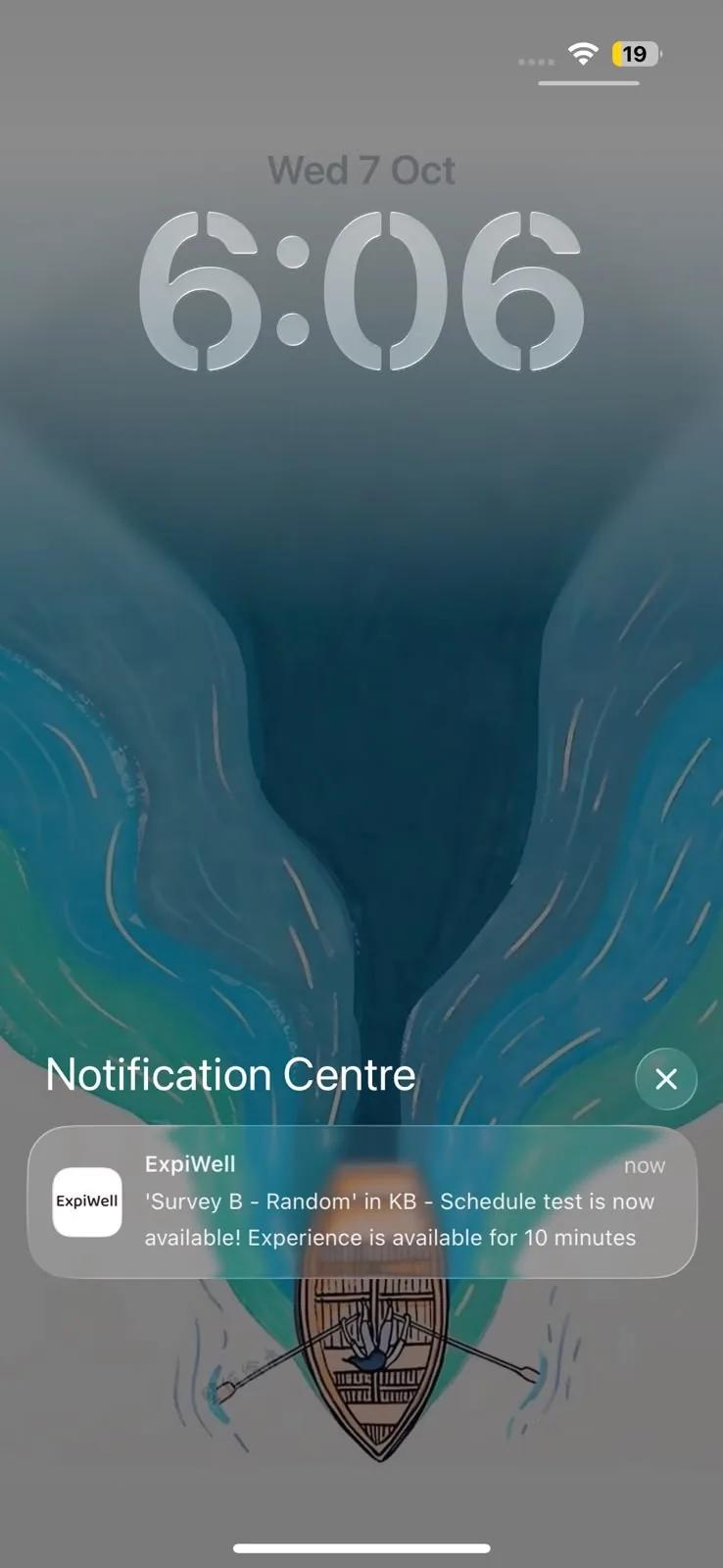
If the app is closed or in the background, the notification appears on your lock screen and as a banner. Tap it to open the app. On Android, some studies add Snooze 15 Min and Snooze 30 Min buttons to the notification, which remind you again later without opening the app.
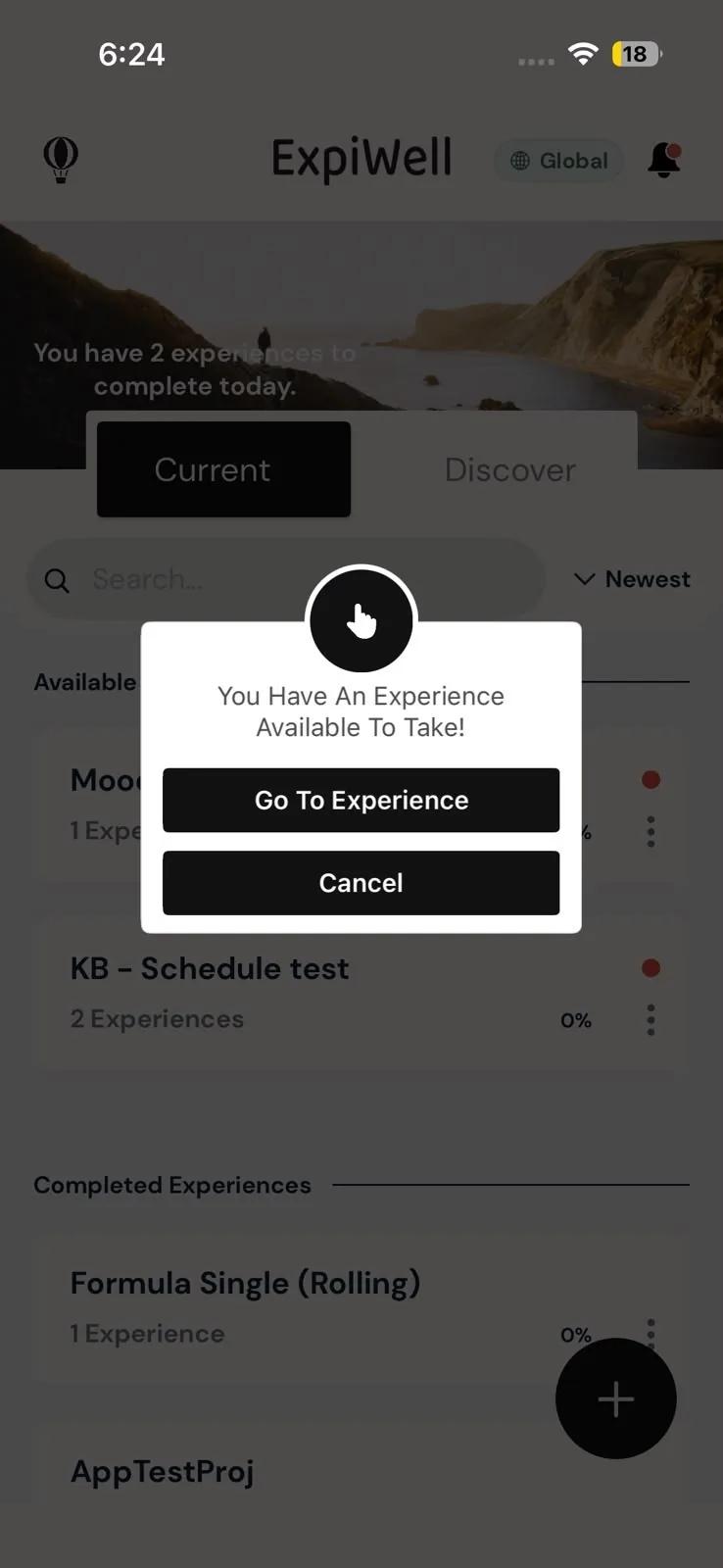
If the app is open when a survey opens, you don't get a banner. Instead the app shows a prompt, You Have An Experience Available To Take!:
- Go To Experience opens the study so you can start the survey.
- Some studies also show Snooze 15 Min and Snooze 30 Min, which remind you again later.
- Cancel closes the prompt. The survey stays available until its window closes.
Either way, the notification is also saved in your notifications inbox.
Your research team may also send a reminder while a survey is still open, for example Don't forget! '…' is still available!
Your notifications inbox
Tap the bell icon at the top right of the home screen to open Notifications. A red dot on the bell means you have unread notifications.
Each notification shows its message and when it arrived: how long ago for recent ones, the date for older ones. Unread ones have a red dot.
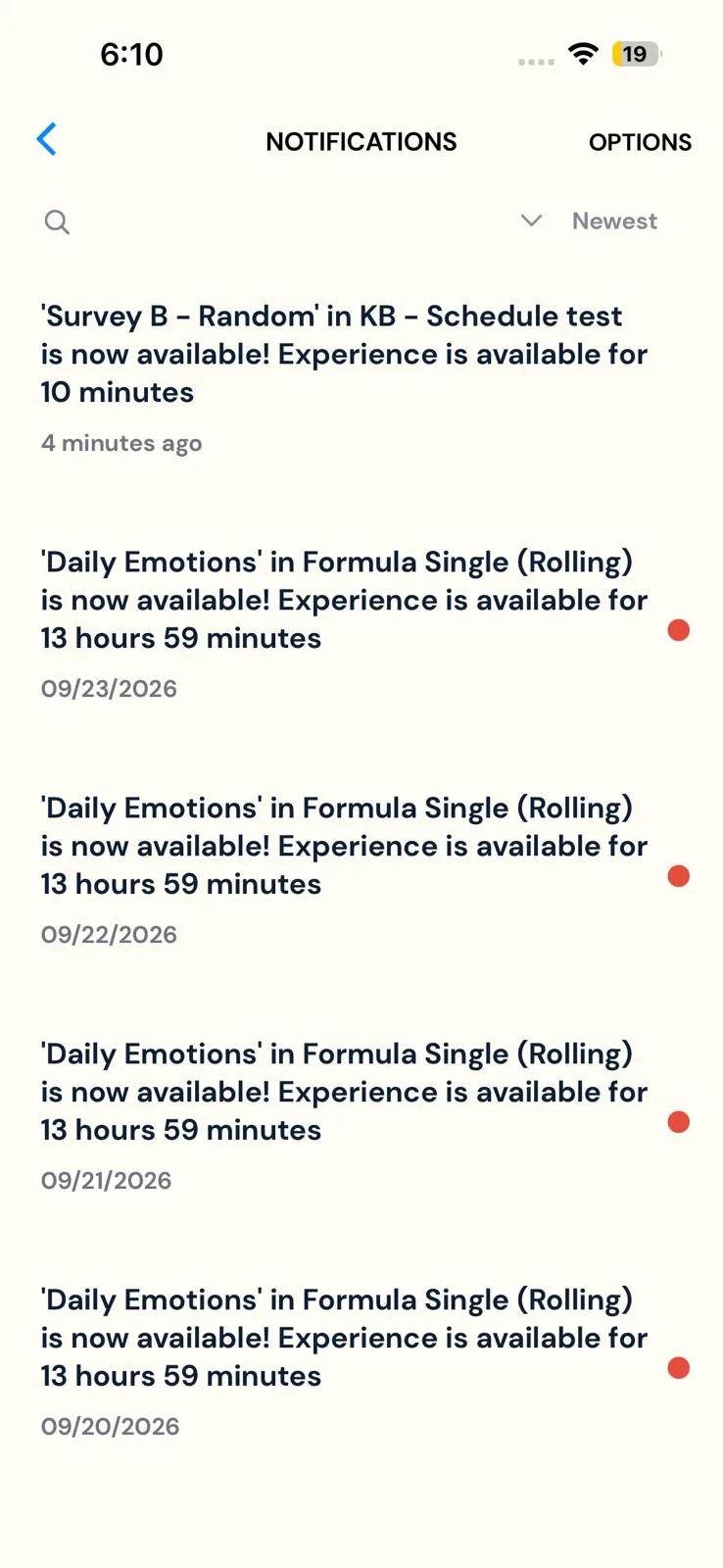
- Sort: the button at the top right of the list shows the current order. Tap Newest to switch to Unread, which puts unread notifications at the top. Tap again to go back to Newest.
- Search: tap the magnifying glass and type a word from the study name, survey name or message. On Android, search for one word at a time: a search with a space in it finds nothing.
- Open a notification: tap it to mark it as read. On iPhone, a survey notification also takes you to that study. An invitation opens Discover, and a message opens the conversation.
- Refresh: pull down on the list.
When you have no notifications, the inbox shows Come Back Later To See Your New Notifications Here.
Mark all as read or clear the inbox
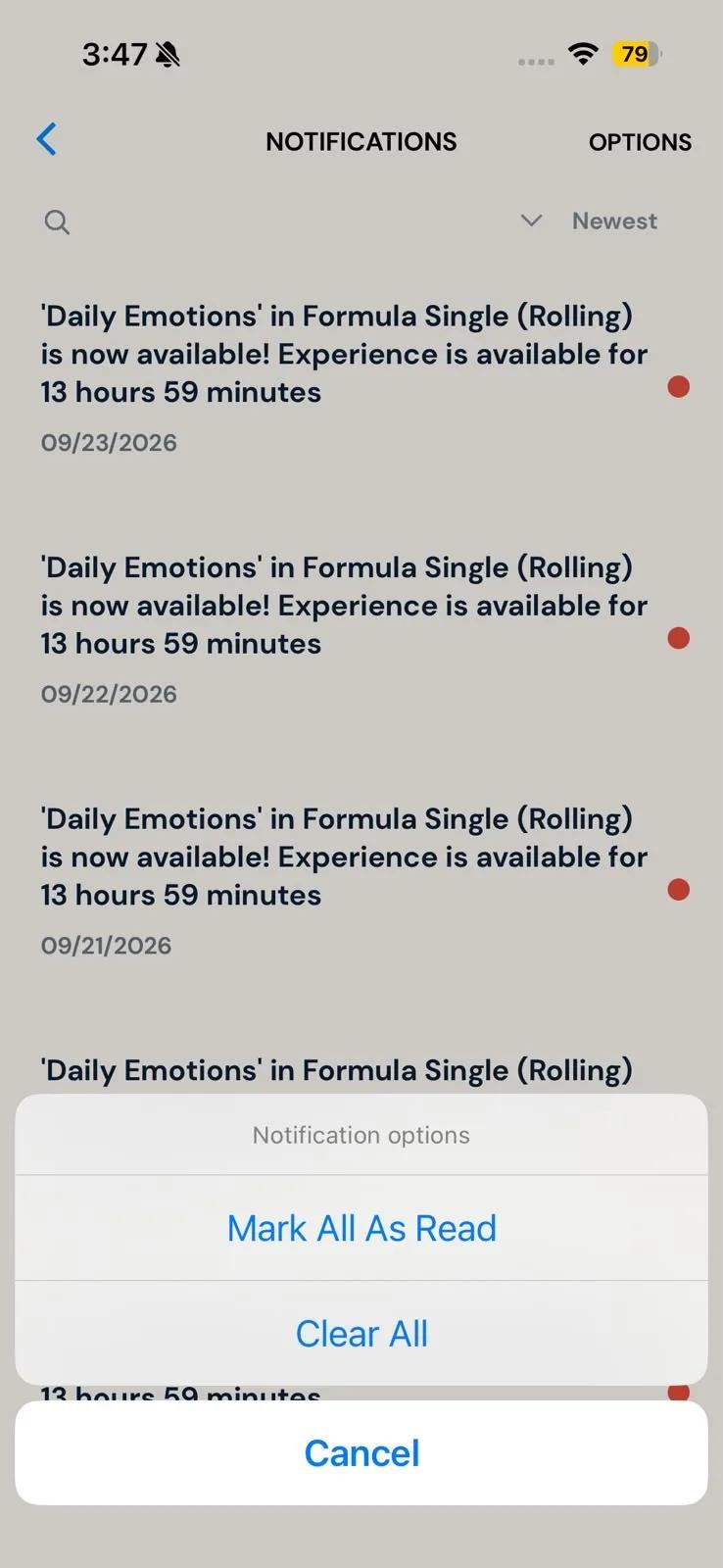
Tap OPTIONS at the top right:
- Mark All As Read removes every red dot.
- Clear All deletes all your notifications. The app asks Do You Want To Clear All Your Notifications?; tap Clear All Notifications to confirm.
Clearing the inbox doesn't affect your surveys.
Survey notifications name the survey and the study. To keep them off your lock screen, use your phone's own setting: on iPhone, Settings → Notifications → ExpiWell → Show Previews → When Unlocked or Never; on Android, your lock screen notification settings → hide sensitive content.
Troubleshooting: notifications aren't arriving
Work through these checks in order:
-
Do Not Disturb / Focus is off. These modes silence notifications.
-
Notifications are allowed for ExpiWell in your phone's settings (see the paths at the top of this page). On Android, open Notifications for the app and also check:
- alerts (sound and vibration), Lock screen and Pop-up or banner are on;
- Override Do Not Disturb is on, if your phone offers it;
- the Survey alerts category is on and set to Default, not Silent. This is the category survey notifications use.
Also on Android, allow Alarms & reminders for ExpiWell (in the app's settings, or under Special app access on some phones). Studies that work offline schedule their notifications on your phone, and without this permission those notifications may not arrive at all.
-
You're logged in to the right account: the one you used to join the study. Notifications go to that account only.
-
You have a steady connection. On iPhone, turn off Low Data Mode for the Wi-Fi or mobile network you're using (it's a per-network setting). On Android, turn off Data Saver, or allow Background data and Unrestricted data usage for ExpiWell.
-
The app can run in the background. On iPhone, turn on Background App Refresh for ExpiWell. On Android, turn off Pause app activity if unused in the app's info.
-
Battery saving isn't blocking it. Low Power Mode, Battery Saver and battery optimization can delay notifications. On Android, set the app's battery usage to Unrestricted, and check that no battery-saving app is closing it.
-
Restart your phone.
-
Update ExpiWell and your phone's software from the App Store, Google Play or your phone's settings.
-
Clear the app's cache (Android: App info → Storage → Clear cache).
-
Reinstall the app. First open the app while online and let any pending uploads finish: answers you gave offline and photos, audio or video still waiting to upload are stored only on your phone and are lost when you delete the app. Then log out, delete the app, install it again and log back in. Your studies and the answers already uploaded are kept.
Missed a survey?
A survey can only be taken while its window is open, so a missed one is usually gone. If your study allows it, you can retake it; see Schedule personalization. If you keep missing surveys, tell your research team; see Contacting the researchers.