One-off survey projects
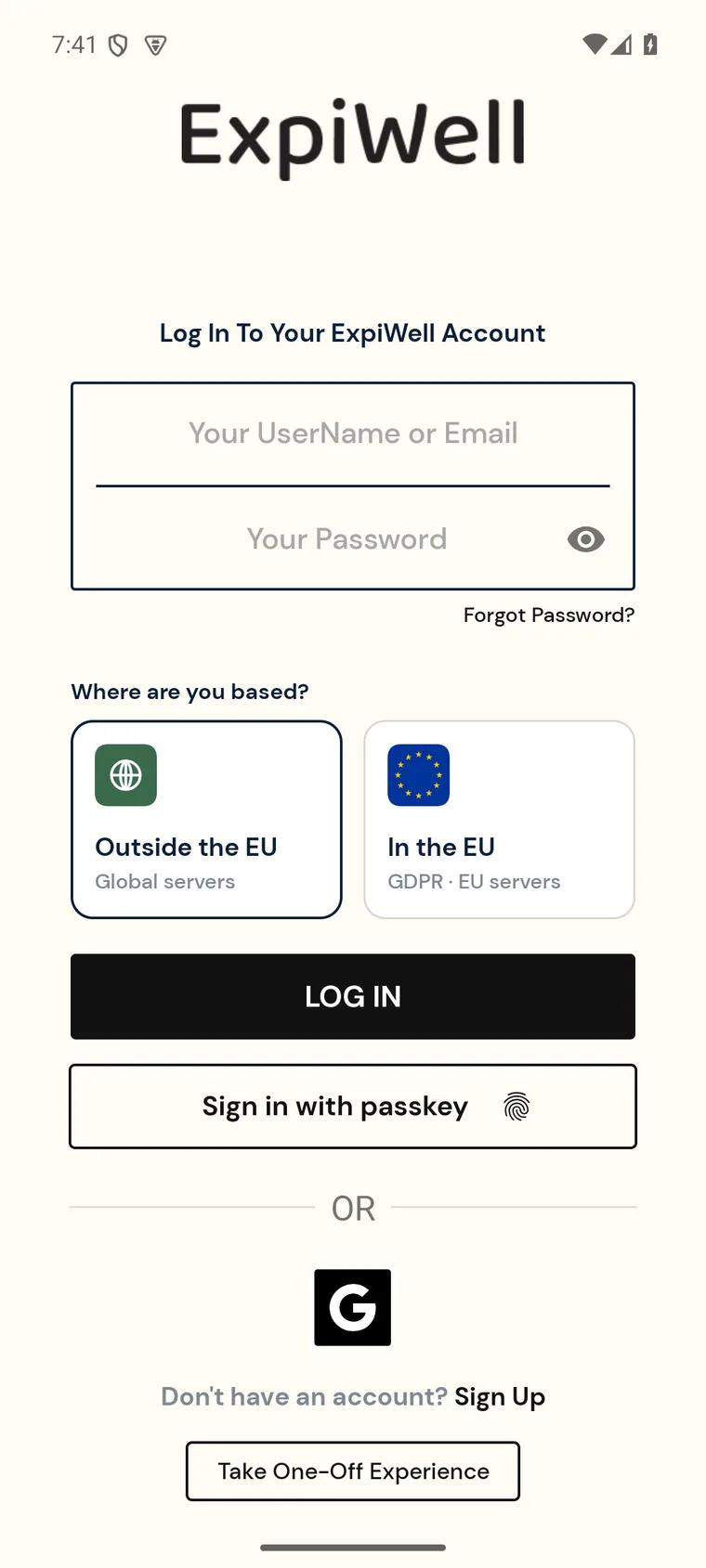
Some ExpiWell projects are one-off: surveys you complete once, such as a baseline questionnaire, a screening form or a wrap-up survey, rather than a schedule that repeats over days or weeks. You can take a one-off project without creating an ExpiWell account. Open the app, tap Take One-Off Experience at the bottom of the Log In screen, and enter the access code your research team gave you.
Only projects your research team set up with a Static schedule can be taken without an account. If the code belongs to a repeating study, the app shows Only Static Projects Can Be Taken Anonymously. In that case, create an account and add the study with the same code. See Create an account.
Taking a one-off project without an account
- Install the free ExpiWell app from the App Store or Google Play and open it. If it opens on Create Account, tap Log In at the bottom (Already have an account? Log In) to switch to the Log In screen.
- Under Where are you based?, choose Outside the EU or In the EU: the region your study uses. Ask your research team if you're not sure. If the code belongs to the other region, the app can't open it: switch region and try again.
- Scroll to the bottom of the screen and tap Take One-Off Experience. You don't need to enter an email or password.
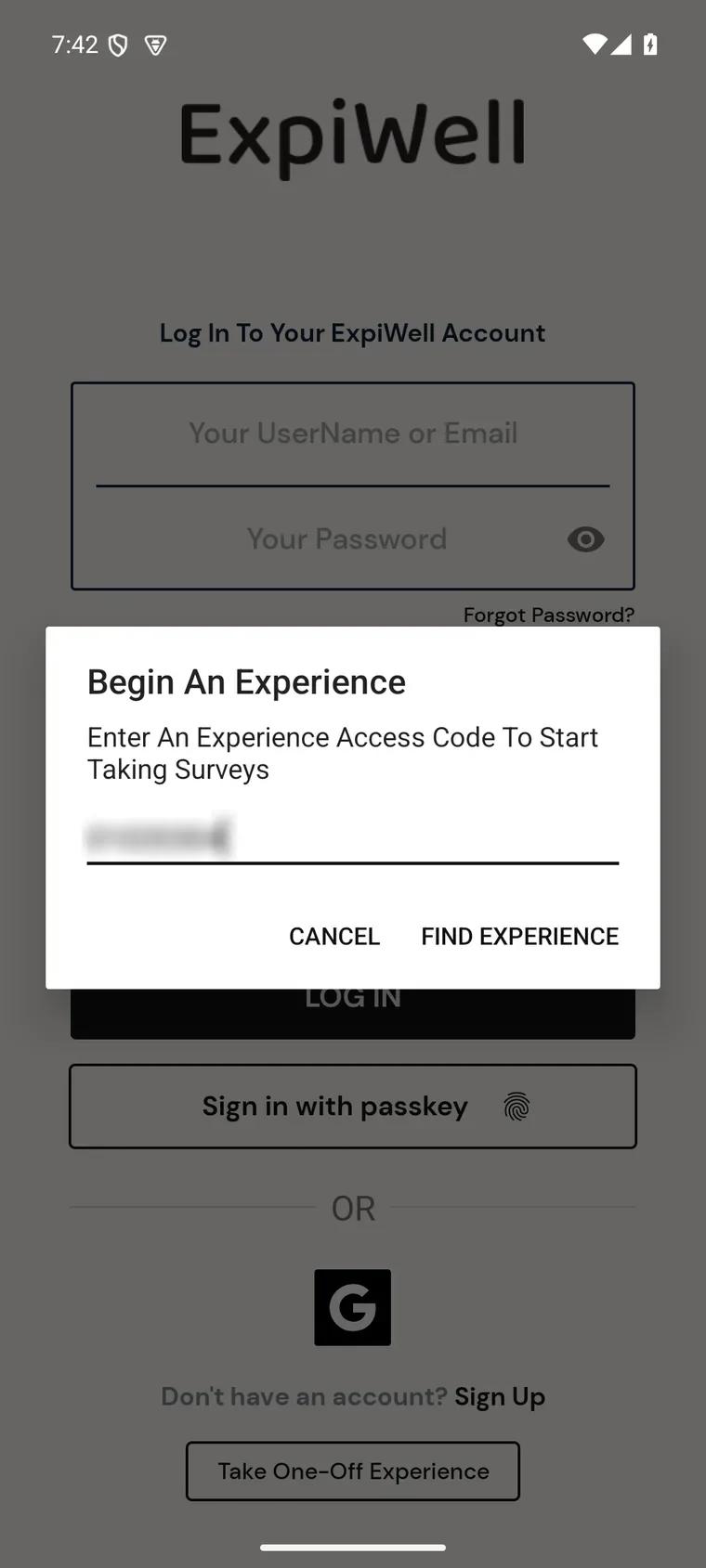
- Type your access code in the dialog and tap Find Experience.
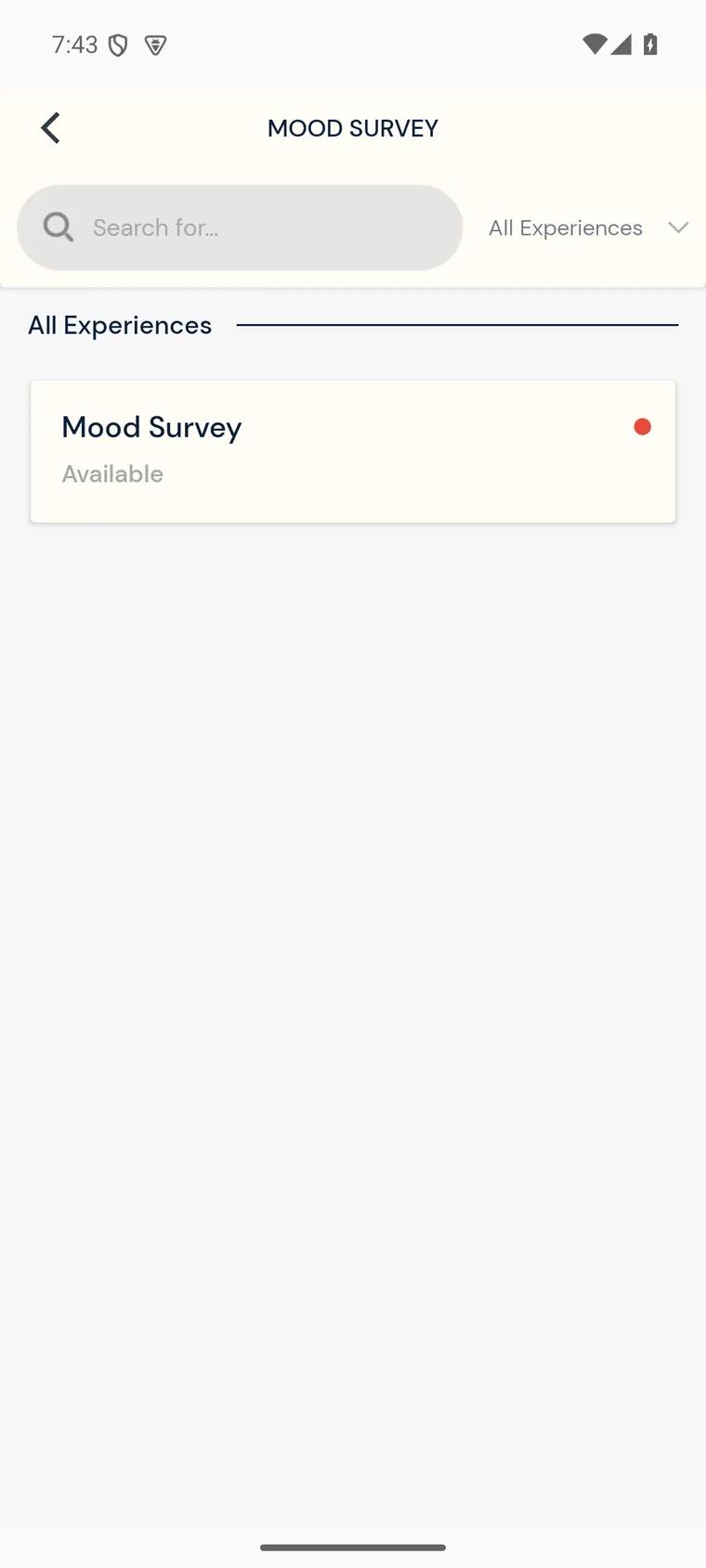
- The project opens with its surveys listed. Tap a survey to start it, answer the questions, and submit it.
What to expect
- No notifications. A one-off project doesn't remind you to take its surveys. They stay open until the end date your research team set.
- One submission per survey, unless your research team allows more than one.
- Your responses aren't linked to an ExpiWell account. There is no home screen to return to, so keep your access code if you need to come back to the project.
- Questions about the study go to your research team. Use the contact details they gave you with the access code. See Contacting the researchers.
Taking it with an account instead
If you already have an ExpiWell account, you can add a one-off project the same way as any other study: log in, tap +, and enter the access code. See How to add experiences. The project then appears on your Current tab with your other studies.
One-off vs. repeating projects
- One-off (Static schedule): surveys you complete once, open until an end date, with or without an account.
- Repeating (EMA/ESM): short surveys delivered on a schedule over days or weeks, with notifications. These need an account.