Im Aufbau

Ihre Stichprobe hat uns mitten im Umbau erwischt.

Diese Anleitungen beschreiben die neue ExpiWell-Plattform (v2) und werden noch geschrieben, geprüft und umgebaut — entschuldigen Sie das Gerüst: Seiten können sich zwischen Besuchen verschieben oder ändern. Noch in der bisherigen App? Deren Dokumentation bleibt im alten Support-Portal.

Zum bisherigen Support-Portal
Wissensdatenbank  /  Vom ExpiWell-Team

Wie können wir helfen?

Anleitungen für jeden Schritt Ihrer Studie — vom ersten Projekt bis zum finalen Datenexport. Die ExpiWell-Wissensdatenbank für die Forschungsplattform im Web und die mobile Teilnehmer-App.

97 Anleitungen in 28 Kategorien · Gepflegt vom ExpiWell-Team
Help CenterBuildProject Creation

Duplicating projects & editing project name

Build · Project Creation
Updated 20. Juli 2026

A Guide to Duplicating Existing Projects & Editing Project Name

Researchers may occasionally need to duplicate their existing projects for piloting purposes or to distribute them to different participant groups. ExpiWell makes this process simple by enabling researchers to swiftly duplicate projects, along with their associated surveys, schedules, and settings. Moreover, project names can be edited along the way as needed.

Duplicating a Project

To duplicate an existing project, go to the main projects dashboard, click the three-dot menu on the project card you would like to duplicate, and select 'Copy'.
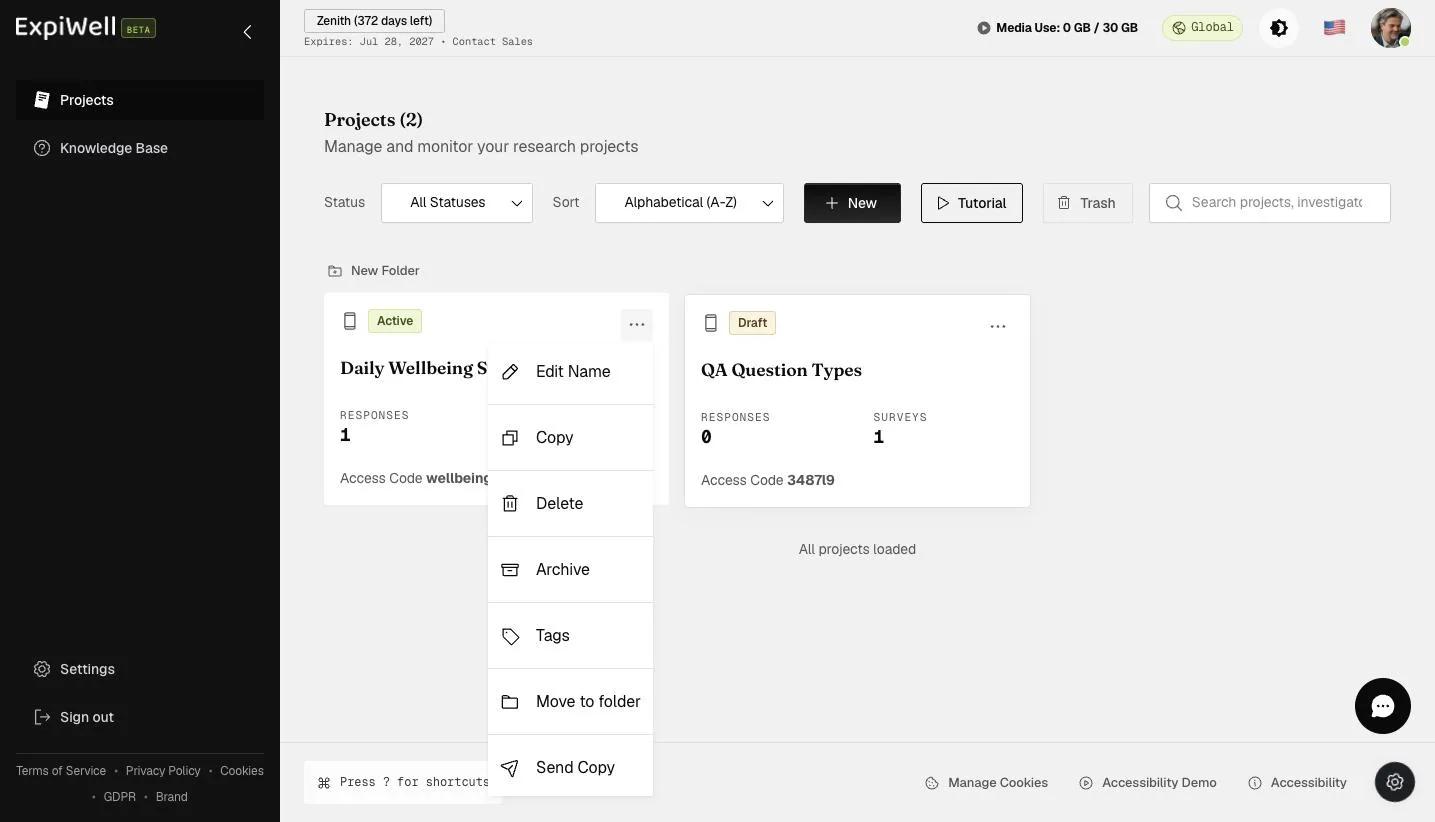
The project card three-dot menu with Edit Name, Copy, Delete, Archive, Tags, Move to folder, and Send Copy

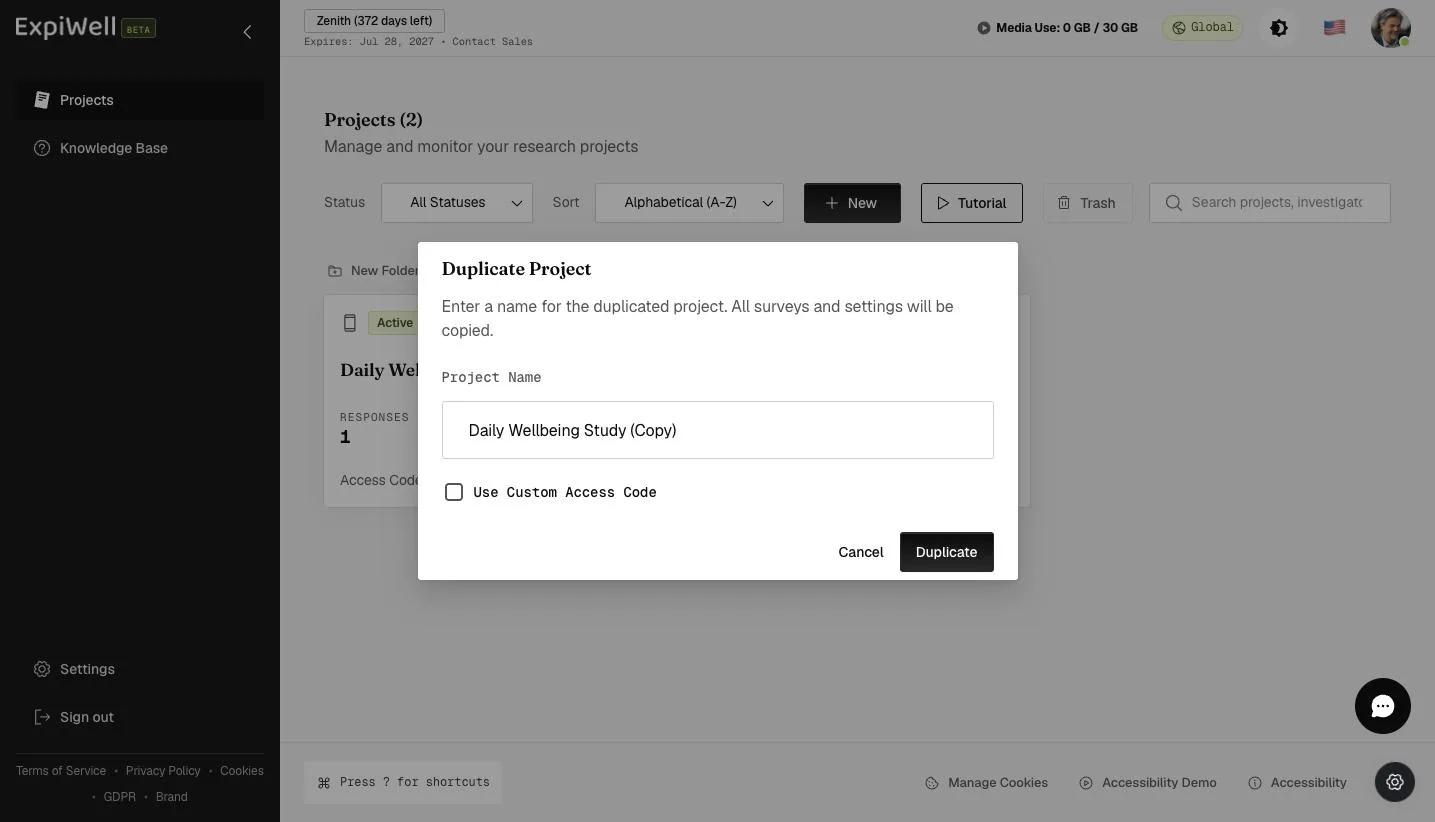
A popup will allow you to edit the name of the duplicated project.

The Duplicate Project dialog with a pre-filled project name and a Use Custom Access Code checkbox

Provide a name for your duplicated project and click 'Duplicate'.

Entering a name for the duplicated project before clicking Duplicate

Review the duplicated project setup and make the changes according to your research needs.
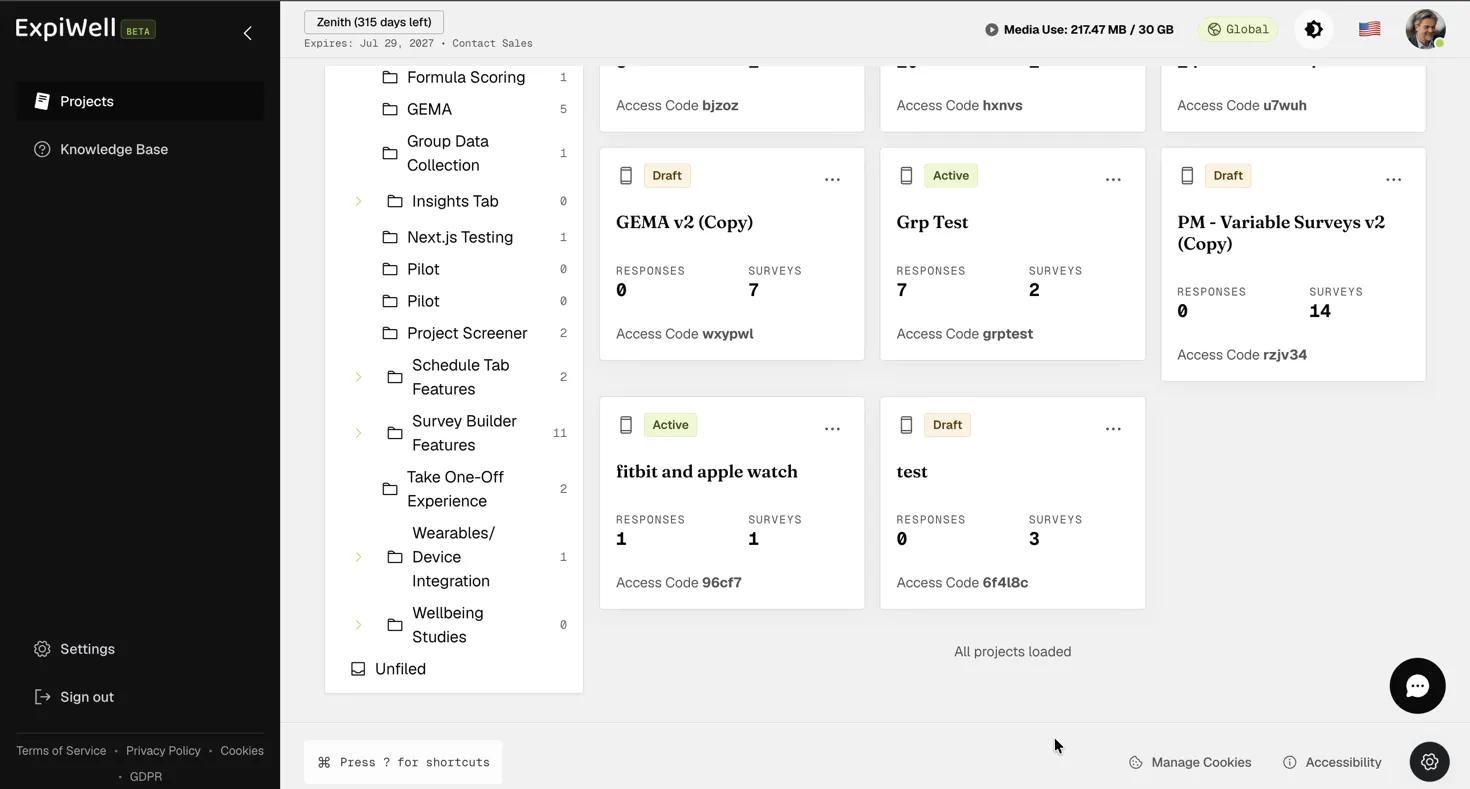
Screenshot — Reviewing the duplicated project setup

Editing Project Name

To edit an existing project name, go to the main projects dashboard, click the three-dot menu on the project card you would like to edit, and select 'Edit Name'.

The project card three-dot menu with the Edit Name option

A popup will appear, allowing you to edit the project's name as needed. Click 'Confirm' to update the project name on the main projects dashboard. Note that the project's access code will remain unchanged, even after the name is updated.
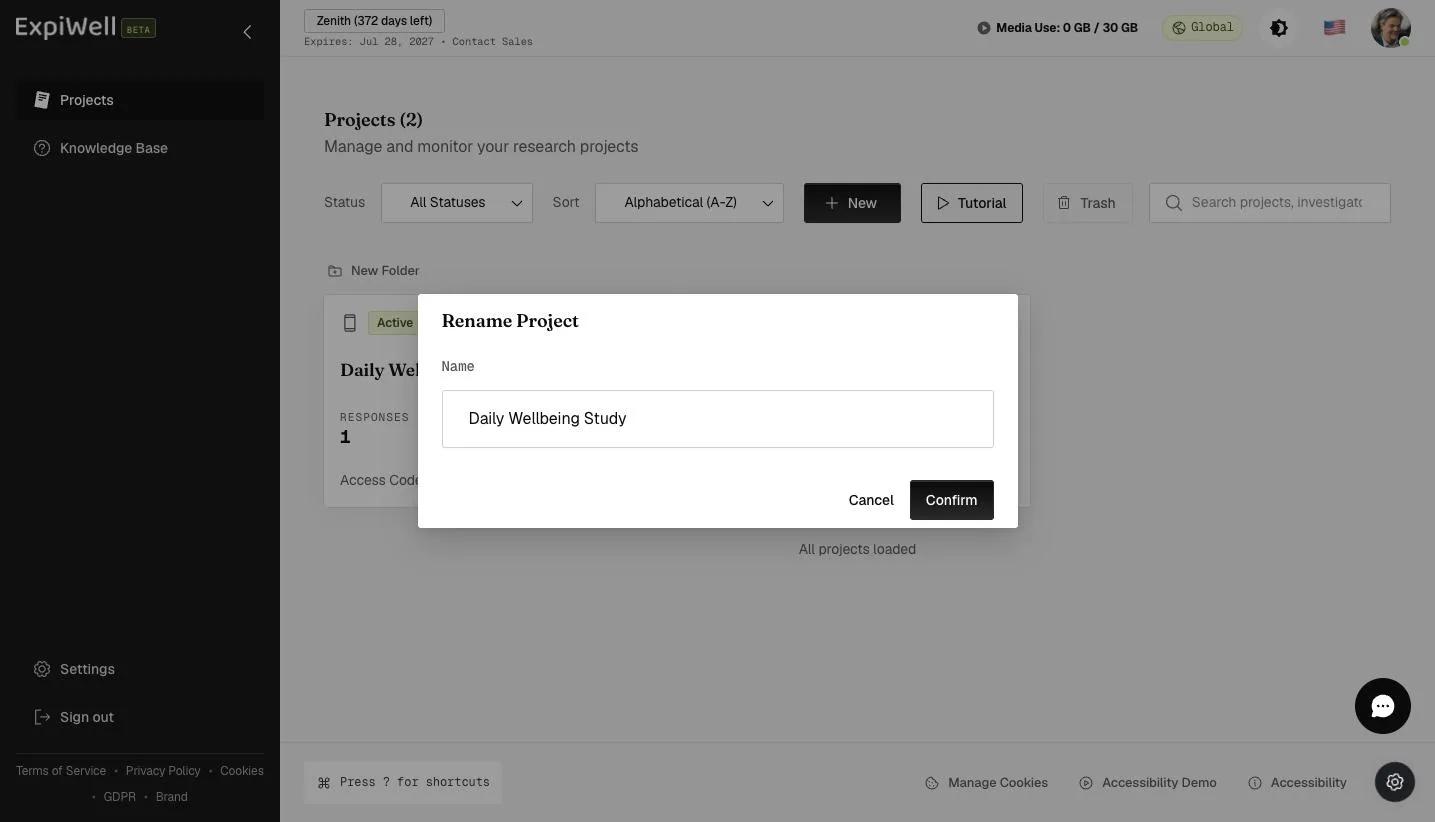
The Rename Project dialog with the project Name field and Confirm button
Video demo — Duplicating Existing Projects & Editing Project Name (coming soon)
Was this helpful?
Start today

Sprechen Sie mit einem Menschen aus dem ExpiWell-Team.

Kommen Sie nicht weiter? Unser Team aus Forschenden beantwortet technische Fragen ebenso wie Fragen zum Studiendesign.