قيد الإنشاء

لقد أخذتَ عيّنة منا في منتصف البناء.

تغطي هذه الأدلة منصة ExpiWell الجديدة (v2) وما زالت قيد الكتابة والمراجعة وإعادة الترتيب — نعتذر عن السقالات: قد تنتقل الصفحات أو تتغيّر بين زيارة وأخرى. ما زلت تستخدم التطبيق السابق؟ تبقى وثائقه على بوابة الدعم القديمة.

فتح بوابة الدعم القديمة
قاعدة المعرفة  /  من فريق ExpiWell

كيف يمكننا مساعدتك؟

أدلة لكل خطوة في دراستك — من مشروعك الأول إلى تصدير بياناتك النهائي. قاعدة معارف ExpiWell لمنصة الباحث على الويب وتطبيق المشاركين للهاتف.

97 دليلاً في 28 فئة · يُحدّثها فريق ExpiWell
Help CenterBuildProject Creation

Duplicating projects & editing project name

Build · Project Creation
Updated 20 يوليو 2026

A Guide to Duplicating Existing Projects & Editing Project Name

Researchers may occasionally need to duplicate their existing projects for piloting purposes or to distribute them to different participant groups. ExpiWell makes this process simple by enabling researchers to swiftly duplicate projects, along with their associated surveys, schedules, and settings. Moreover, project names can be edited along the way as needed.

Duplicating a Project

To duplicate an existing project, go to the main projects dashboard, click the three-dot menu on the project card you would like to duplicate, and select 'Copy'.
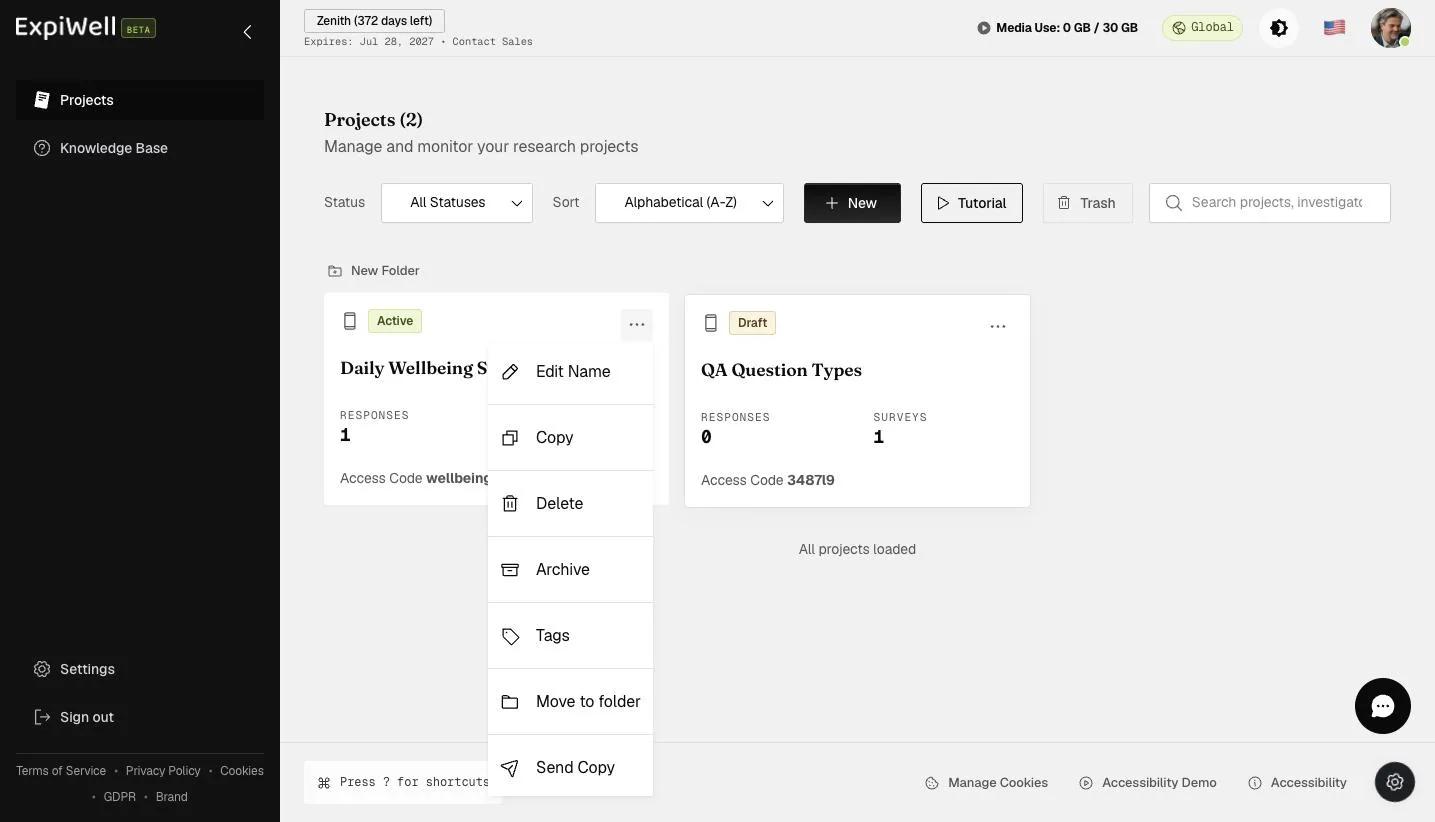
The project card three-dot menu with Edit Name, Copy, Delete, Archive, Tags, Move to folder, and Send Copy

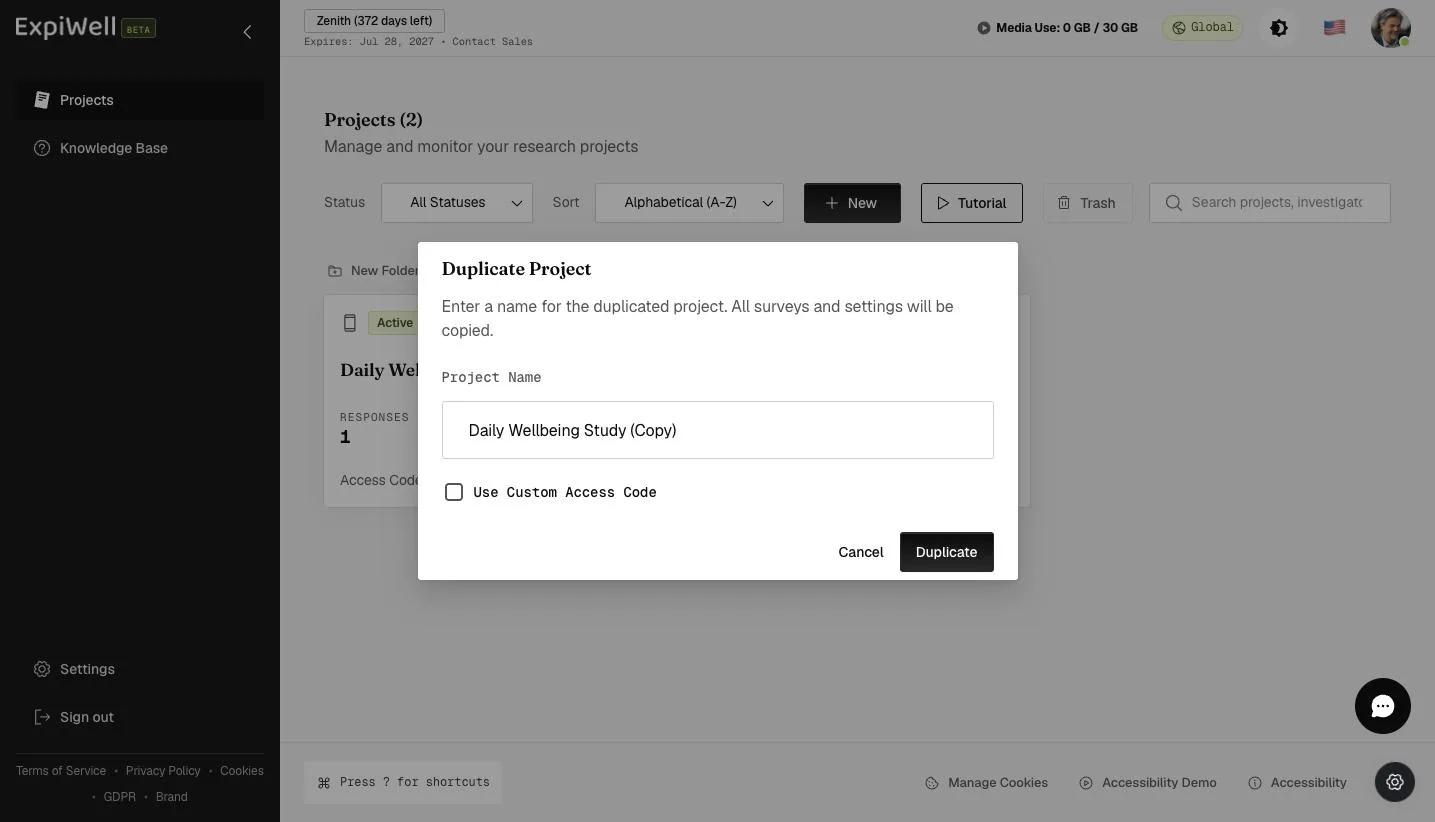
A popup will allow you to edit the name of the duplicated project.

The Duplicate Project dialog with a pre-filled project name and a Use Custom Access Code checkbox

Provide a name for your duplicated project and click 'Duplicate'.

Entering a name for the duplicated project before clicking Duplicate

Review the duplicated project setup and make the changes according to your research needs.
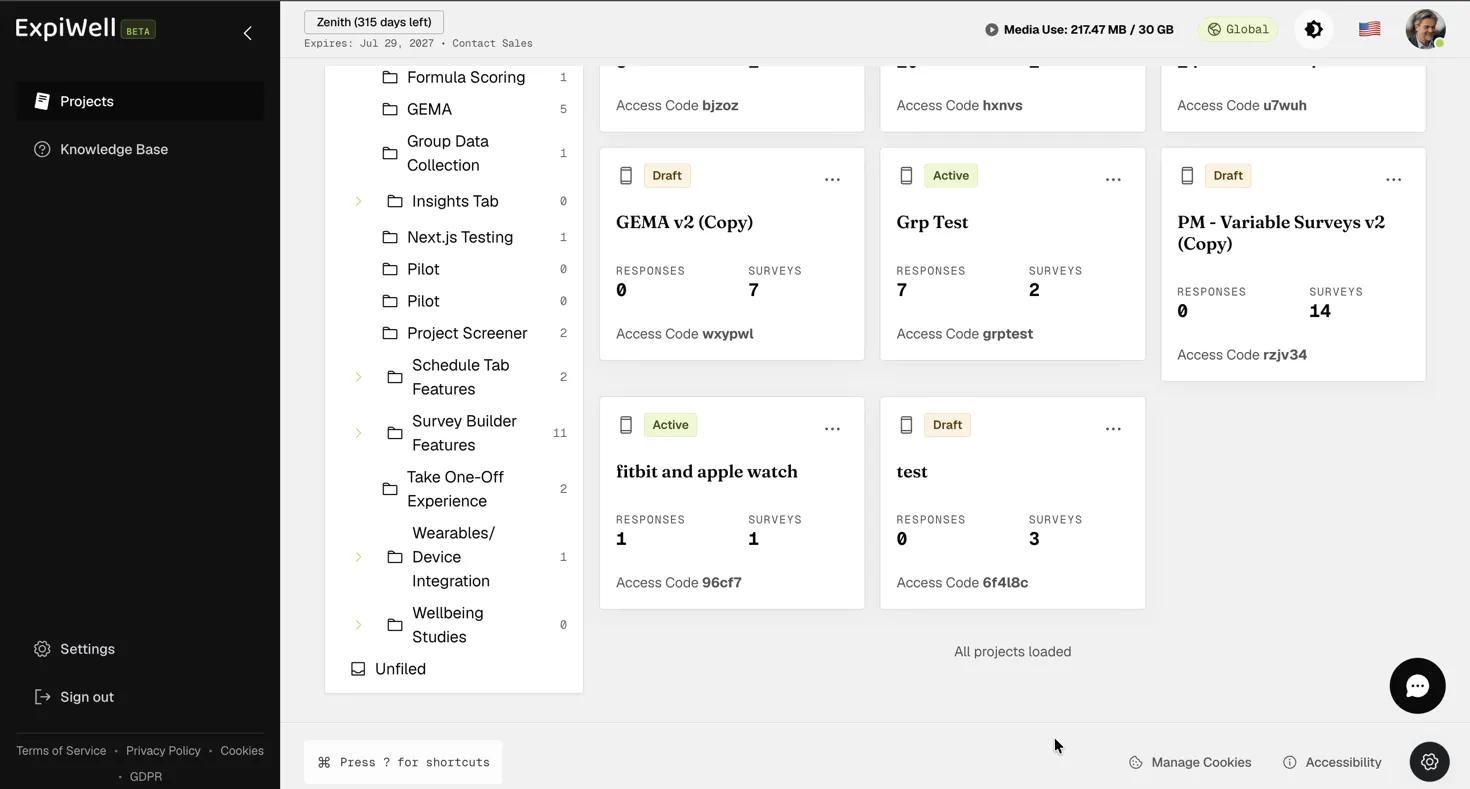
Screenshot — Reviewing the duplicated project setup

Editing Project Name

To edit an existing project name, go to the main projects dashboard, click the three-dot menu on the project card you would like to edit, and select 'Edit Name'.

The project card three-dot menu with the Edit Name option

A popup will appear, allowing you to edit the project's name as needed. Click 'Confirm' to update the project name on the main projects dashboard. Note that the project's access code will remain unchanged, even after the name is updated.
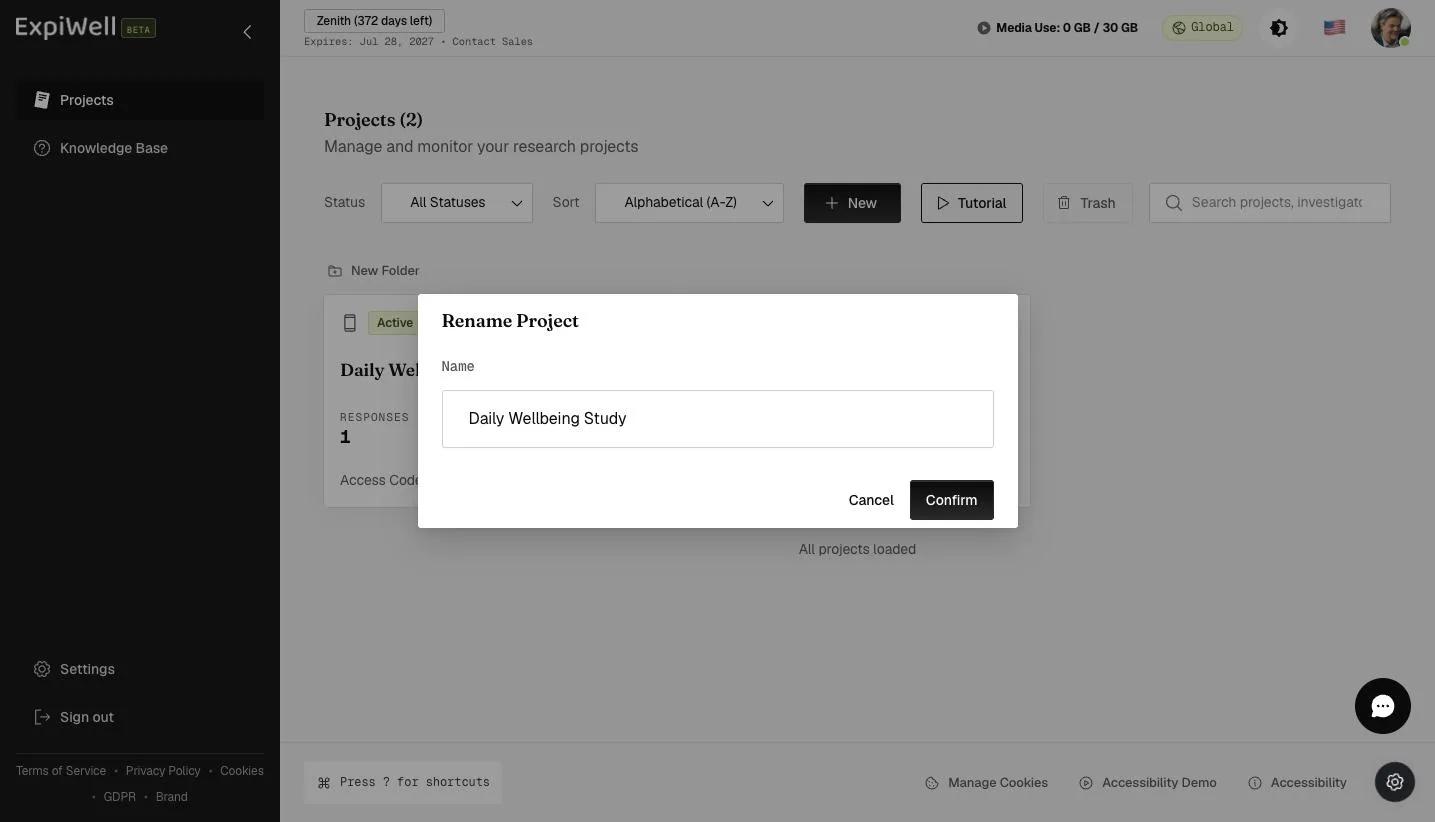
The Rename Project dialog with the project Name field and Confirm button
Video demo — Duplicating Existing Projects & Editing Project Name (coming soon)
Was this helpful?
Start today

تحدّث إلى إنسان من فريق ExpiWell.

ما زلت عالقاً؟ فريقنا من الباحثين يجيب عن الأسئلة التقنية وأسئلة تصميم الدراسات على السواء.