UNIX timestamps
How to Use UNIX Timestamps
A Unix timestamp is a count of seconds from a fixed moment, written as a plain number — 1760270400 rather than 12 October 2026, 2:00 PM. The number means the same instant everywhere on earth, with no time zone attached to it.
That is the point of using one. A study running in three countries records three different wall-clock times for the same moment; recorded as Unix timestamps they are one number, and the ordering of events is unambiguous.
Choosing the format
Go to Insights → Logs → Download. Under Timestamp Format, pick Download with Unix timestamp instead of the default Download with Normal time.
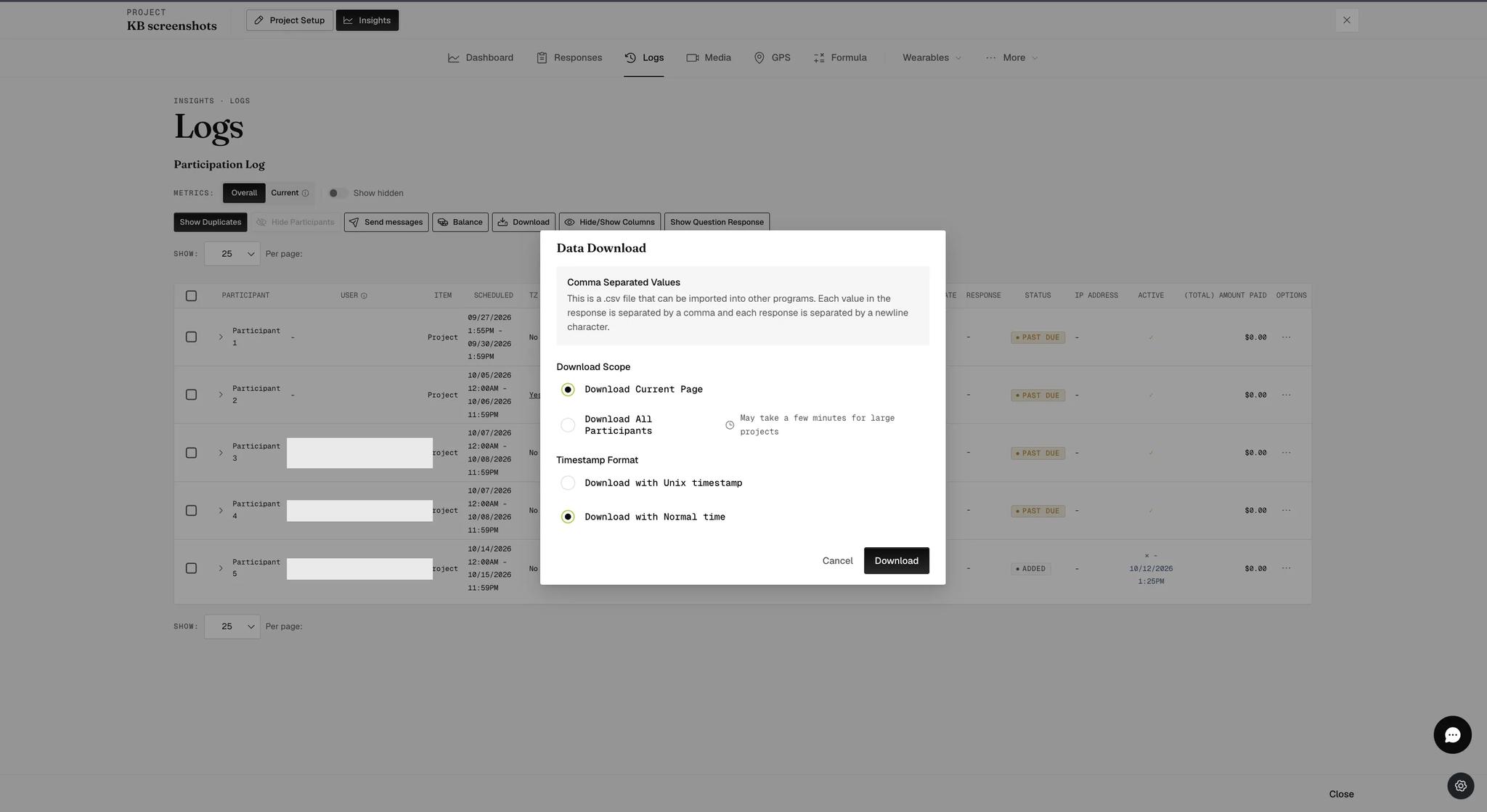
The same dialog also asks what to download. Download Scope defaults to the current page, not the whole study — see Logs. It is easy to change the timestamp format and leave the scope on its default.
The chosen format applies to the survey notification time in the downloaded file.
Which to choose
Normal time reads naturally and opens cleanly in a spreadsheet. Take it when you are eyeballing the data or sharing it with someone who will.
Unix timestamps survive being moved between tools without a time zone being guessed at, and sort correctly as numbers. They are what you want when the file is going into analysis — particularly if participants are spread across time zones, or if you will be joining this data to something recorded elsewhere.
Most analysis software converts between the two, so the choice is about which end you would rather do the work at.