בבנייה

דגמתם אותנו באמצע הבנייה.

המדריכים האלה מכסים את פלטפורמת ExpiWell החדשה (v2) ועדיין נכתבים, נבדקים ומאורגנים מחדש — סלחו לנו על הפיגומים: עמודים עשויים לזוז או להשתנות בין ביקור לביקור. עדיין באפליקציה הקודמת? התיעוד שלה נשאר בפורטל התמיכה הישן.

לפורטל התמיכה הישן
מאגר ידע  /  מצוות ExpiWell

איך נוכל לעזור?

מדריכים לכל שלב במחקר — מהפרויקט הראשון ועד ייצוא הנתונים הסופי. מאגר הידע של ExpiWell לפלטפורמת החוקרים באינטרנט ולאפליקציית המשתתפים בנייד.

101 מדריכים ב‑29 קטגוריות · מתעדכן על ידי צוות ExpiWell
Help CenterMobile appExperiences

Project overview

Mobile app · Experiences
Updated 2 באוקטובר 2026

The project overview shows a study's schedule as a calendar, with the surveys you can take listed below it.

Opening the project overview

On the Current tab, tap a study's card.
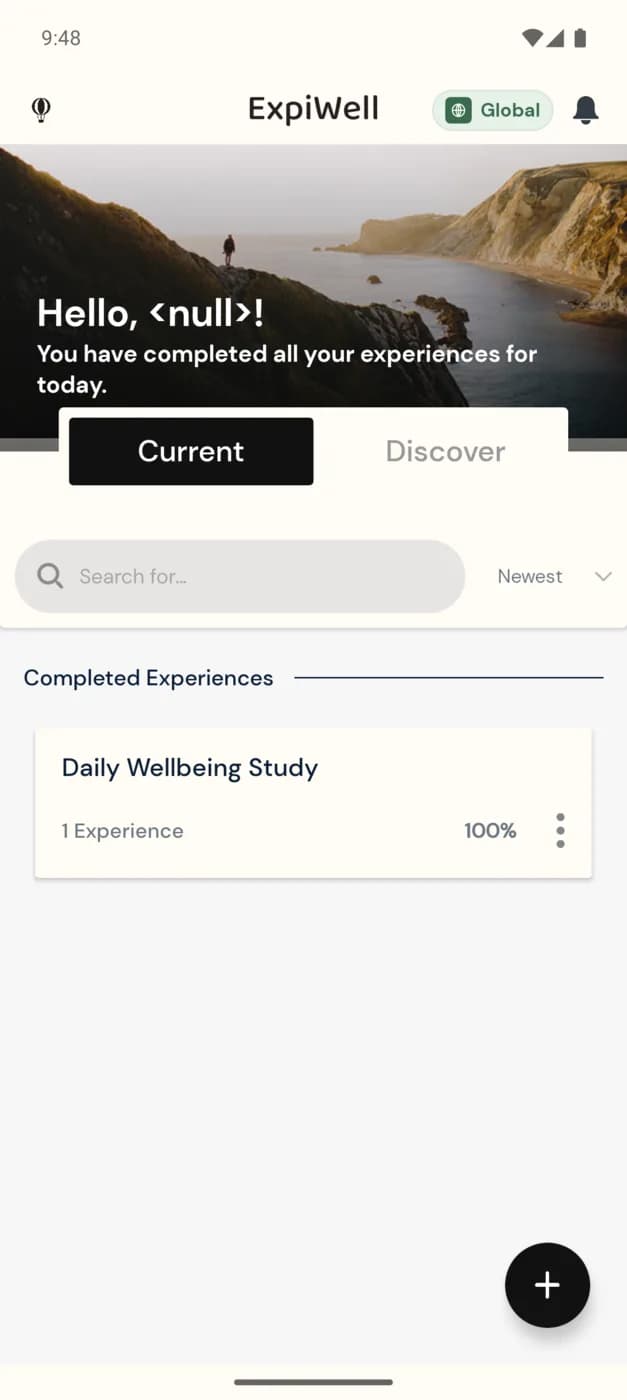
The Current tab of the ExpiWell app with one study card under Completed Experiences: Mood Survey, 1 Experience, Static Schedule, 100%, and a three-dot options icon

The calendar

A dot under a date marks a day that has a survey. Tap a date to see its surveys below the calendar. A survey you can take now is marked Available: tap it, then tap Start.
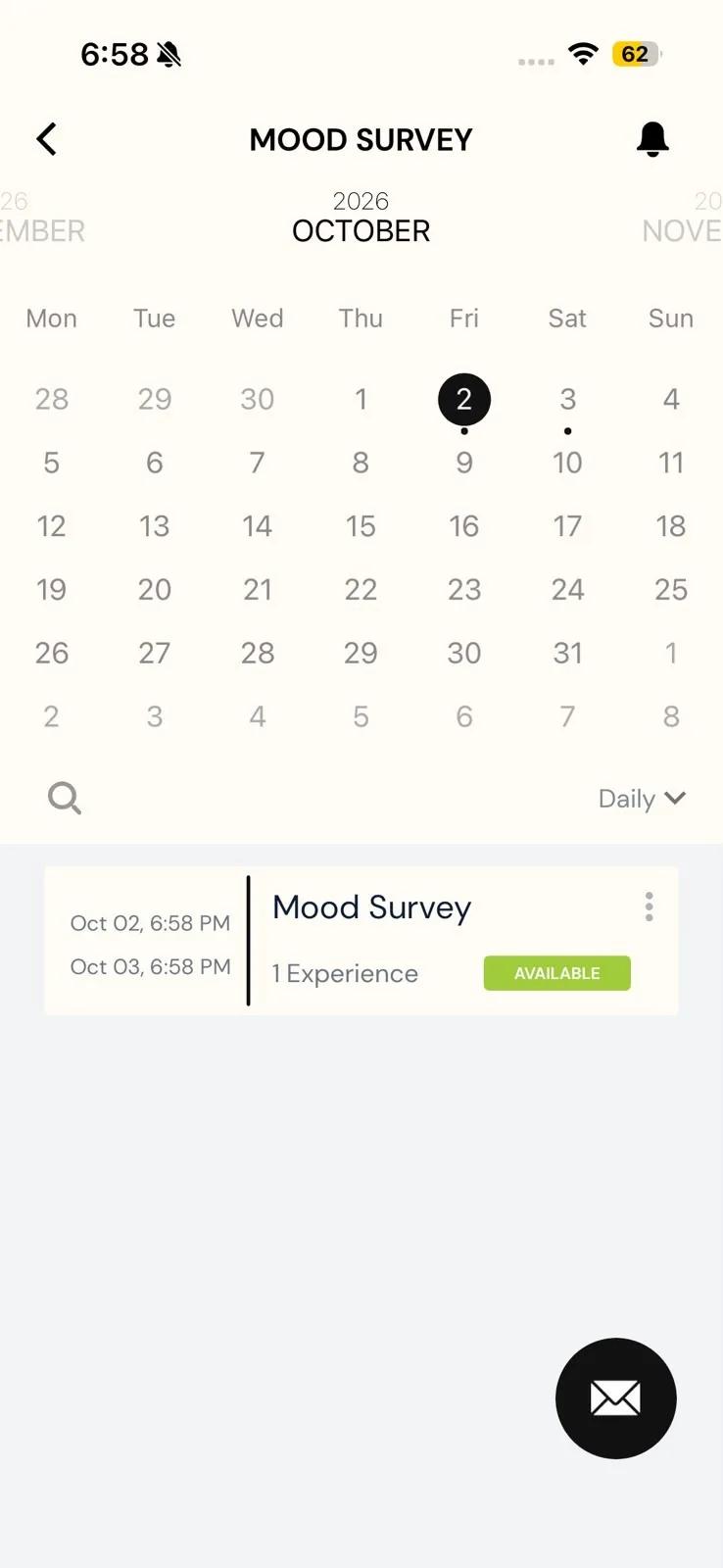
The Mood Survey overview in the Daily view: an October calendar with today circled and dots under the 2nd and 3rd, and a survey row with its window from Oct 02 to Oct 03 and an Available badge

Switching views

On iPhone, tap the view menu beside the search icon (it shows Daily by default) and choose Daily, All Experiences or Modules.

On Android, there's no menu. Each tap on the view button moves to the next view: Daily, then All Experiences, then Modules. A study with no end date opens on All Experiences and switches only between All Experiences and Modules.
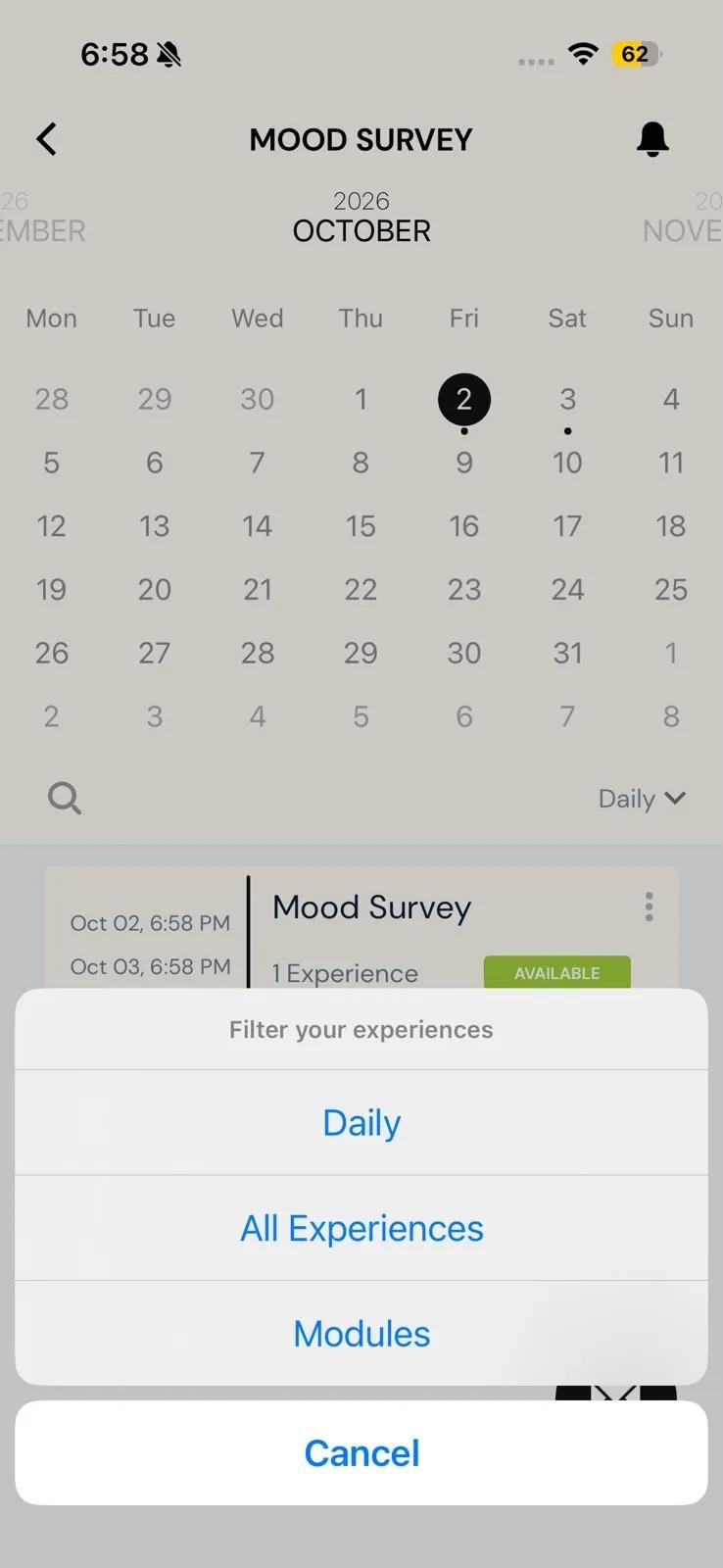
A study's overview with the Filter your experiences menu open, offering Daily, All Experiences and Modules
Was this helpful?
Start today

דברו עם בן אדם מצוות ExpiWell.

עדיין תקועים? צוות החוקרים שלנו עונה גם על שאלות טכניות וגם על שאלות של תכנון מחקר.