Funding your payment account
Pay Participants with the Finance Account
One of ExpiWell's goals is to make researchers' lives easier, so participant compensation is handled right inside your dashboard through the Finance account. This way, you can fund and track participant payments in a single platform.
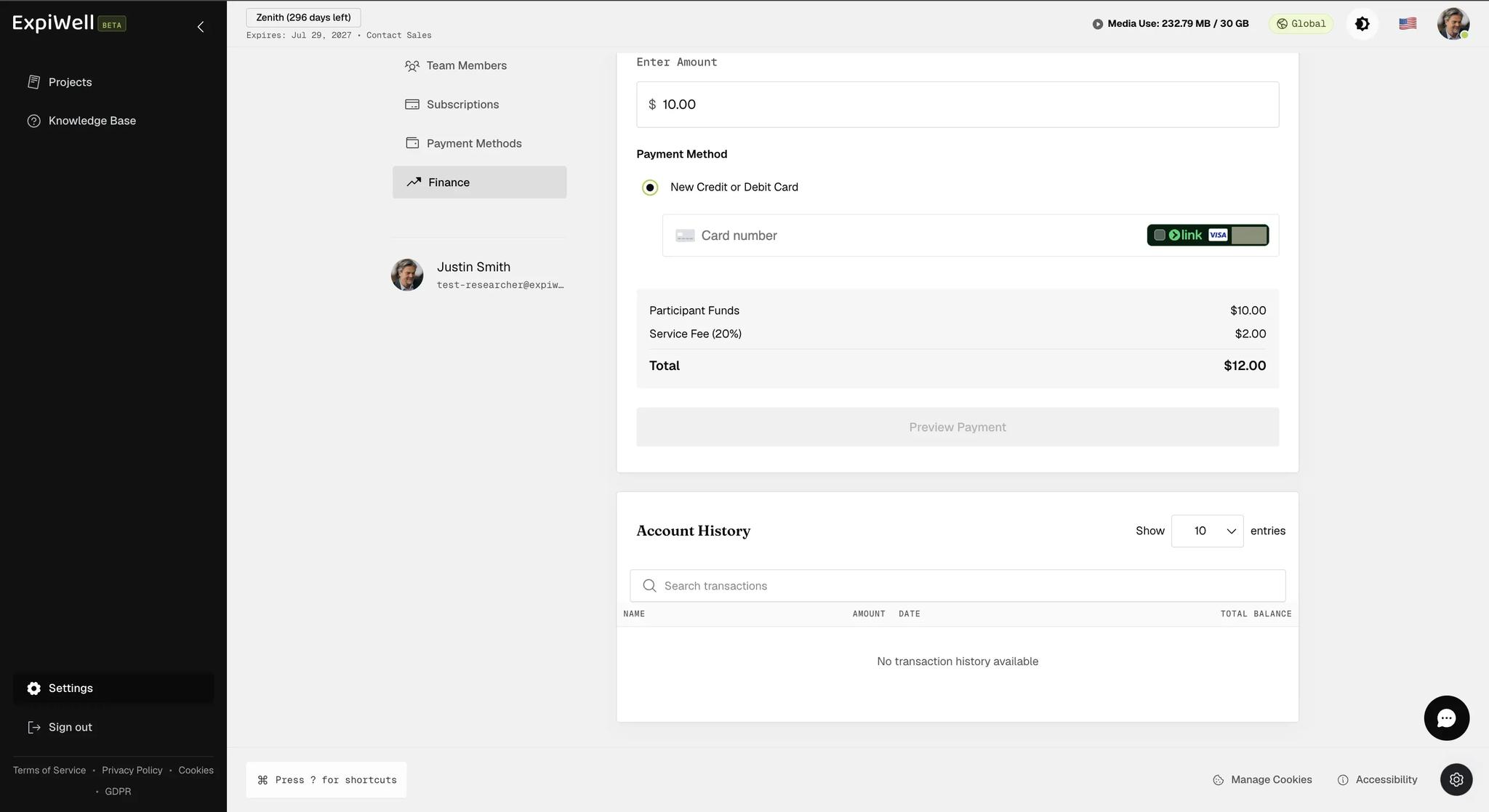
Go to Settings, then Finance under the Organization heading. The page opens on Add Funds, showing your available balance and a form to top it up by credit or debit card.
The 20% service fee is added on top of what you enter, not taken out of it. Enter $1,000 and your card is charged $1,200, with the full $1,000 available for participants. Budget from the total, not the amount you type.
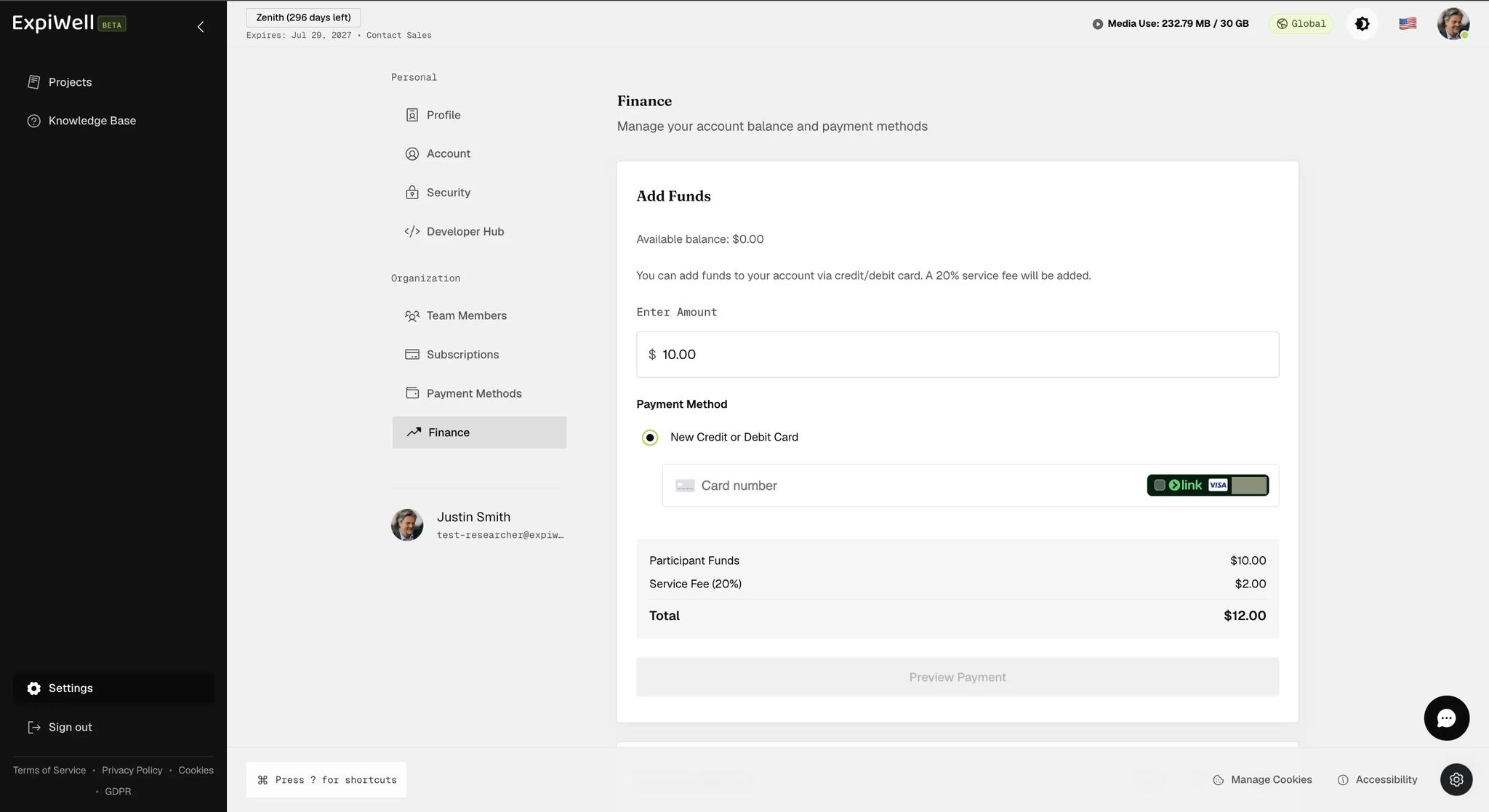
The summary does the arithmetic for you before you commit: enter $10 and it shows Participant Funds $10.00, Service Fee (20%) $2.00, Total $12.00. The amount you type is what reaches participants; the total is what leaves your card.
Account History sits below the form and lists every transaction — name, amount, date, and the running balance after each. It is searchable, which matters once a study has been paying people for a few months. It is shown here on a fresh account, before anything has been added or paid out.