Try a free EMA & ESM subscription
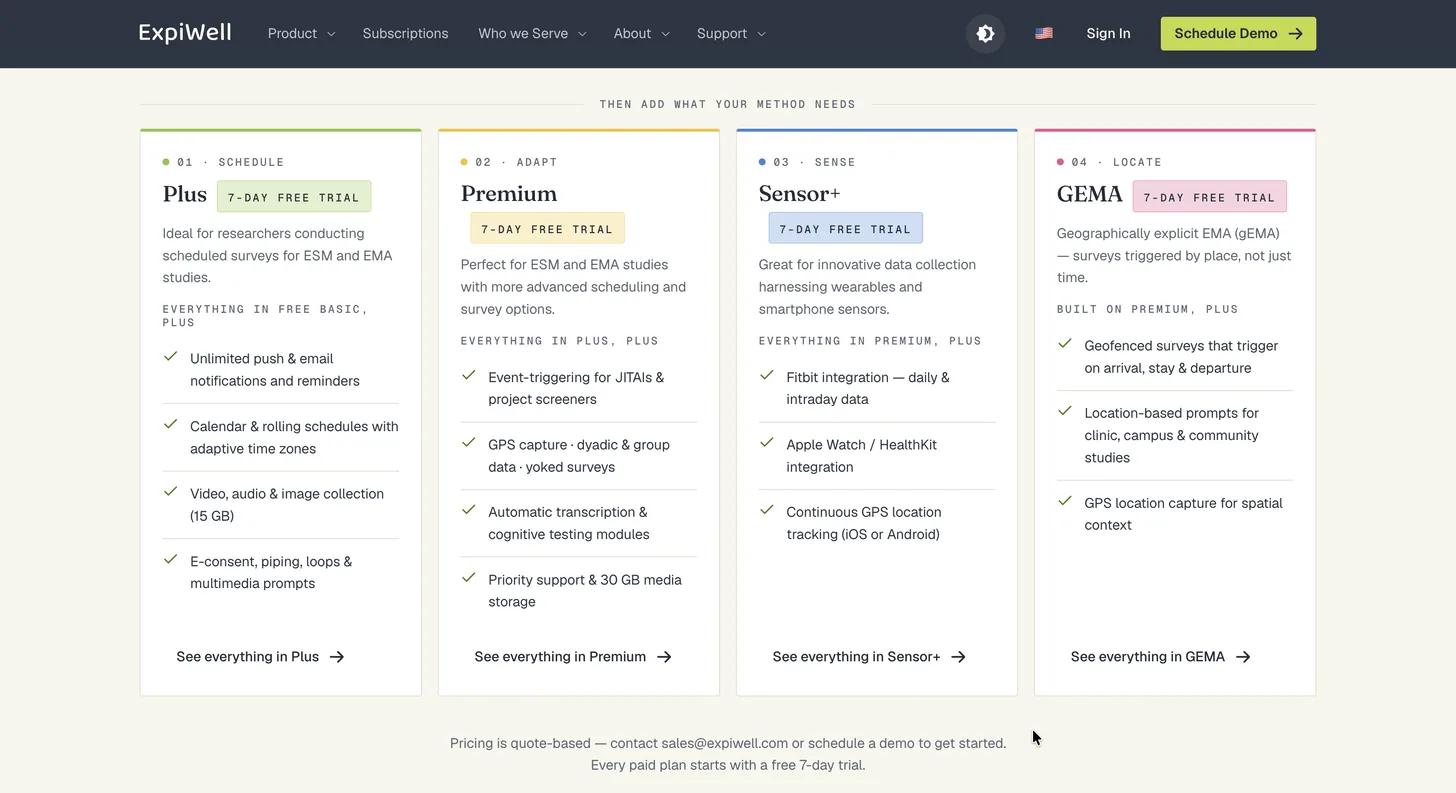
Each of ExpiWell's research plans — Plus, Premium, Sensor+, and GEMA — can be trialed free for 7 days, with no commitment. Sign-up runs through three steps — Account → Plan → Review — and takes a few minutes.
1. Review the plans
Start on the subscription page. Pricing is quote-based, so to talk through which plan fits your study, contact sales@expiwell.com or schedule a demo. The Free Basic plan is free forever; Plus, Premium, Sensor+, and GEMA each offer a 7-day trial you can start yourself.
2. Create your account
Click Create an account on the subscription page to begin. Account creation runs in three steps — Account, Plan, Review — shown across the top as you go.
On the Account step, enter your name and email, then set a password.
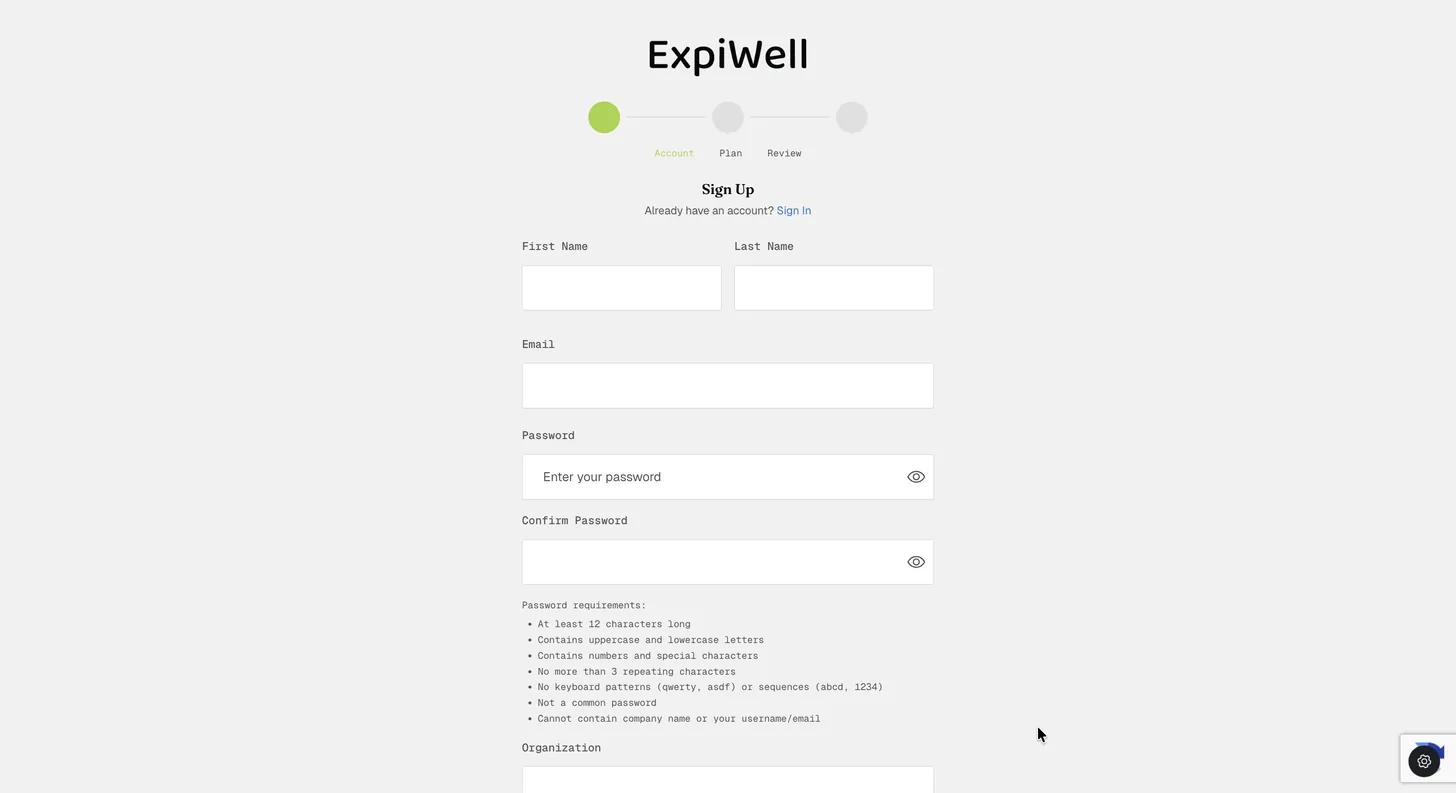
Passwords must be at least 12 characters and contain uppercase and lowercase
letters, numbers, and special characters. They must also avoid more than 3
repeating characters, keyboard patterns (qwerty, asdf) and sequences
(abcd, 1234), common passwords, and your own company name, username, or
email address.
ExpiWell scores the password live as you type and ticks each requirement off as you meet it — including a check that the password has not appeared in a known data breach.
Below the password fields, enter your Organization, then choose an Organization Type — Individual Practitioner (Clinician/Coach), Group Practice / Clinic, Hospital / Health System, University / Academic Research, or Corporate / Organizational. Then select your country.
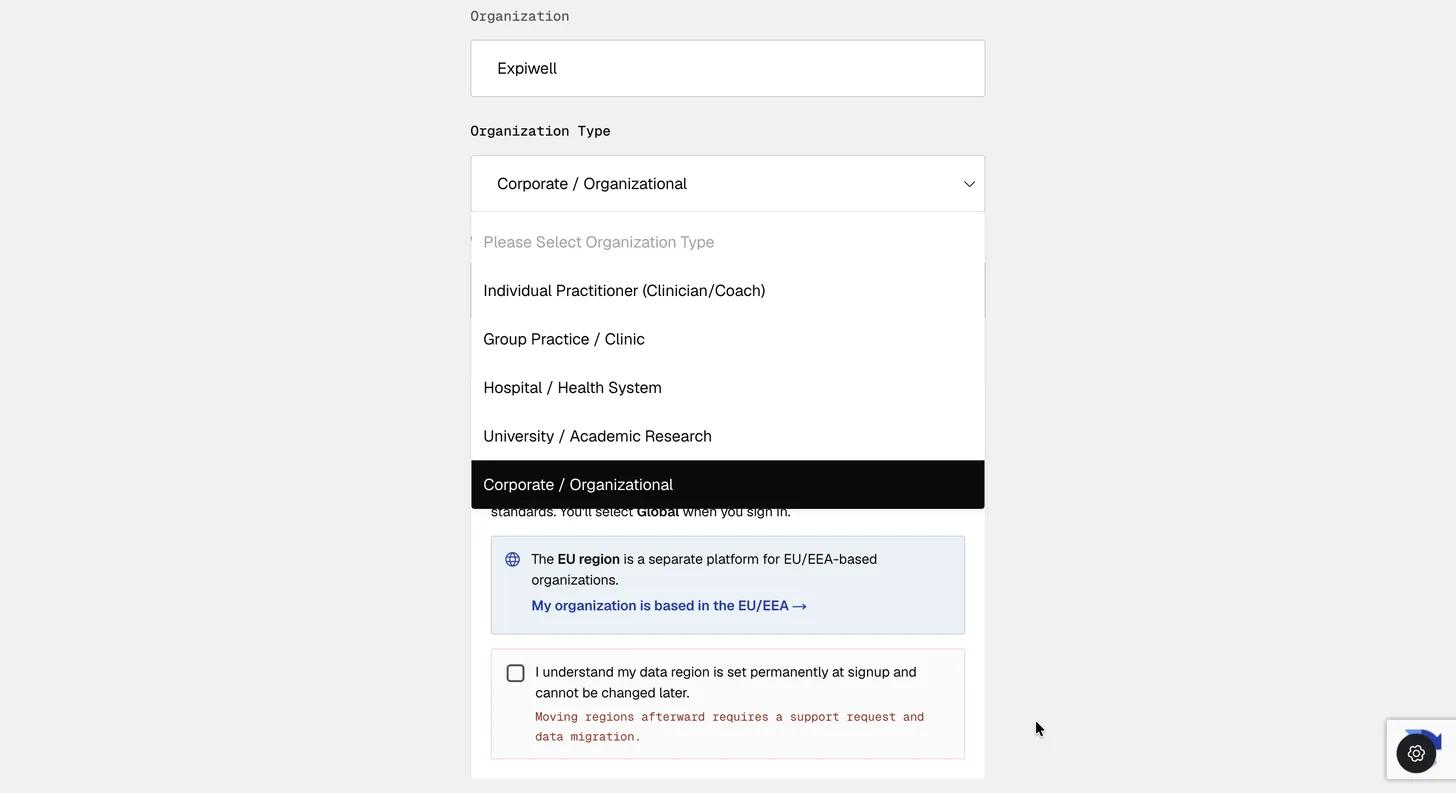
Signing up here creates a Global account, with your data stored in the United States — and Global is what you select when you sign in. If your organization is based in the EU or EEA, follow the EU link instead; it is a separate platform.
You must tick the box confirming you understand the choice — your region is set permanently at sign-up, and moving afterwards requires a support request and a data migration.
3. Pick a plan
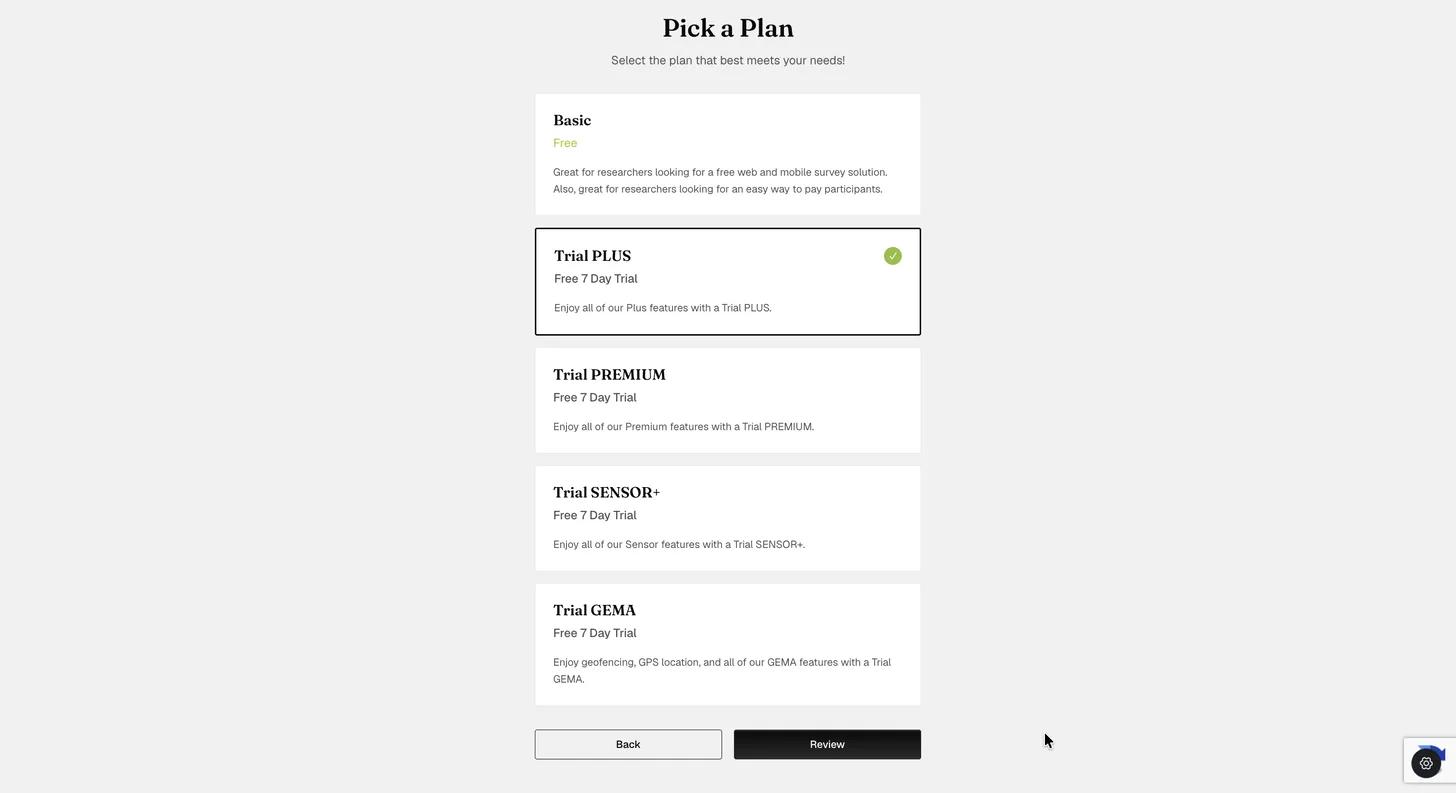
On the Plan step, choose the subscription you want to try, then click Review. Basic is free, and Trial PLUS, Trial PREMIUM, Trial SENSOR+, and Trial GEMA each run for 7 days with the full feature set of that plan.
4. Review and confirm
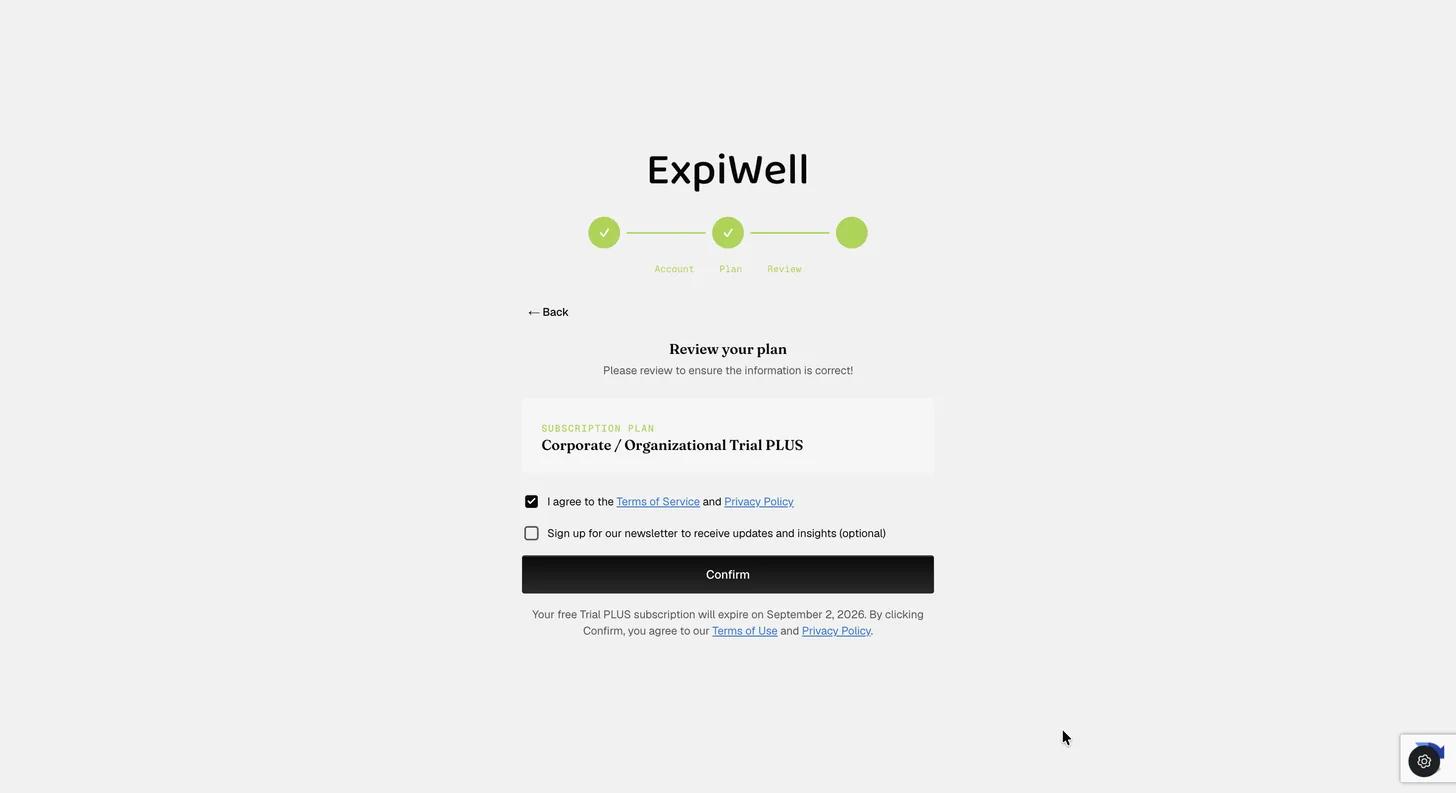
The Review step shows the plan you chose and the date your trial ends. Accept the Terms of Service and Privacy Policy, then click Confirm.
5. Verify your email
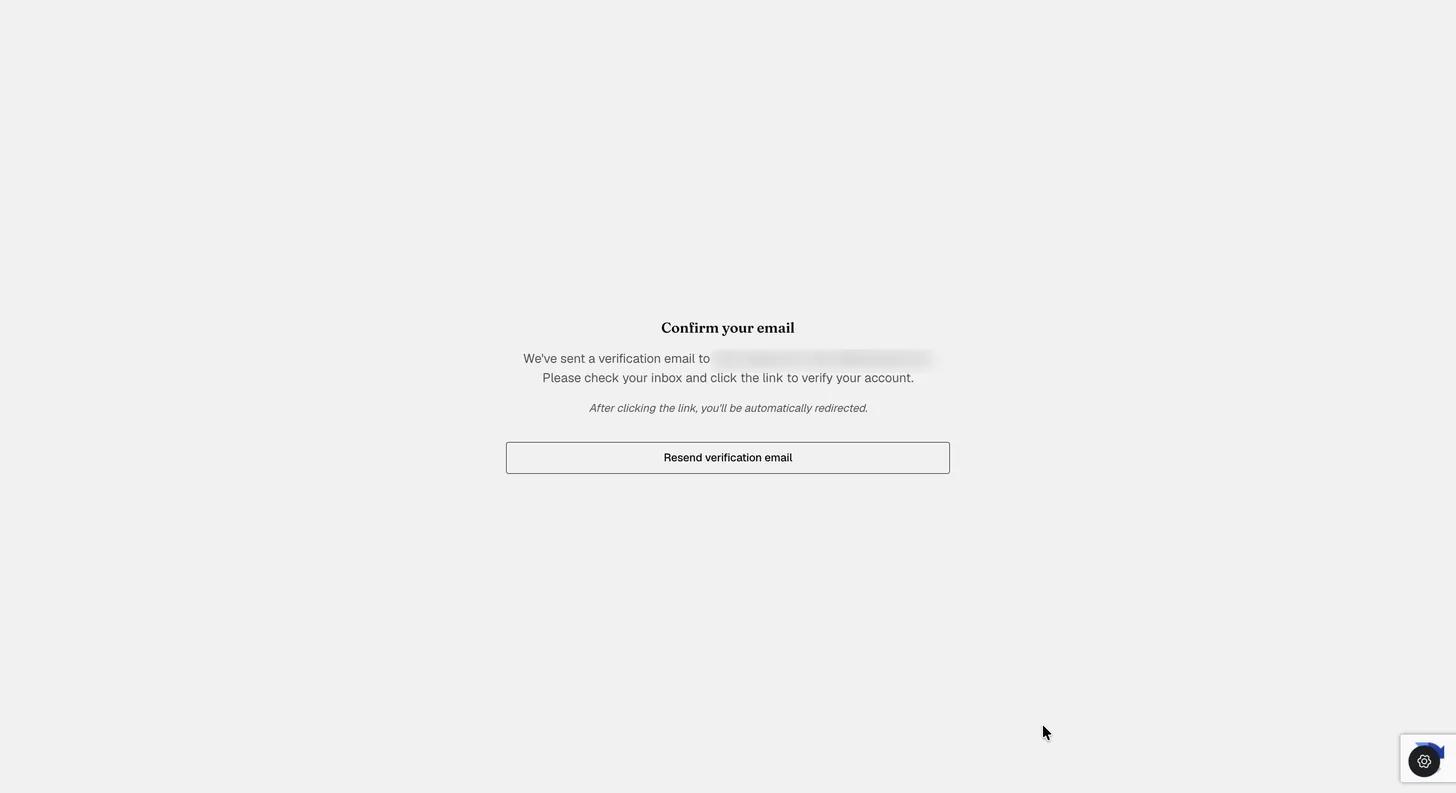
ExpiWell sends a verification link to the address you signed up with. Click it and you are redirected into your account, with the trial already active.
Troubleshooting
If the verification email does not arrive, use Resend verification email on that screen, and check your spam folder. When your trial ends and you would like to continue, contact sales@expiwell.com.