En construcción

Nos has muestreado a medio construir.

Estas guías cubren la nueva plataforma ExpiWell (v2) y todavía se están escribiendo, revisando y reorganizando — disculpa el andamiaje: las páginas pueden moverse o cambiar entre visitas. ¿Sigues en la app anterior? Su documentación permanece en el portal de soporte antiguo.

Ir al portal de soporte anterior
Base de conocimiento  /  Del equipo de ExpiWell

¿En qué podemos ayudarle?

Guías para cada paso de su estudio: de su primer proyecto a la exportación final de datos. La base de conocimiento de ExpiWell para la plataforma web del investigador y la app móvil del participante.

101 guías en 29 categorías · Actualizadas por el equipo de ExpiWell
Help CenterLaunchProject Review

Changing project email contact

Launch · Project Review
Updated 6 de octubre de 2026

How to Change Project Email Contact

Participants can email you from inside the app — a mail button sits on the project screen, and tapping it opens a message addressed to the project's contact.
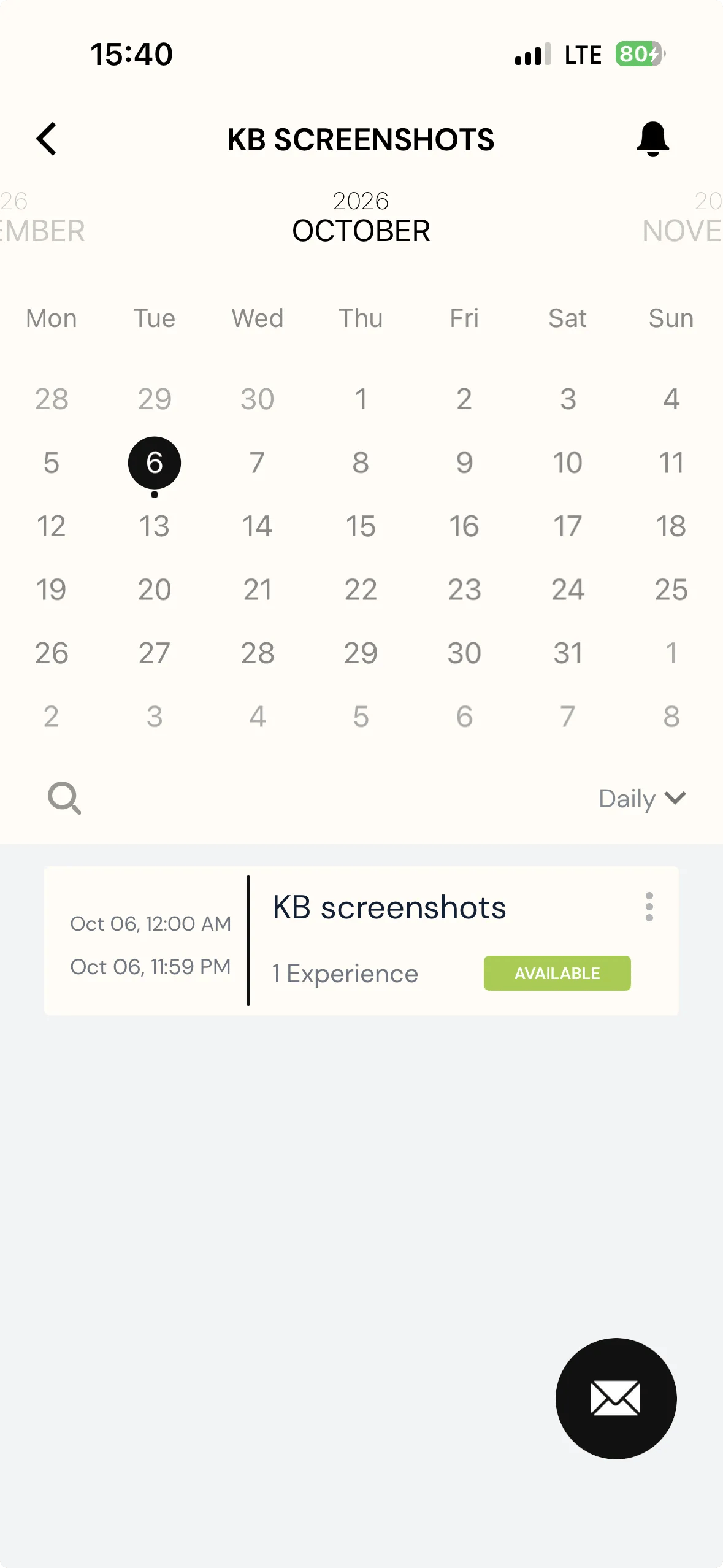
A project's calendar screen in the ExpiWell participant app, with a round black envelope button floating at the bottom right

By default that is the account that created the project. You can point it somewhere else on the Review page, which is worth doing when the person who built the study is not the person who should field participant questions — a coordinator or administrator, say.

Note
Changing it is available on any plan.
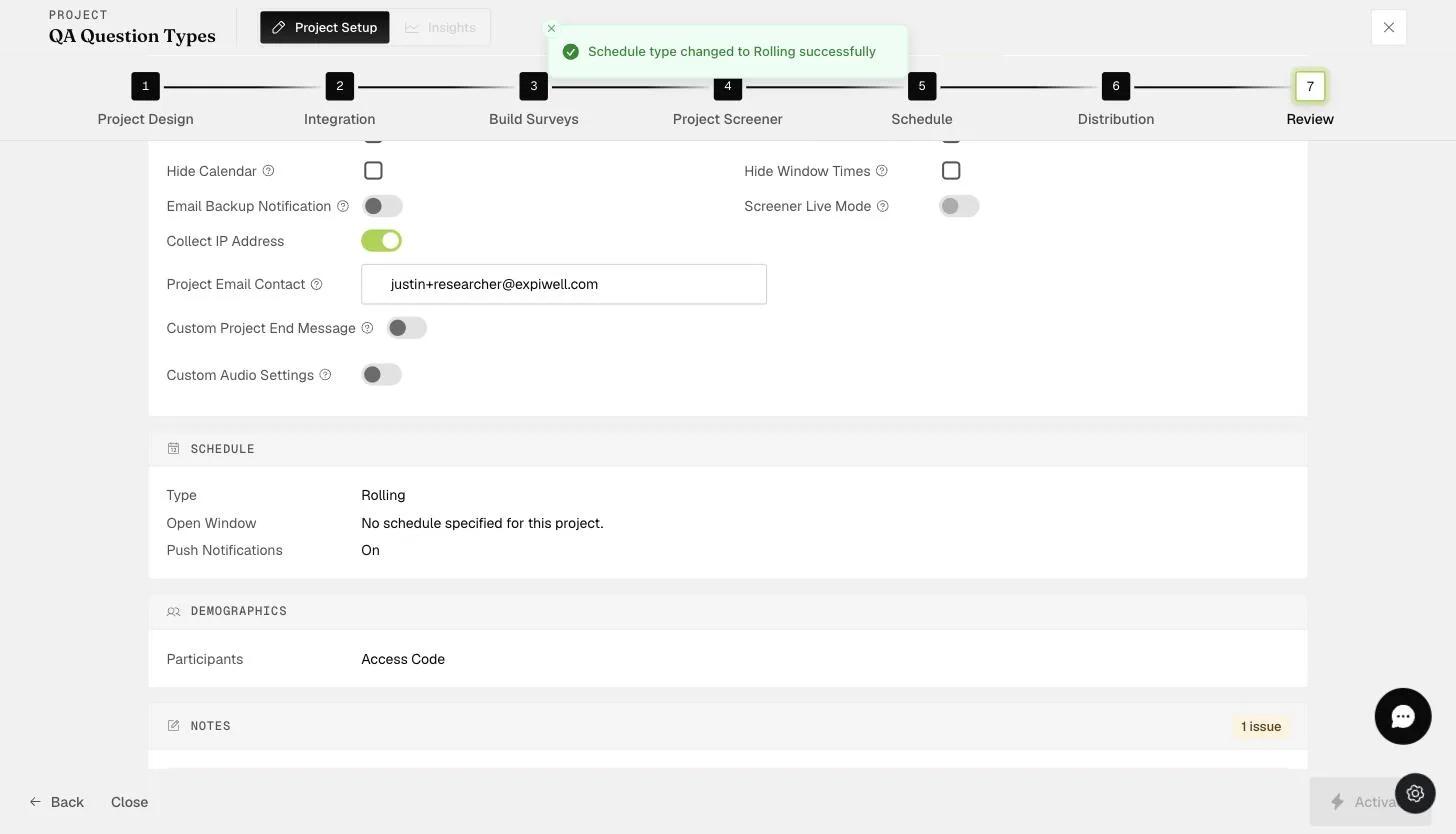
The Review step Project Email Contact field where the notification contact email is set
Was this helpful?
Start today

Hable con una persona del equipo de ExpiWell.

¿Sigue atascado? Nuestro equipo de investigadores responde tanto dudas técnicas como de diseño del estudio.