قيد الإنشاء

لقد أخذتَ عيّنة منا في منتصف البناء.

تغطي هذه الأدلة منصة ExpiWell الجديدة (v2) وما زالت قيد الكتابة والمراجعة وإعادة الترتيب — نعتذر عن السقالات: قد تنتقل الصفحات أو تتغيّر بين زيارة وأخرى. ما زلت تستخدم التطبيق السابق؟ تبقى وثائقه على بوابة الدعم القديمة.

فتح بوابة الدعم القديمة
قاعدة المعرفة  /  من فريق ExpiWell

كيف يمكننا مساعدتك؟

أدلة لكل خطوة في دراستك — من مشروعك الأول إلى تصدير بياناتك النهائي. قاعدة معارف ExpiWell لمنصة الباحث على الويب وتطبيق المشاركين للهاتف.

101 دليلاً في 29 فئة · يُحدّثها فريق ExpiWell
Help CenterLaunchProject Review

Changing project email contact

Launch · Project Review
Updated 6 أكتوبر 2026

How to Change Project Email Contact

Participants can email you from inside the app — a mail button sits on the project screen, and tapping it opens a message addressed to the project's contact.
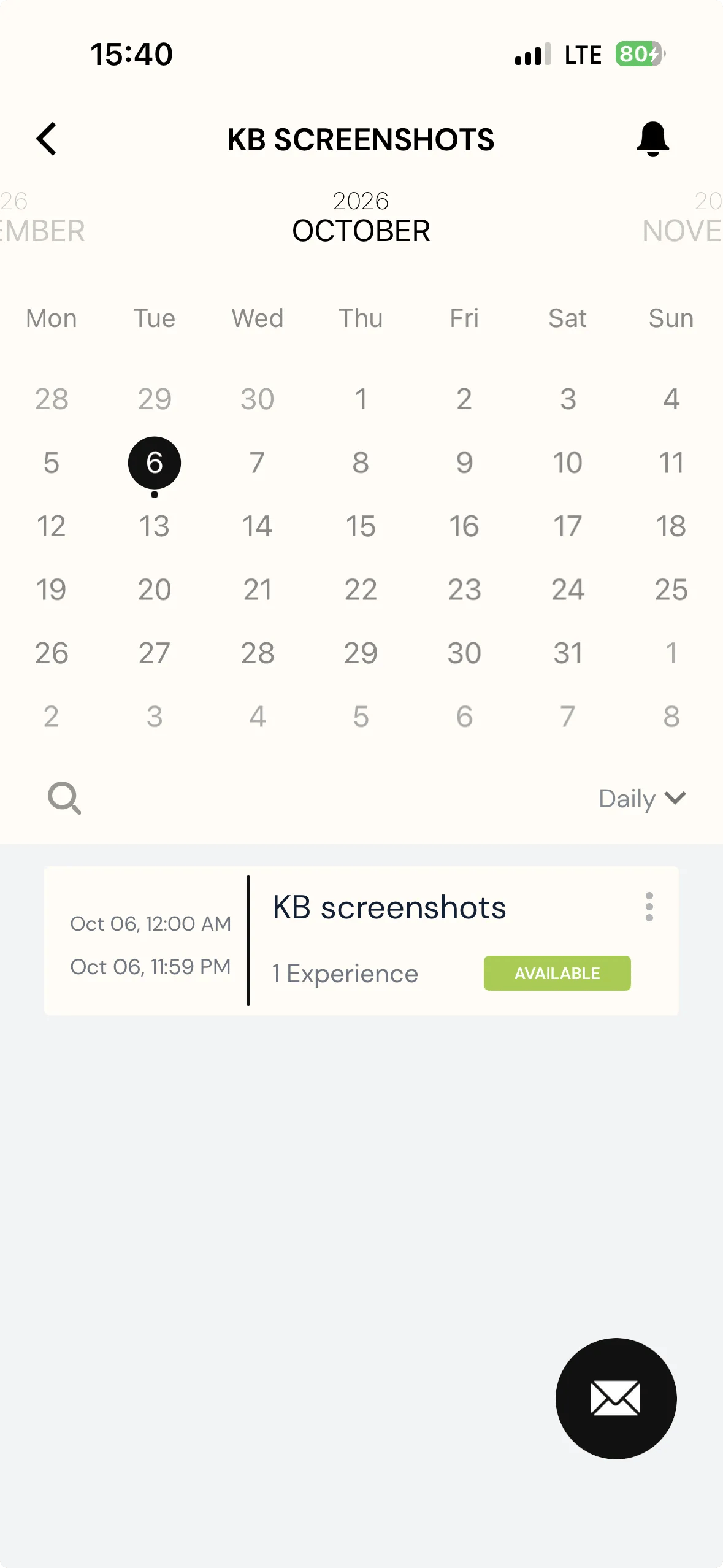
A project's calendar screen in the ExpiWell participant app, with a round black envelope button floating at the bottom right

By default that is the account that created the project. You can point it somewhere else on the Review page, which is worth doing when the person who built the study is not the person who should field participant questions — a coordinator or administrator, say.

Note
Changing it is available on any plan.
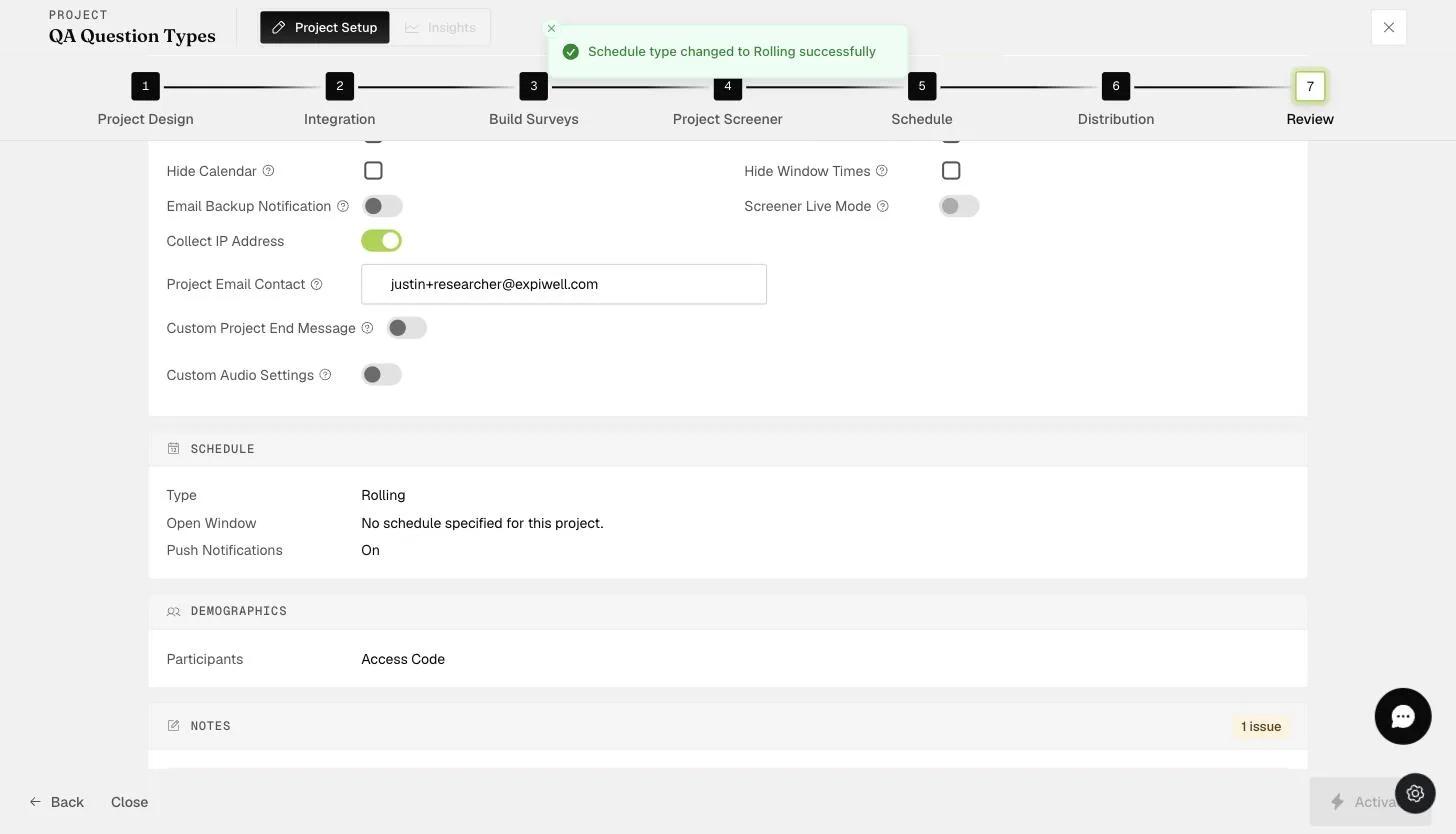
The Review step Project Email Contact field where the notification contact email is set
Was this helpful?
Start today

تحدّث إلى إنسان من فريق ExpiWell.

ما زلت عالقاً؟ فريقنا من الباحثين يجيب عن الأسئلة التقنية وأسئلة تصميم الدراسات على السواء.