Time zone update
How to Sync Notifications for Time Zone Update
Participants traveling to a location in a different time zone can update their time zone to sync their notifications. If you have a survey to complete at 9 am, and you are on the East Coast (New York), and you travel to the West Coast (California), your time zone will be -3 hours, resulting in your survey arriving at 6 am. Updating your time zone will fix the time, and you will receive the notification at the original time (9 am).
In the ExpiWell mobile app, open Settings and tap Update Timezone. The app confirms with Timezone Updated — "Your timezone is now set to…" and names the zone it has picked up, after which the schedule returns to its original times.
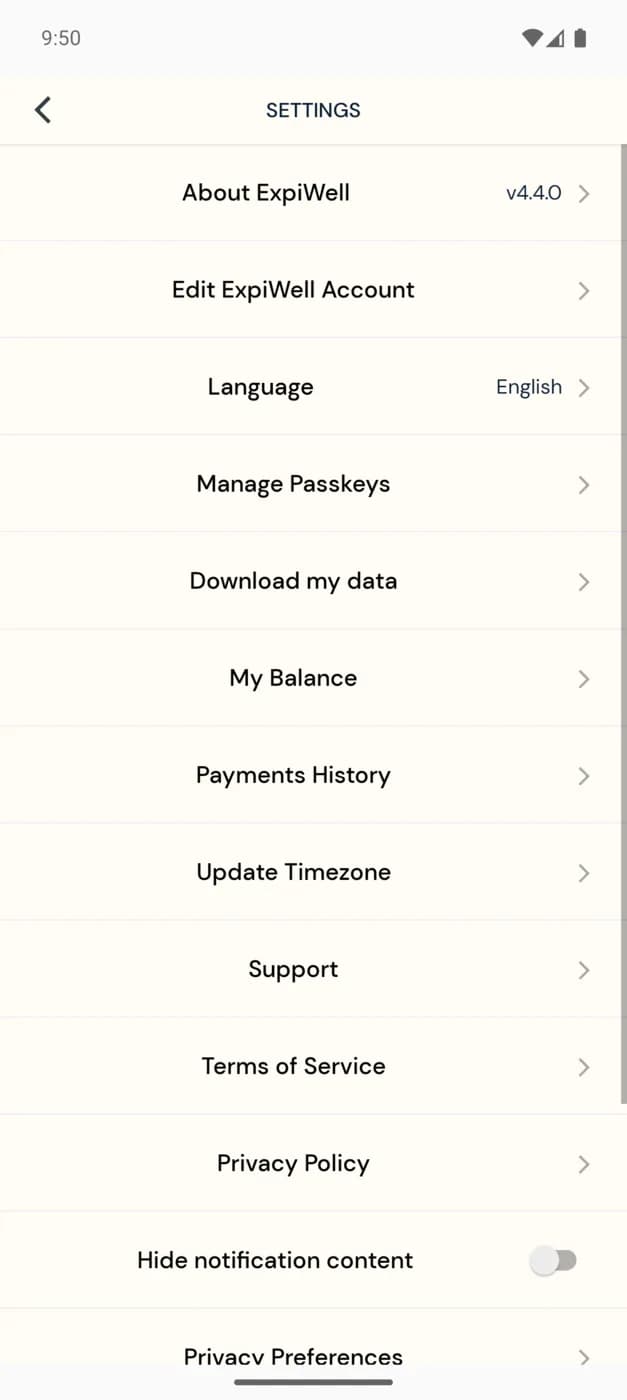
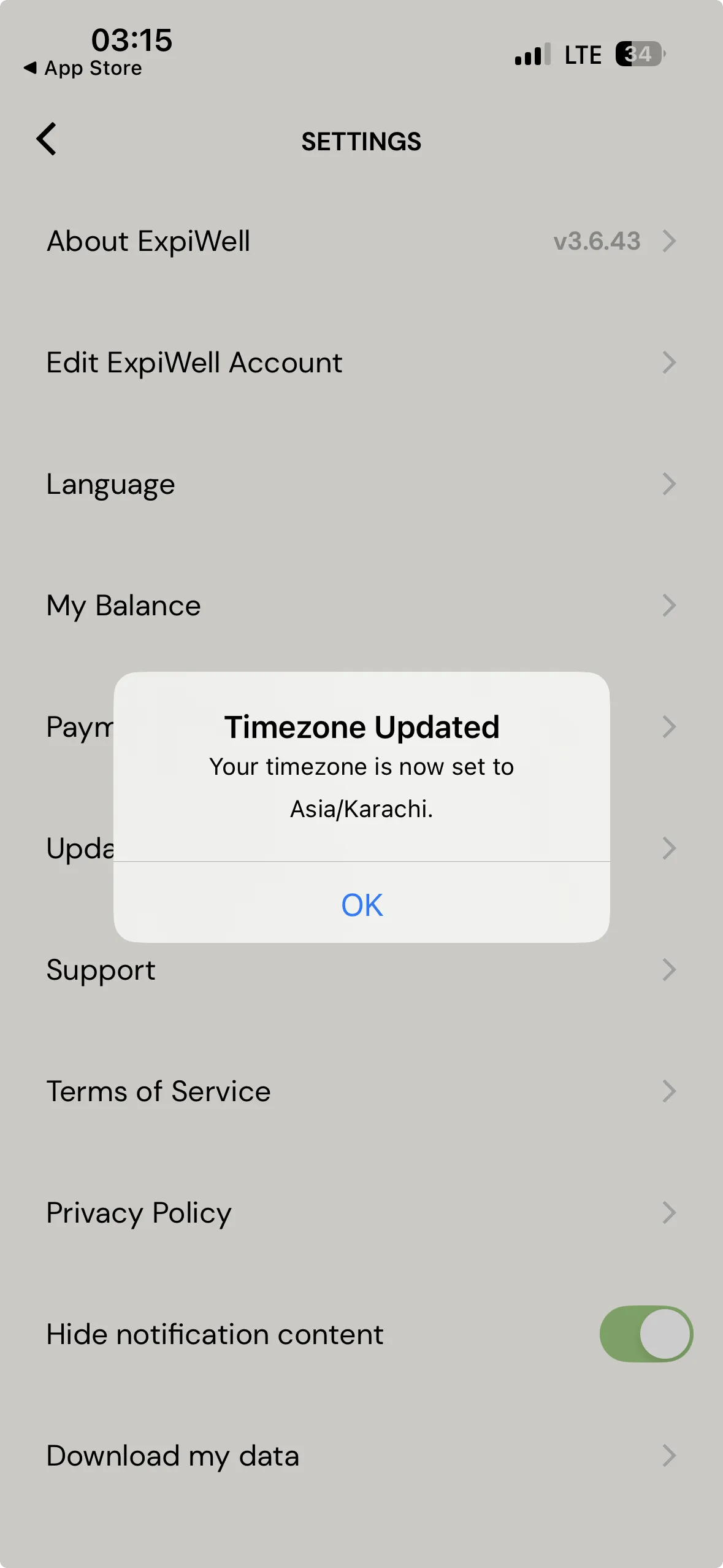
The zone is named in full, so a participant can see at a glance whether the app picked up where they actually are.
Usually you do not need this. The app notices a time zone change on its own when it is reopened and says so — see Automatic time zone updates. Update Timezone is the manual fallback for when notifications still look wrong after traveling.
If you have any questions, please reach out to help@expiwell.com